Introducing DinoAI Programmable Agents: Data Engineering Agents as Code
Define DinoAI agents as YAML in your repo and trigger them from anywhere - your CI, your DAGs, your scripts, even from other agents. Today we're launching Programmable Agents, the API layer for building production-grade agentic workflows on your data stack.

Fabio Di Leta
·
5
min read
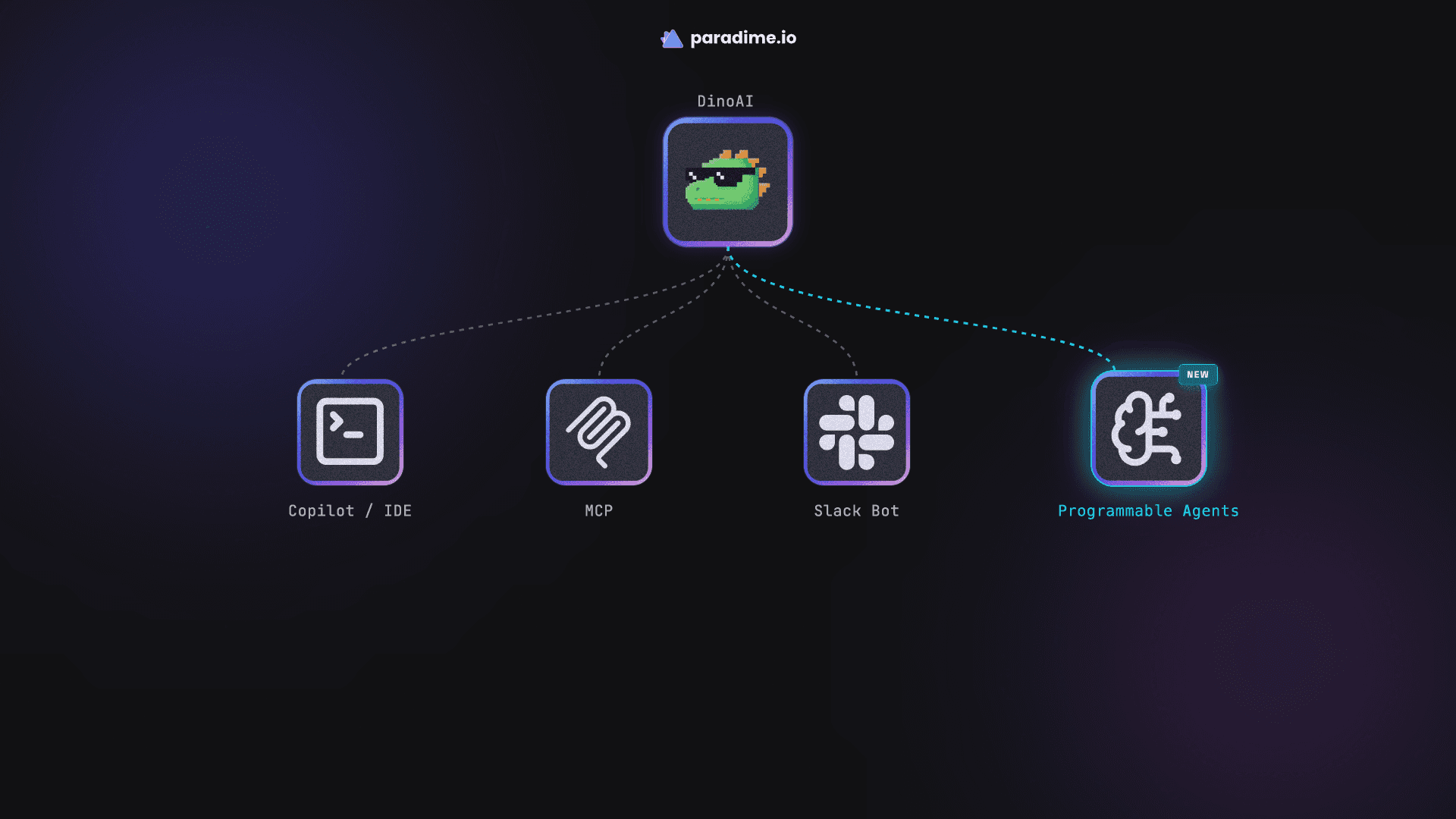
Two months ago, we launched DinoAI v3.0 - a true background agent you could invoke from Slack, Teams, or wherever you work. Then we shipped Self-Healing Pipelines, turning DinoAI into a one-click fix button for failing Bolt runs.
Both shipped one thing in common: a human starts the loop. Someone types a request. Someone clicks the button. Someone files a ticket.
But there's an entire class of data engineering work that doesn't start with a human. It starts when a DAG fails at 3 AM. When a CI pipeline opens a PR. When a Linear ticket gets labelled data. When a Snowflake warehouse blows past its credit budget. When a new dbt™ model lands in main without docs or tests.
For that class of work, you don't want to type. You want code that fires off a specialist agent.
Today, we're launching DinoAI Programmable Agents - the API and YAML layer that lets you define, version, and trigger DinoAI agents from anywhere in your stack.
The shift: from chat-invoked to code-invoked
DinoAI v3.0 made it possible for anyone to invoke an agent from Slack. Programmable Agents make it possible for anything to invoke an agent from code - and to define exactly which role, goal, and tools that agent has access to.
Each agent is just a YAML file in your repo:
That's it. Commit it. Trigger it. The agent runs in its own isolated sandbox, with exactly the tools you allow-listed, posting progress wherever you tell it to.
How it works
Three steps end-to-end:
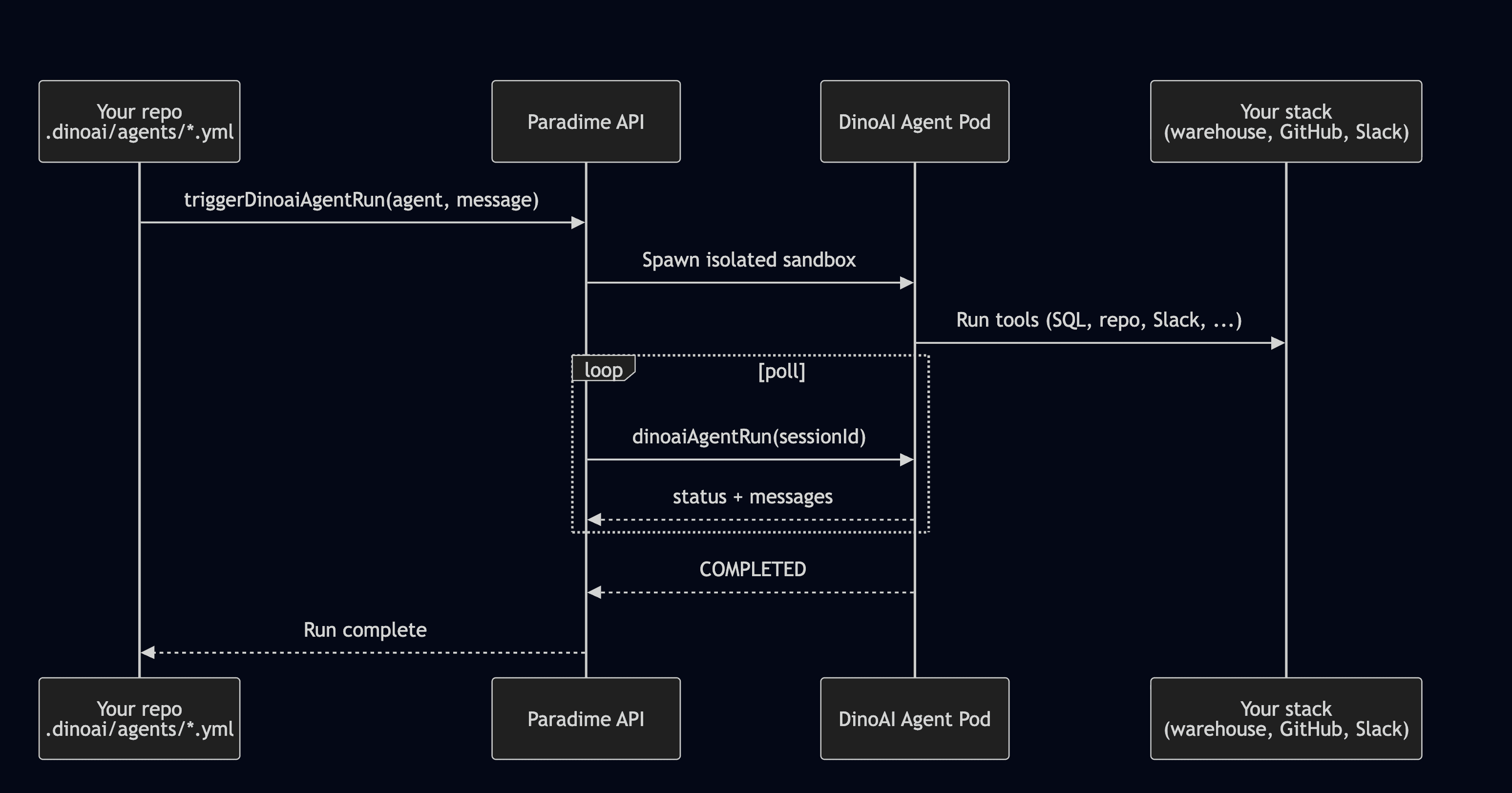
1. Commit a YAML. Drop your agent definition in .dinoai/agents/ and push.
2. Trigger a run. Hit the GraphQL endpoint, use the Python SDK, or fire off the Paradime CLI — whichever fits your runtime.
3. Read back the results. Poll the run for messages, watch progress stream into Slack, and pick up the final output (a PR, a SQL diff, a summary post) when status flips to COMPLETED.
Every run happens in a secure, isolated sandbox inside your Paradime infrastructure - the same isolation model that powers DinoAI v3.0 in Slack. Multiple agents can run in parallel, each in their own pod, each with their own scoped toolset.
The full YAML schema covers everything you'd expect: model selection, tool allowlists/denylists, Slack channel routing, context graph scoping, and execution limits.
Multi-agent delegation: the orchestrator pattern
Single-agent automation is great. But the more interesting workflows are multi-agent - one orchestrator delegating to a squad of specialists, each focused, each running in parallel.
Programmable Agents support this natively through two primitives: invoke_agent (spawn a child) and notify_parent_session (callback with findings). The full mechanics are in the Agent-to-Agent Delegation docs.
Here's what a real one looks like - our Pipeline Incident Commander, fired from an Airflow on_failure_callback:
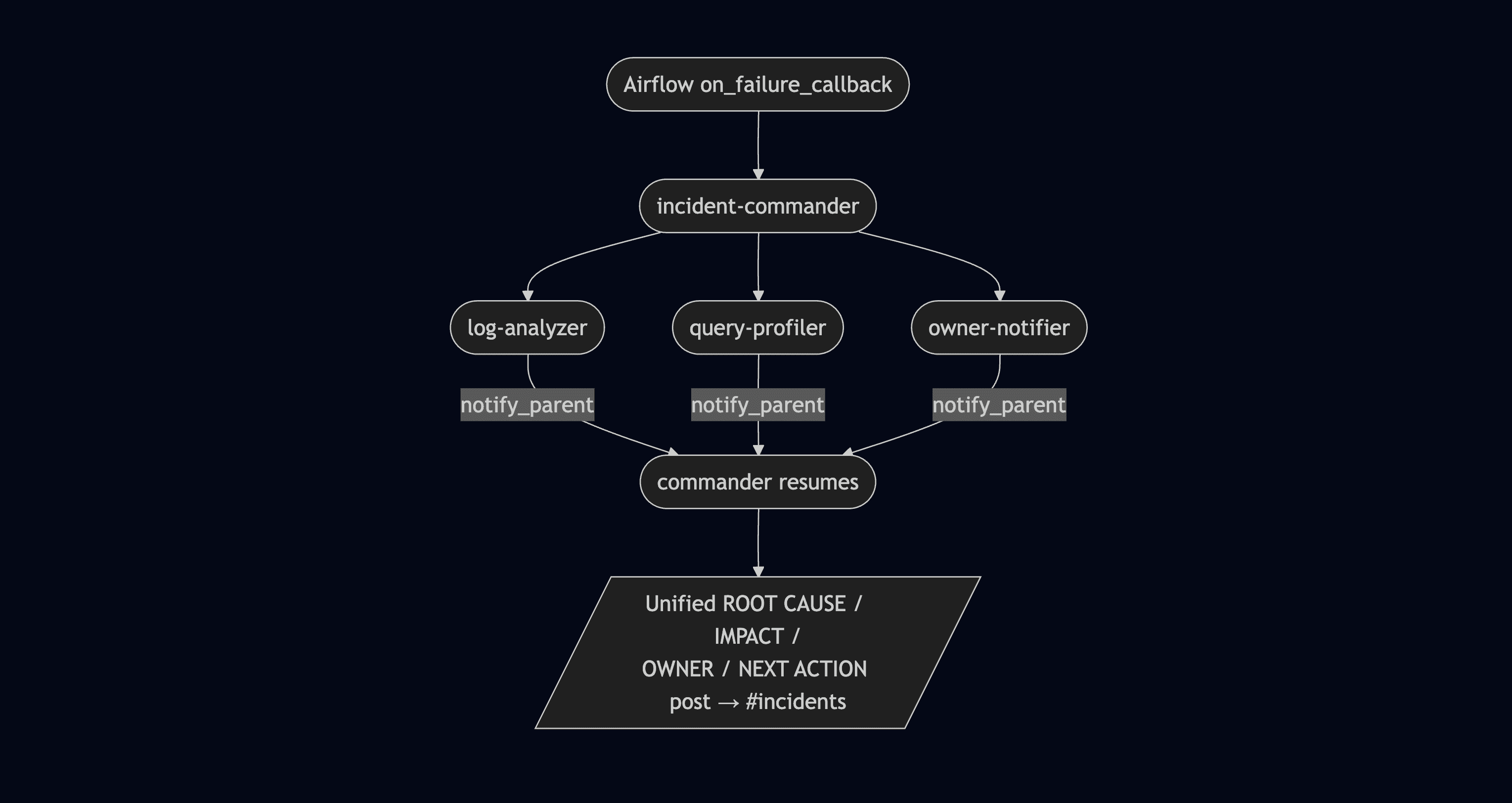
The commander never investigates anything itself - it only delegates and composes. None of the sub-agents have invoke_agent in their tool allowlist, so the graph stays exactly two levels deep. Predictable. Auditable. No runaway delegation chains.
End-to-end triage time: 3–8 minutes, fully unattended, from the moment your DAG throws an exception to a structured incident post in #incidents.
Seven agents you can fork today
We're launching with seven reference agents - production-grade, fully documented, ready to copy into your repo and adapt:
Pipeline Incident Commander - orchestrates log analysis, warehouse profiling, and owner notification when a pipeline fails. Triggered from Airflow, Bolt, or any other scheduler.
dbt™ Model Query Cost Optimizer — Snowflake - scans your Snowflake query history, finds the most expensive dbt™ models, and proposes refactors as PRs.
dbt™ Model Query Cost Optimizer — BigQuery - same idea, tuned for BigQuery's slot and bytes-billed model.
Doc Backfiller - sweeps your dbt™ project for undocumented models and columns, generates descriptions grounded in actual upstream SQL, and opens a PR.
Test Maintainer - finds gaps in your dbt™ test coverage (missing
not_null,unique,accepted_values) and proposes additions.Linear Backlog Agent - triages incoming data tickets in Linear, enriches them with warehouse context, and routes them to the right team.
End-to-End PR Reviewer - reads diffs, runs targeted dbt™ tests against the changed surface area, checks for materialization and incremental-strategy regressions, and leaves a structured review.
Each one is a single YAML (or a small squad of YAMLs) and a few lines of trigger code. Fork them, tune them to your stack, deploy.
Trigger from anywhere
Programmable Agents are designed to drop into whatever you already use:
GraphQL API - direct mutations and queries, full reference here
Python SDK -
paradime.dinoai_agents.trigger_run()/trigger_run_and_wait(), SDK module docsParadime CLI - for shell scripts, cron jobs, and CI steps, CLI reference
Common invocation surfaces we're already seeing in early access:
Airflow
on_failure_callback— auto-triage on any DAG task failureGitHub Actions - run the PR reviewer on every PR
Scheduled cron - nightly cost optimizer sweeps, weekly doc backfills
Other agents - call programmable agents from the v3.0 conversational agent
What's available out of the box
The Tools Reference covers the full surface, but the headline categories:
Repo tools -
read_file,search_files_and_directories,ripgrep_search,github_create_pull_requestWarehouse tools -
run_sql_query,list_all_snowflake_databases,list_all_columns_in_snowflake_table, plus BigQuery / Databricks / Redshift equivalentsBolt tools -
list_bolt_schedules,get_bolt_run_logsMessaging -
post_slack_message, MS Teams supportDelegation -
invoke_agent,notify_parent_session
You allowlist exactly what each agent can touch. The agent cannot escape its toolset. This is how you build agents that you can confidently let run unattended.
Getting started
If you're an existing Paradime customer:
Head to Workspace Settings → API and generate a key with
DinoAI agent APIcapabilities enabled.Add your first YAML at
.dinoai/agents/<name>.yml. The Quick Start gets you running in three steps.Trigger it from your repo, your CI, your DAG, or your terminal.
If you're new to Paradime, sign up here and you'll get Programmable Agents along with the rest of DinoAI v3.0 in the same workspace.
What's next
A few things already on the roadmap:
More reference agents - schema migrator, freshness sweeper, lineage explainer, semantic-layer maintainer
Memory - agents that persist context across runs
Richer observability - full agent activity logs and audit trails in the Paradime UI
Final thoughts
DinoAI v3.0 made the agent available wherever a human works. Programmable Agents make the agent available wherever your systems work. Together, they turn DinoAI from a tool you talk to into a workforce you can compose - and embed it into the rails of your data platform itself.
Pick a reference agent. Fork the YAML. Wire up the trigger. The first time a pipeline fails and a fully-formed incident report lands in #incidents before anyone wakes up, you'll know why we built this.
Ready to build your first agent? Start with the Quick Start →


