Self-Healing Pipelines: The Next Generation of Data Orchestration
We are excited to announce Self-Healing Pipelines in Paradime Bolt — the next generation of data orchestration in the age of AI.

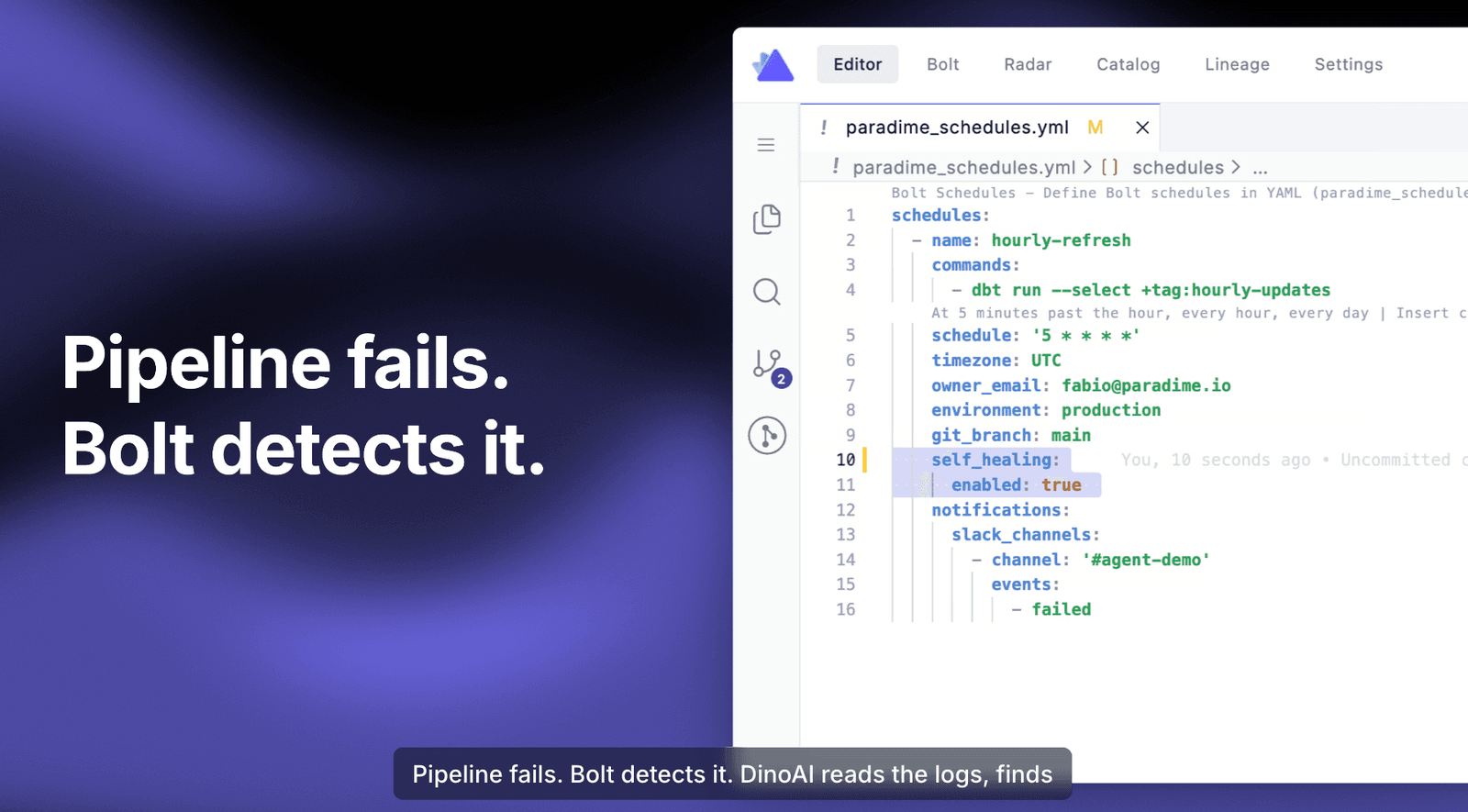
A few months ago, we said that "tomorrow" pipeline fixes would be fully automated. Today, that tomorrow is here.
From dbt™ Orchestrator to End-to-End Pipeline Platform
Paradime Bolt started life as a state-aware dbt™ orchestrator — chosen by teams who wanted reliability without complexity. It was never designed to replace Airflow, Dagster, or Prefect. It was designed to complement them: easy to use, state-aware for dbt™, capable of running any Python or API command, and available 24/7.
But over the past year, we have watched our customers stretch what they run on Bolt. Ingestion jobs. Feature stores for ML pipelines. API-driven processes. Modern data teams don't just transform - they orchestrate complex, multi-system pipelines that span dbt™, Python, Spark, and APIs across the entire stack. Users are now building agentic pipelines too!
So Bolt evolved with them. Bolt is no longer just a dbt™ orchestrator. It's an end-to-end orchestration layer for any data pipeline, at any scale, from a five-person startup to a complex enterprise.
But scale doesn't change one inevitability: pipelines fail.
The MTTR Problem, Revisited
Pipeline failures are inevitable. The question has never been if - it's how fast can you recover?
Mean Time to Repair (MTTR) is the metric that decides whether a failure is a blip or a crisis. A pipeline that breaks at 2 AM and takes six hours to fix means stale dashboards by morning, missed SLAs by lunch, and a frustrated CEO by dinner.
In our last release, we made a bold projection: 80% of pipeline errors should be fixable by automated coding agents. We shipped AI failure summaries directly into Slack and MS Teams, and we wrote:
"With the release of AI fixes in Slack, today the workflow will be: view the fix in Slack, click a button to open Paradime's AI-native IDE, and ask DinoAI to implement the repair... Tomorrow, this will become a fully automated process."
Today is that tomorrow.
Introducing Self-Healing Pipelines
We are excited to announce Self-Healing Pipelines in Paradime Bolt — the next generation of data orchestration in the age of AI.
Self-healing pipelines introduce two new capabilities to Bolt:
1. Fix from Slack (and soon MS Teams) — when a pipeline fails, the failure summary in Slack now comes with a Fix with DinoAI button. One click spins up a DinoAI background agent that:
- Reads the failure logs
- Walks across every connected repository (dbt™ mesh, Spark jobs, Looker/Omni semantic layers)
- Generates the fix
- Runs your dbt™ tests to validate
- Opens a pull request ready to merge — all without you opening your laptop
2. Self-Healing Mode — for pipelines you want truly hands-off, you can now opt in any Bolt schedule with a two-line self_healing block in your paradime_schedules.yml. When a self-healing pipeline fails, DinoAI is triggered automatically. No buttons. No human in the loop until the PR is ready for review.
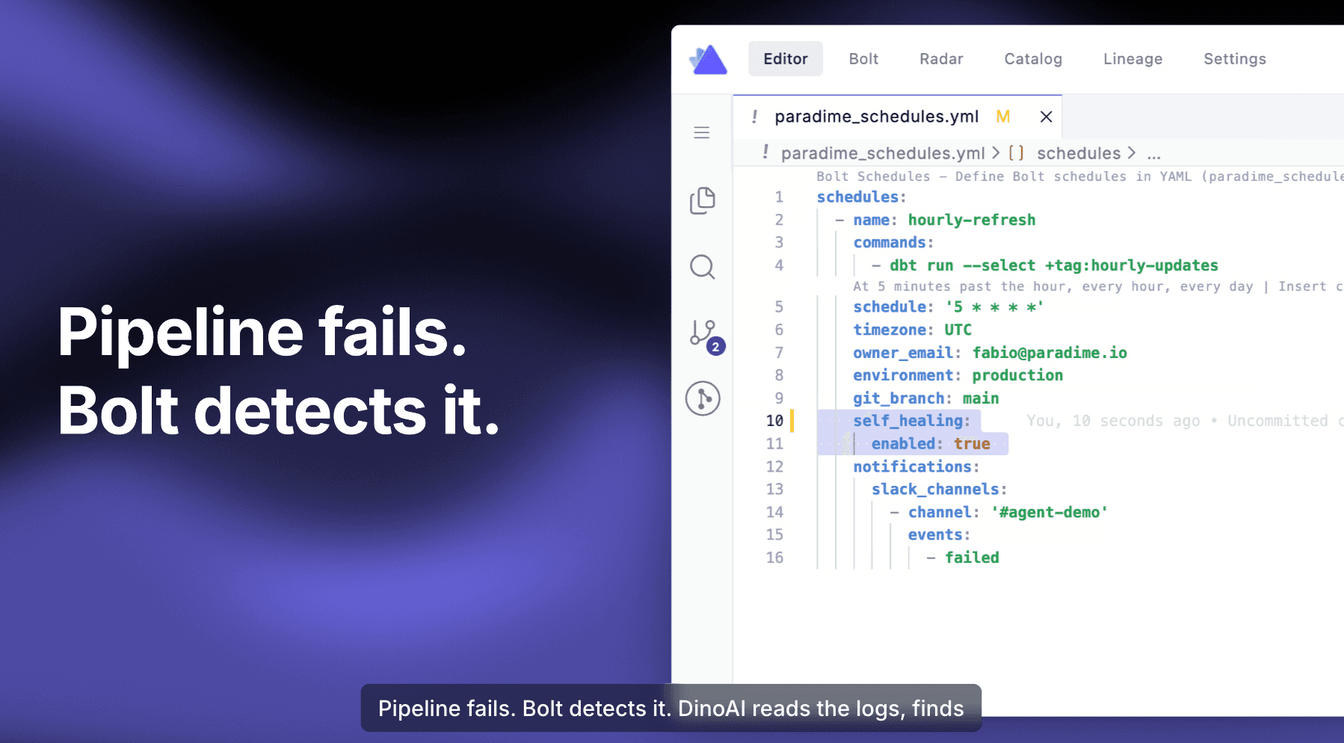
You still keep practitioner control: DinoAI prepares the change, runs the tests, and opens the PR — but the merge is yours.
See It in Action
How Self-Healing Works
Here is what happens between a failure and a green pipeline:
sequenceDiagram
    participant Pipeline as Bolt Pipeline
    participant DinoAI as DinoAI Agent
    participant Repos as GitHub Repositories
    participant Warehouse as Data Warehouse
    participant Slack as Slack / MS Teams

    Pipeline-->>Slack: Pipeline fails 🚨
    Pipeline->>DinoAI: Trigger background agent
    DinoAI->>Pipeline: Read failure logs
    DinoAI->>Repos: Inspect code across all connected repos
    DinoAI->>Warehouse: Check schema and data context
    DinoAI->>DinoAI: Generate candidate fix
    DinoAI->>DinoAI: Run dbt tests and validation
    DinoAI->>Repos: Commit, push, open PR
    DinoAI-->>Slack: PR ready for review ✅
Here's what a real self-healing run looks like in Slack — root cause, before/after diff, validation, and a PR ready to merge:
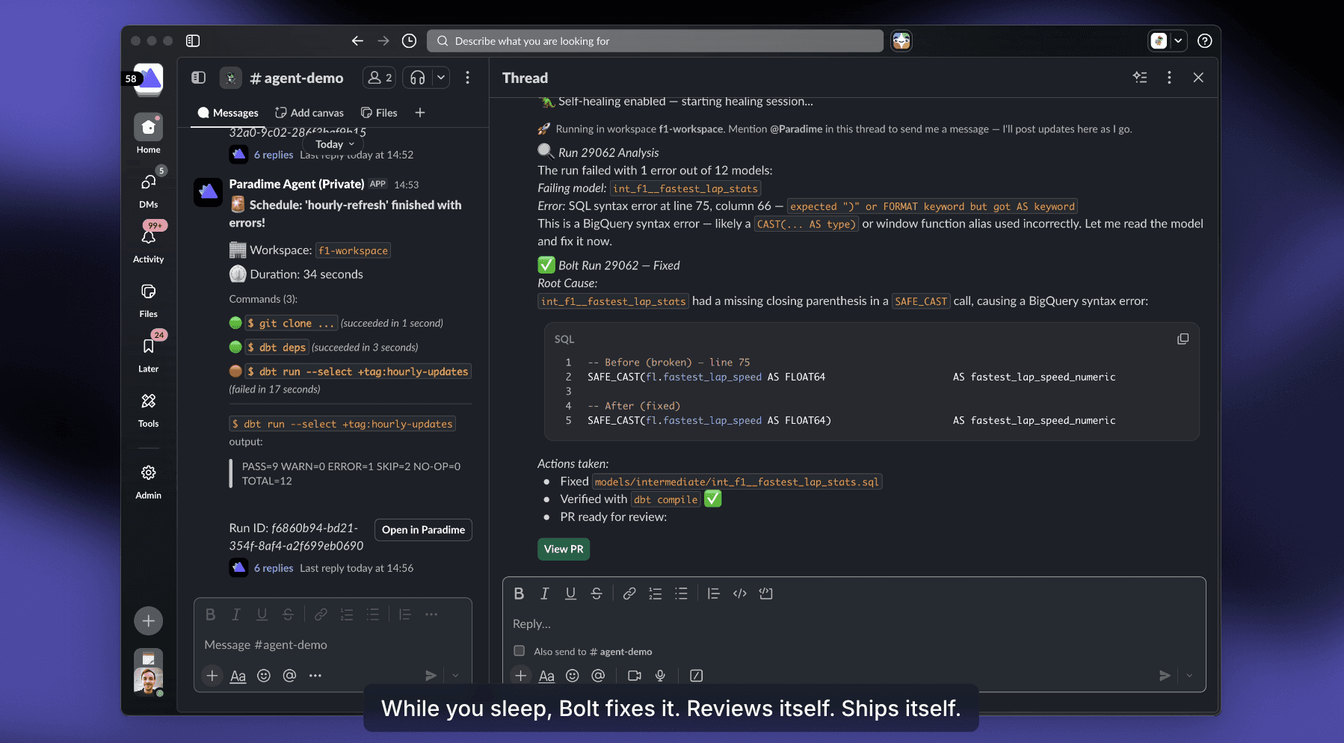
The agent works across multiple repositories. If your dbt™ mesh has three repos and the failure requires changes both upstream and downstream, DinoAI traces the dependency chain and fixes all the right places in a single, coherent pull request. Same goes for hybrid setups — dbt™ in one repo, Looker or Omni in another, a Spark pipeline in a third. DinoAI traverses all of them.
Hours and Days → Minutes
The compounded effect is dramatic. Here's how a typical 2 AM pipeline failure plays out before and after self-healing:
graph TB
    subgraph Before ["⏱️ Before: 4-12 hours, often next business day"]
        direction TB
        B1["02:00 — Pipeline fails"] --> B2["On-call engineer paged repeatedly"]
        B2 --> B3["Engineer wakes up, opens laptop"]
        B3 --> B4["Scrolls through 700+ lines of logs"]
        B4 --> B5["Identifies root cause"]
        B5 --> B6["Writes fix"]
        B6 --> B7["Tests locally"]
        B7 --> B8["Opens PR, waits for review"]
        B8 --> B9["Merges and re-runs pipeline"]
    end

    subgraph After ["⚡ After: 3-5 minutes, before the team logs on"]
        direction TB
        A1["02:00 — Pipeline fails"] --> A2["DinoAI auto-triggered"]
        A2 --> A3["Reads logs, code, and schema"]
        A3 --> A4["Generates fix across repos"]
        A4 --> A5["Runs dbt tests"]
        A5 --> A6["PR ready for review by morning"]
    end

    style Before fill:#fee2e2,stroke:#dc2626,color:#000
    style After fill:#dcfce7,stroke:#16a34a,color:#000
What used to consume an engineer's night and most of the next morning now resolves itself before standup.
Works With What You Already Have
A question we hear constantly: "I'm already running Airflow, Dagster, or Prefect. Do I need to migrate everything to Paradime to get self-healing?"
The answer is no.
Bolt now ships with orchestration triggers for every major platform — Airflow, Dagster, Prefect, Azure Data Factory, Google Cloud Composer, and more. You can trigger your existing pipelines from Paradime, and as soon as they finish, the logs flow back into Bolt.
From there, DinoAI takes over. It analyzes logs, traces them back to your code repository, queries your data warehouse for context, and recommends a fix.
graph LR
    A[Your Existing Orchestrator<br/>Airflow • Dagster • Prefect • ADF] -->|Trigger from Bolt| B[Pipeline Runs]
    B -->|Logs flow back| C[Paradime Bolt]
    C -->|On failure| D[DinoAI Agent]
    D --> E[Code Repo]
    D --> F[Data Warehouse]
    D --> G[PR Ready to Merge]

    style D fill:#fef3c7,stroke:#d97706,color:#000
    style G fill:#dcfce7,stroke:#16a34a,color:#000
We support any code-based framework — dbt™, Spark, Python, or your own meta-framework. The only requirement is that your pipelines live in code (not in a UI-only tool) and that Paradime is connected to your warehouse and your repositories.
You don't migrate. You just plug in.
The Impact: Up to 90% MTTR Reduction
Teams using Bolt have already reported up to 70% MTTR reduction compared to alternative orchestrators. With self-healing pipelines, we project this number to climb to up to 90% — particularly for the routine, deterministic failures that account for the majority of pipeline incidents.
This is a step-change in how data orchestration works in the age of AI. It's a redefinition of what an orchestrator should do.
The orchestrator of the future doesn't just run pipelines.
It heals them.
Try Self-Healing Pipelines Today
Start your 14-day free trial of Paradime Bolt and experience self-healing pipelines for yourself.
Interested to Learn More? Try Out the Free 14-Days Trial
One AI-native workspace to build, ship, and monitor dbt™ — without the tool sprawl.
More Articles
Join industry leaders winning with DinoAI agents
Data engineers and analysts at the most AI-native startups and enterprises use Paradime's DinoAI agents everyday to become market leaders.