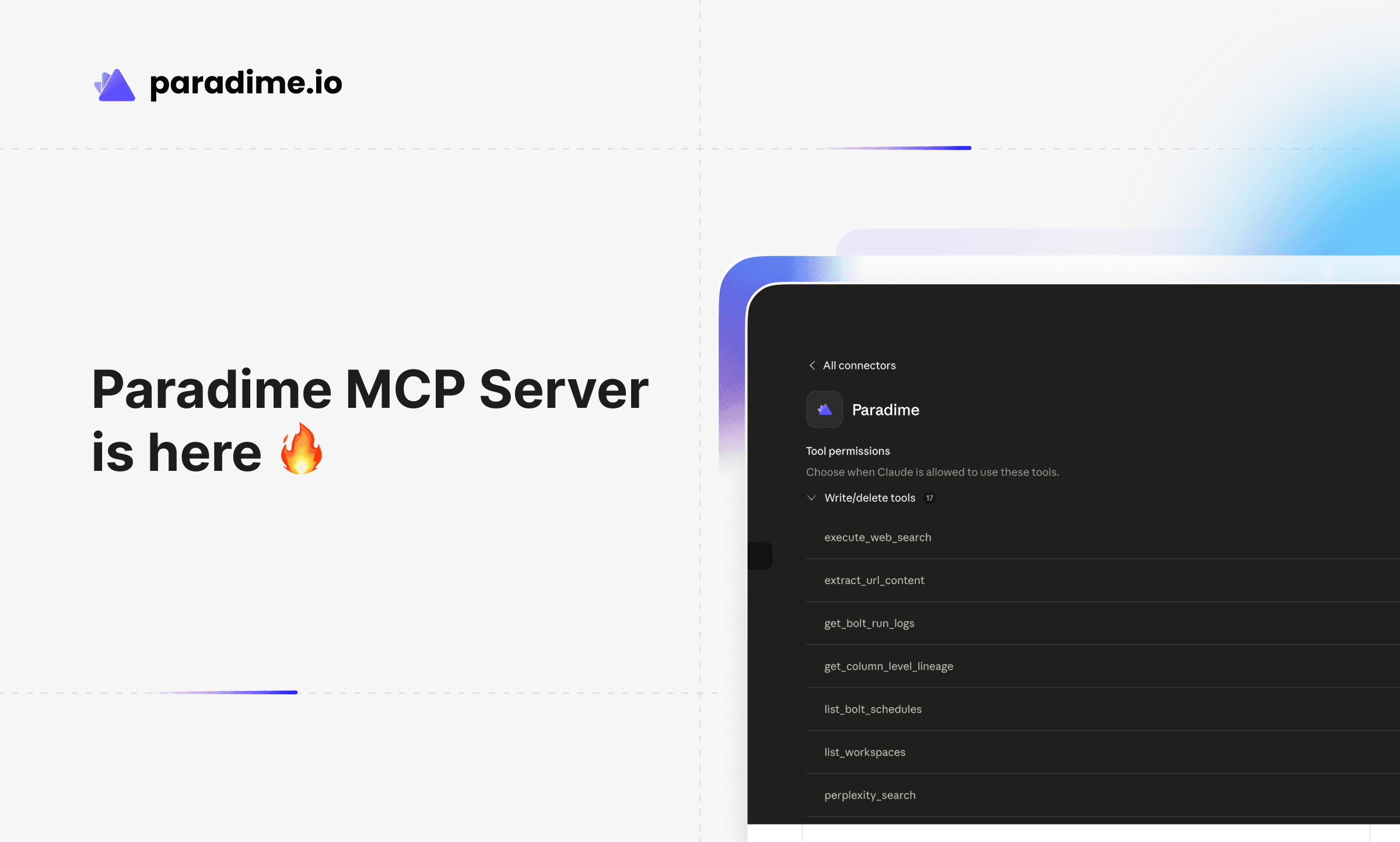
Paradime MCP Server: DinoAI Context Graph, Anywhere You Work
One authenticated endpoint that brings the full Paradime context graph to Claude, Claude Code, ChatGPT, GitHub Copilot, OpenCode - and every other MCP-compatible client.

Kaustav Mitra
·
4
min read
TL;DR
The Paradime MCP Server is now generally available. A single, authenticated remote MCP endpoint that brings DinoAI's full context graph to any MCP-compatible client - Claude, Claude Code, ChatGPT, GitHub Copilot, OpenCode, Cursor, and more.
One endpoint, the entire stack. Replace a sprawl of single-purpose MCPs (Snowflake, Linear, GitHub, Looker, dbt™, …) with one governed endpoint that already knows your warehouse, your repos, and your business context.
Governed and secure by default. Access is tied to a user's Paradime account. When a user leaves the organisation, their MCP access is revoked automatically — same as their warehouse access.
Higher accuracy, lower token cost. DinoAI's context graph routes lookups to the right place at the right time, dramatically reducing hallucinations and keeping spend manageable - even on Opus-class models.
17 tools out of the box spanning code, warehouse, catalog, lineage, Bolt orchestration, pull requests, and web search.
Free to start. Business and read-only users on Paradime are free. Get a personal access token, paste the URL into your client, and you're connected in under a minute.
The MCP Sprawl Problem
Connecting an AI agent to your data stack should be simple. In practice, it isn't.
Most teams end up wiring up one MCP server per tool - a Snowflake MCP, a GitHub MCP, a Linear MCP, a Looker MCP, a dbt™ MCP - each with its own keys, its own token rotation, its own access policy, and its own quirks. The result is an operational nightmare for data teams and a cognitive nightmare for the agent on top.
From the agent's point of view, every server has equal weight. Ask "how does my fct_orders model work?" and a vanilla setup will dutifully grep every Linear ticket containing "orders", every GitHub file referencing "orders", and every BI asset with the word "orders" in it - before it gets anywhere near an answer. The bigger your data platform, the worse this gets. Hallucinations climb. Token bills climb faster.
It gets riskier than that. We've watched untyped MCP setups brute-force their way into permission changes - altering Snowflake roles, granting access to warehouses the user was explicitly told to avoid, "fixing" things by escalating privileges. Even seasoned engineers with enterprise guardrails run into it.
Pipelines need governance. Agents need context. The tooling layer underneath both has to deliver both.
Introducing the Paradime MCP Server
Today we're excited to announce the Paradime MCP Server - a single authenticated remote MCP endpoint that brings DinoAI's full context graph to wherever you already work.
It runs in the same secure, trusted environment as the rest of Paradime. Data teams configure the agent surface once - which warehouse, which repositories, which integrations the MCP can reach. End users - whether they sit in data engineering, analytics, marketing, sales, or finance - don't have to think about any of that. They log into Paradime, generate a personal access token, paste the URL into their client, and they're live.
When that user leaves the organisation, their Paradime access is revoked - and so is their MCP access. No keys to chase. No tokens to rotate. No forgotten secrets sitting in a config file on someone's old laptop.
Anywhere You Already Work
DinoAI is no longer locked behind a single chat window. The MCP server is a remote endpoint - anywhere MCP runs, DinoAI runs.
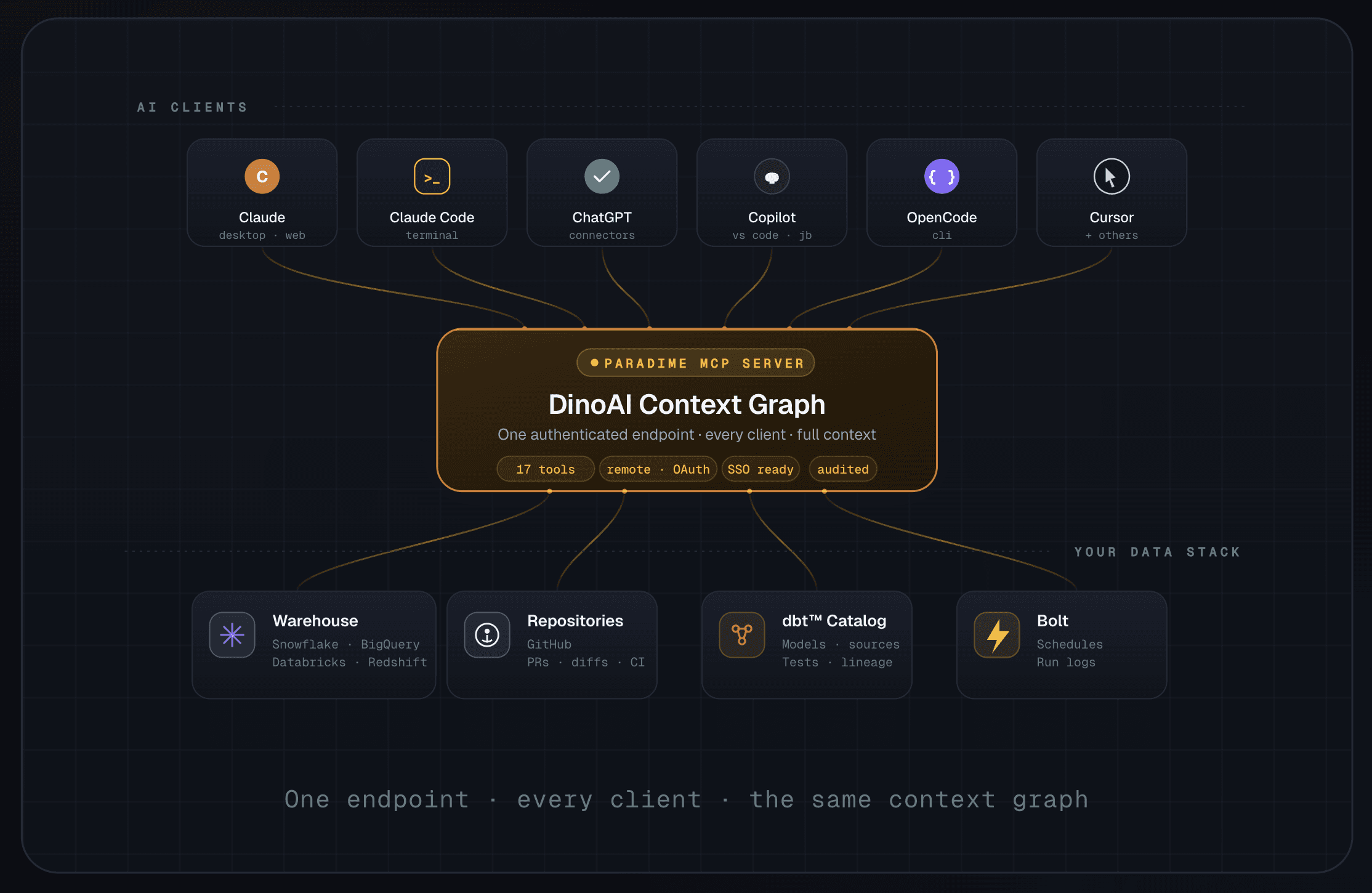
One endpoint. Every client. The same context graph.
Five MCPs vs. One
The strongest argument for the Paradime MCP server isn't theoretical. It's what your stack actually looks like the day after you connect it.
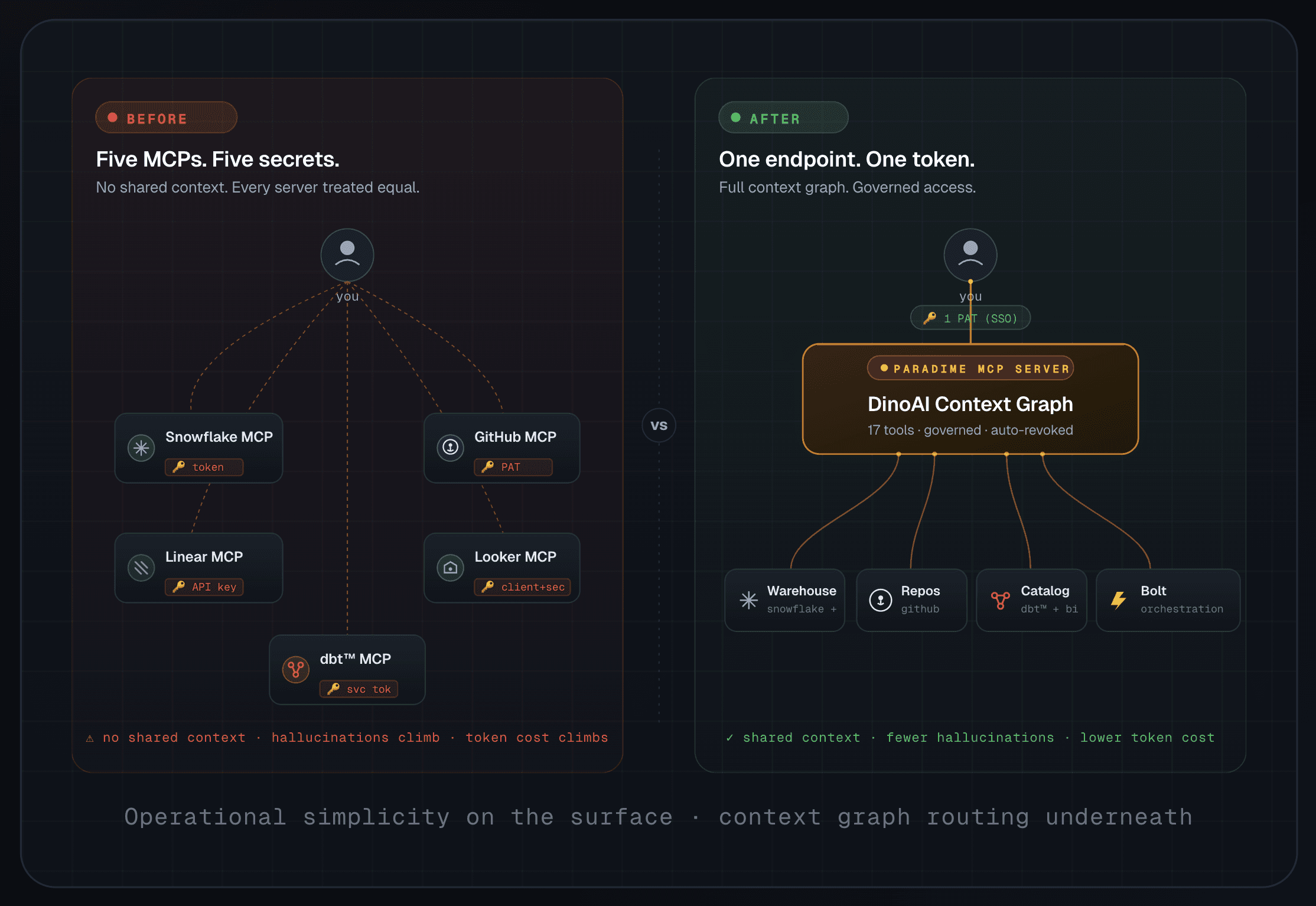
The operational simplicity is obvious - one secret to manage instead of five. The deeper benefit is what happens inside the agent.
DinoAI doesn't treat your warehouse, your repo, and your catalog as five anonymous endpoints to be searched in parallel. The context graph routes the question. A column-lineage question goes straight to lineage. A "why did this Bolt run fail?" goes straight to the Bolt run logs. A semantic-layer question goes through the catalog. The agent does fewer, more targeted lookups - which means fewer hallucinations, smaller context windows, and meaningfully lower token consumption, even on premium models like Claude Opus.
What's in the Box: 17 Tools
Every Paradime MCP user gets the same set of 17 tools, scoped to whatever your data team has configured for your workspace.
🐙 Code & Repository
Tool | What it does |
|---|---|
| Read any file in your connected code repository - SQL models, Python jobs, YAML configs, anything. |
| Rename a file in the repo (parent directories are created automatically). |
| Find files and folders by glob pattern ( |
| High-speed regex search across the entire repo with surrounding context - perfect for tracing |
| Open a new PR on GitHub - including drafts - using the connected user's account. |
| Pull PR metadata, the full code diff, CI status, or every review and inline comment. |
| List PRs by state, branch, sort order, or popularity - find what needs review. |
❄️ Data Warehouse & Catalog
Tool | What it does |
|---|---|
| Execute SQL against your connected warehouse and return results as CSV (Snowflake, BigQuery, Databricks, Redshift). |
| Search the unified data catalog - dbt™ models, sources, tests, macros, plus assets from Looker, Tableau, Fivetran. |
| Trace upstream and downstream dependencies for any column in any model - essential for impact analysis and refactoring. |
⚙️ Bolt Orchestration
Tool | What it does |
|---|---|
| List every active Bolt schedule with name, UUID, cron, owner, and configured commands. |
| Pull AI-generated failure summaries for a specific run or the most recent run of a schedule. |
🏢 Workspace Management
Tool | What it does |
|---|---|
| List every Paradime workspace your account has access to. |
| Switch the active workspace - useful for multi-team setups with separate finance, marketing, and engineering repos. |
🔍 Web & Research
Tool | What it does |
|---|---|
| General-purpose web search, with optional domain restrictions (e.g. limit to |
| Real-time web search via the Perplexity API for up-to-date documentation and references. |
| Pull clean text content from any HTTP/HTTPS URL - handy when DinoAI needs to read a doc page or a runbook. |
Multi-Workspace, Multi-Repository - Without the Headache
For larger organisations with separate code repositories per department - finance in one repo, HR in another, marketing in a third - Paradime workspaces map cleanly onto MCP access.
Invite each team to their own workspace, configure the integrations they need, and their MCP endpoint inherits exactly the access you've granted them in Paradime. No bespoke role configuration. No duplicated MCP servers. The access management you've already built is the access management for AI.
How to Connect
Getting set up takes about a minute.
Step-by-step:
Log in to Paradime. Business and read-only users are free - if you don't have access yet, ask your data team to invite you.
Open the API keys settings page at app.paradime.io/settings/api-keys.
Generate your MCP token. Copy the token and the MCP server URL. Treat the token like any other secret - it inherits your Paradime permissions.
Add the Paradime MCP as a custom connector in your client of choice (Claude, Claude Code, ChatGPT, GitHub Copilot, OpenCode, Cursor, etc.). Paste in the MCP URL.
Authorize with your MCP token. That's it - DinoAI's full context graph is now available wherever you work.
When you leave the organisation, your data team revokes your Paradime account. Your MCP access disappears with it. No leftover credentials. No abandoned tokens.
One Endpoint for an Entire Data Stack
The Paradime MCP server isn't another integration to add to the pile. It's the layer that lets you remove the pile.
One authenticated endpoint. Seventeen production-grade tools. The same governance you already trust for your warehouse and your repos. And a context graph underneath that turns "AI in your data stack" from a hallucination-prone experiment into something your whole organisation can actually rely on.
The MCP server of the future doesn't just expose tools.
It understands your stack.
Try the Paradime MCP Server today
Start your 14-day free trial and bring DinoAI's context graph into Claude, Claude Code, ChatGPT, and every other client you already use.


