Feature Spotlight: Schedule Table View and Search & Filter
Paradime makes running dbt™ on a schedule a breeze, whether you're comfortable managing dbt™ schedules via YAML files or prefer the UI.

YAML File or UI? Paradime supports both
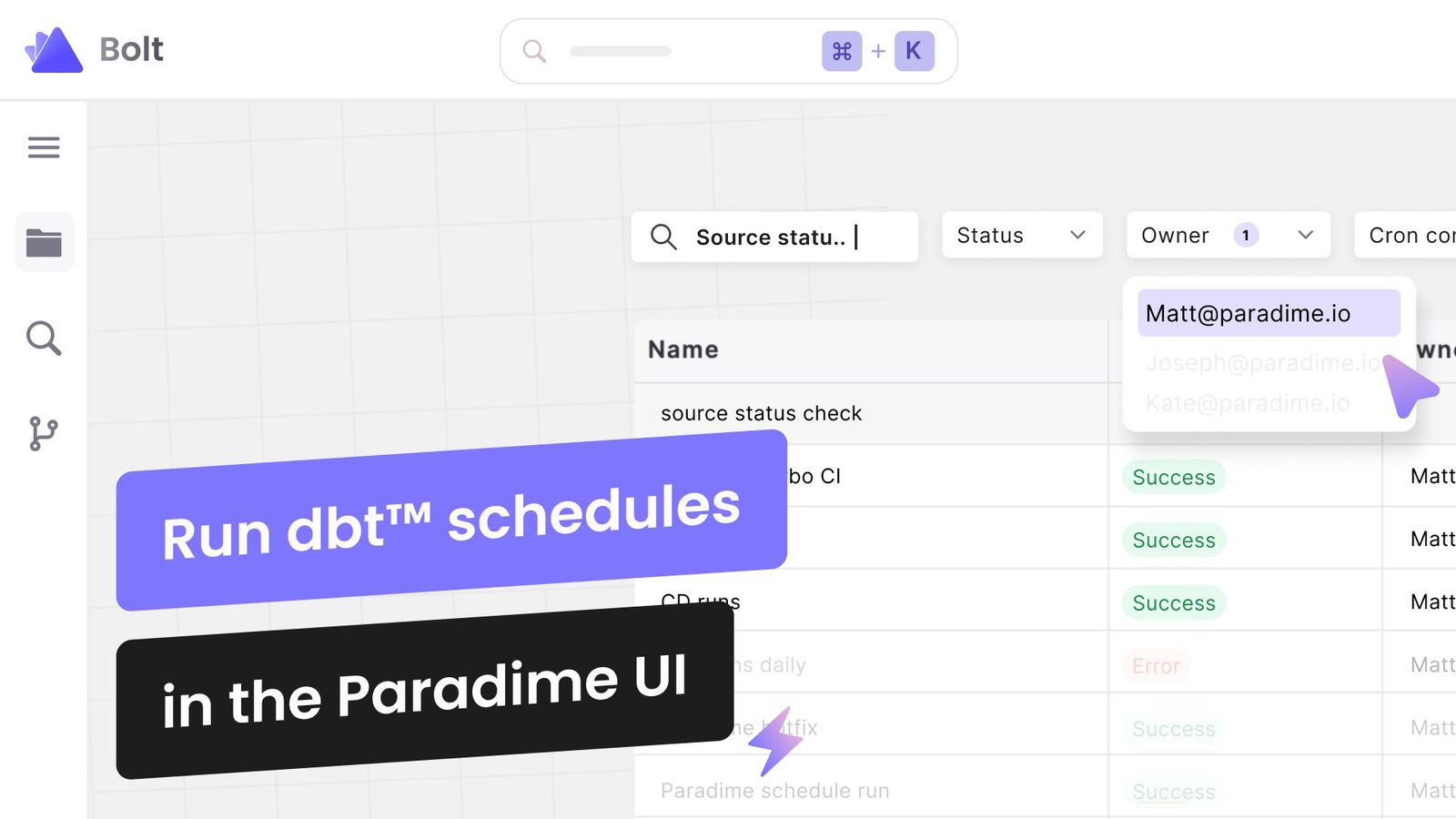
Paradime makes running dbt™ on a schedule a breeze, whether you're comfortable managing dbt™ schedules via YAML files or prefer the intuitiveness of a UI. This flexibility ensures that you can work in the environment that suits you and your team best, making your analytics engineering experience more manageable and less time-consuming.
Here are two feature spotlights if you want to run schedules in the UI:
Schedules Table View
Paradime's UI includes a comprehensive schedules table view, which is a game-changer (if we can say so ourselves) for visualizing your production schedules. The table allows you to see every detail in one place. You can customize this table to your liking, adding or removing columns based on your needs. Whether it's the schedule owner, cron description, configuration details, or the last run time, you have complete control over what you see.
Search & Filter Functionality
When working with a large number of schedules, finding a specific one can be like looking for a needle in a haystack. Paradime solves this with its robust Search & Filter feature. This allows you to quickly locate a schedule by its name and filter your schedules based on criteria such as run status, the owner of the schedule, or specific cron configurations. This level of detail guarantees you can manage and monitor your schedules with precision and ease.
Conclusion
Running dbt™ schedules in the Paradime UI offers an efficient and user-friendly approach. With features like the Schedules Table View and the Search & Filter, managing your dbt™ schedules becomes a more streamlined and visually accessible task. Whether you're a YAML enthusiast or a UI aficionado, we do what we can to cater to your preferences and build a versatile tool for your data stack.
Learn more in our Docs Hub
Interested to Learn More? Try Out the Free 14-Days Trial
One AI-native workspace to build, ship, and monitor dbt™ — without the tool sprawl.
More Articles
Join industry leaders winning with DinoAI agents
Data engineers and analysts at the most AI-native startups and enterprises use Paradime's DinoAI agents everyday to become market leaders.