DinoAI Agent Studio
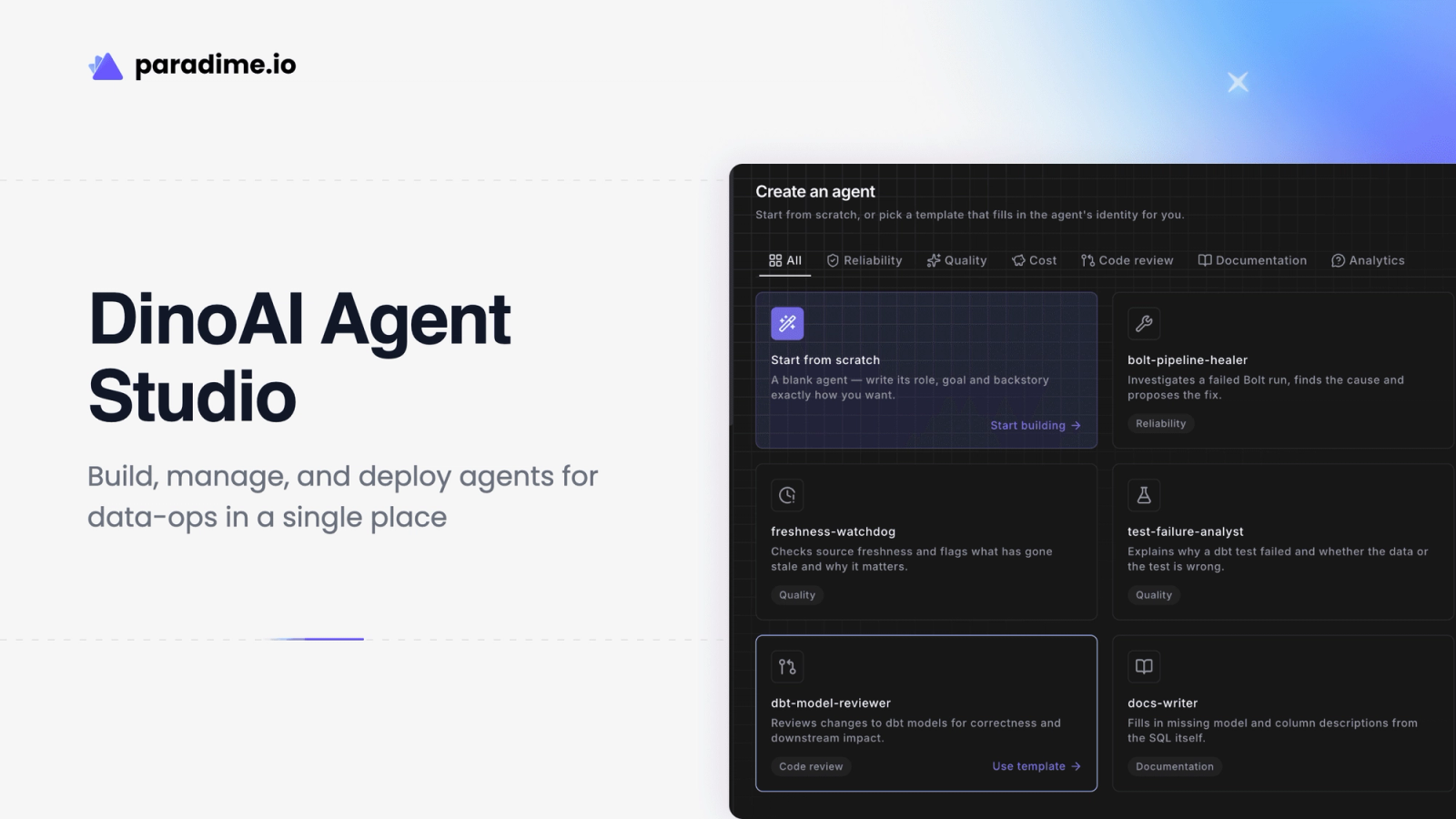
Introducing the DinoAI agent studio for building, managing, and optimizing AI agents for data ops. With a persistent layer, build your agents from Slack, or in-app with with your choice of models, and guardrails.

Introduction
At Paradime, we believe the future data engineer will not hand code data pipelines. They will role out agents that actually do the work of coding, deploying, monitoring, and fixing data pipelines. They will build agents that manage the entire lifecycle of data movement.
As a result, these engineers and teams will need fundamentally different tooling to what exists today. I can go onto granular features that should make up this new kind of tooling but then I would digress. Instead, what we believe is users should have a platform where the substrate is what a mid-senior data engineer would need to do their work, we will call this the harness. And then built on top of this harness are the tools that make data engineering with agents work.
The Future Data Platform
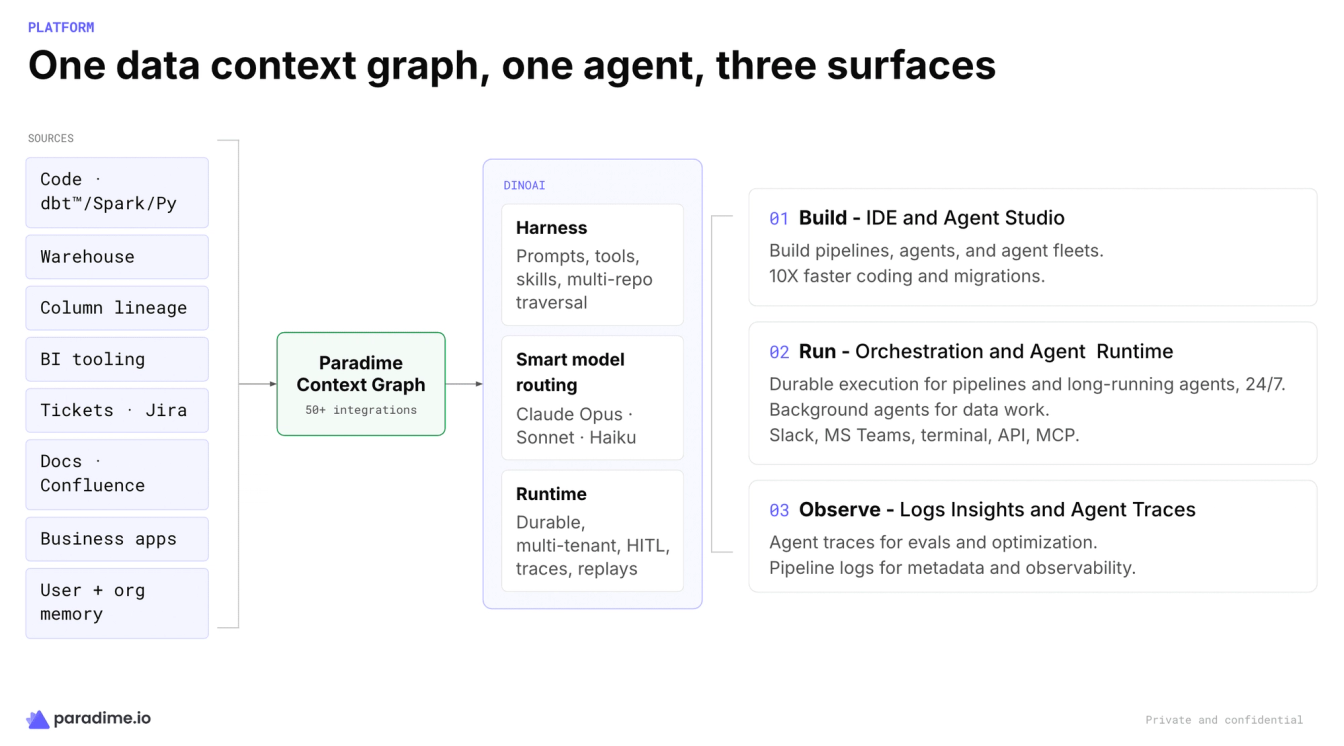
We envision a platform, where the Paradime Context Graph acts as the backbone context graph assimilating information from 50+ integrations and a combination of inbuilt context (e.g. column-level lineage) and pre-built context (e.g. BI tooling).
The context graph than feeds into DinoAI that comprises of the Harness, model routing, and a durable runtime.
Finally, these lead to a set of user-facing products as follows:
- Agent Studio for building agents and agent fleets while the IDE is for human work
- Orchestration for running pipelines, and Agent Runtime for durable, long-running agents
- Observability of logs and agent traces for pipelines and agents.
The whole platform today is now accessible from anywhere - Slack, MS Teams, Claude Code, CoCo, Cursor, Kiro, and API endpoints too - anywhere people work.
Application features like Column-level lineage will cease to be a product but will become a feature that agents leverage to get data work done.
Introducing Agent Studio
We will be sharing more details on each and every component of the future data platform. But today will start with the Agent Studio.
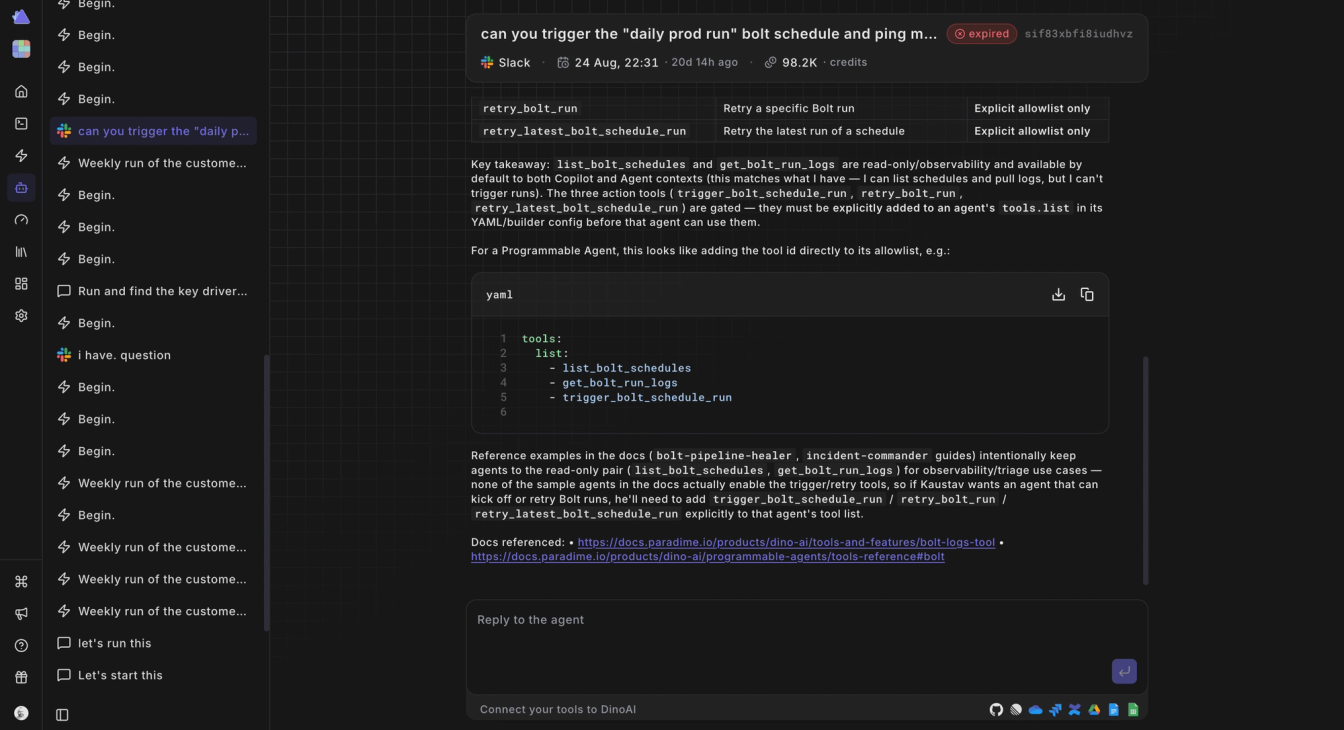
Paradime context graph today handles more than 50+ integrations on top of pre-built and in-built context layers. Users looking to build AI agents on top of this information need an UI where to build, test and fine tune their agents. The opposite approach of build an agent as a black box and then rolling it out is a high risk strategy. The agents might produce wrong outcomes, or behave erratically or worse lose trust of the end users. Hence, data engineers looking to roll out agents, should have a place to test their agents.
Paradime Agent Studio fills that gap in today’s tooling stack among data engineers.
You can start a conversation with the context of your warehouse, code base, and any additional context added through integrations on any data problem you are facing.
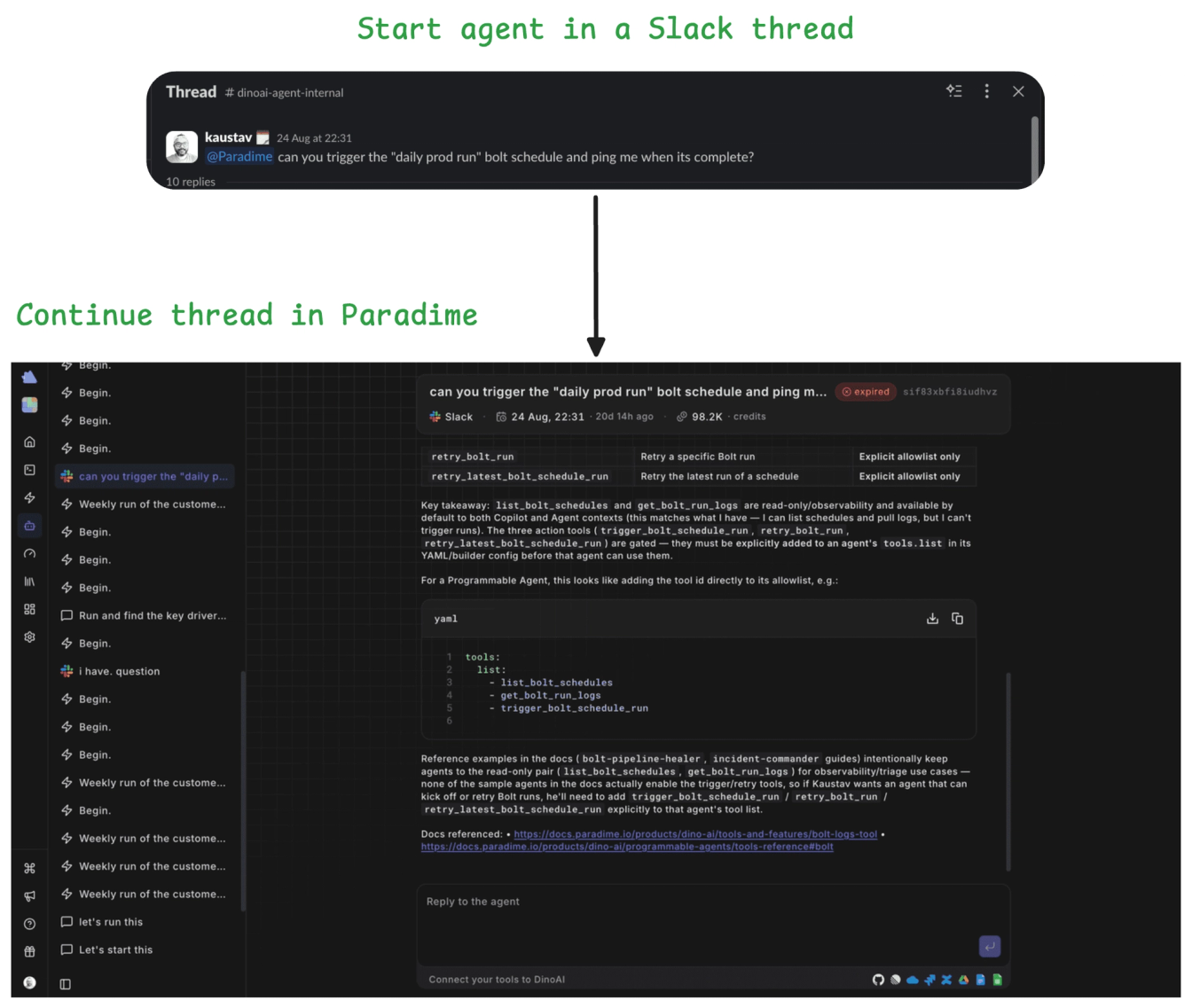
The agent studio comes with persistent state so you can start in a Slack thread, and then continue on Paradime.
Agent Templates
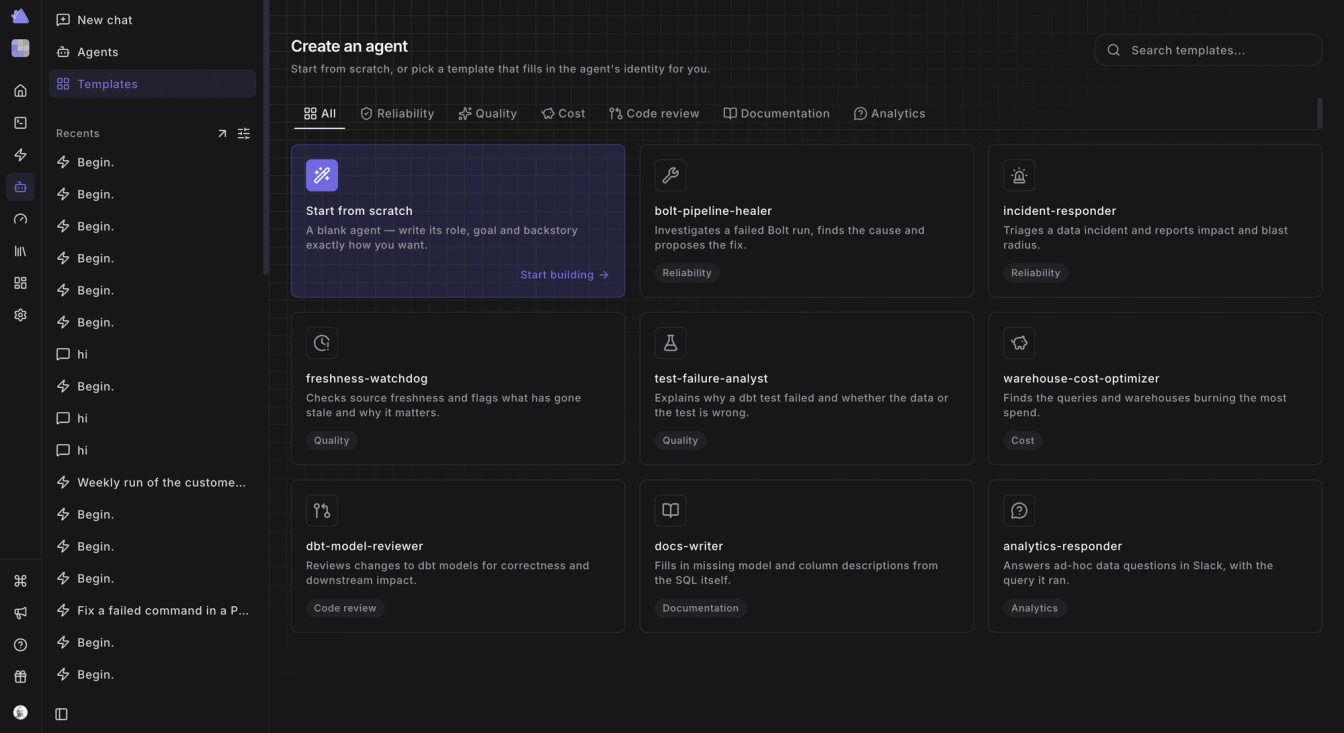
With the Agent Studio, we are rolling in a set of pre-built agent templates to get you started super fast on use cases like self-healing data pipelines, automated warehouse cost optimization, and close gaps in dbt docs and tests.
Model Families for Agents
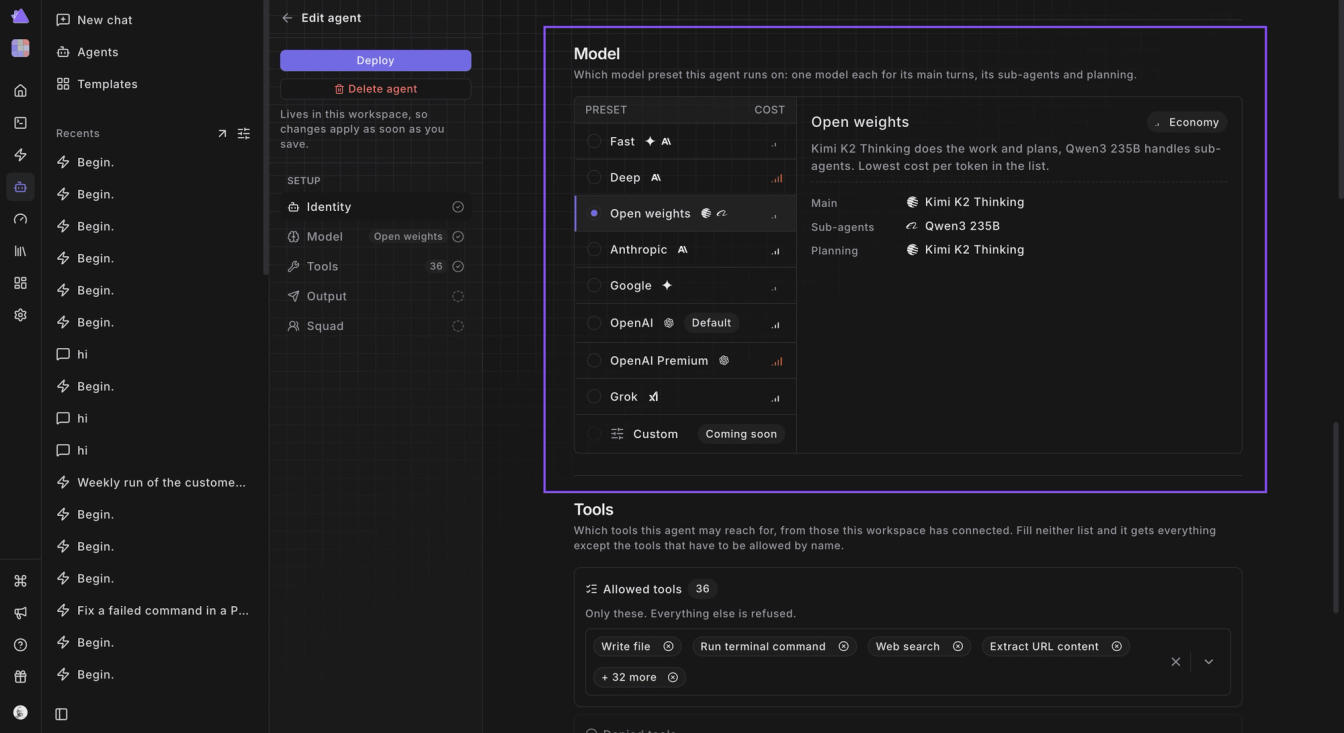
When you are building agents using the Agent Studio, we give users the ability to add the goal and role the agent should play. But also on top, a unique capability we provide is Model Families. These are pre-built model baskets for agents that are optimized for speed, deep work, or open weights.
The idea here is to give end users the control to optimize for the best performance.
Agent Governance and Control
The next standout feature when building agents are the levers for governance and control. Users can set both an allow-list and deny-list of tools for each agent so to set the right guardrails for agents to operate within its intended capabilities.
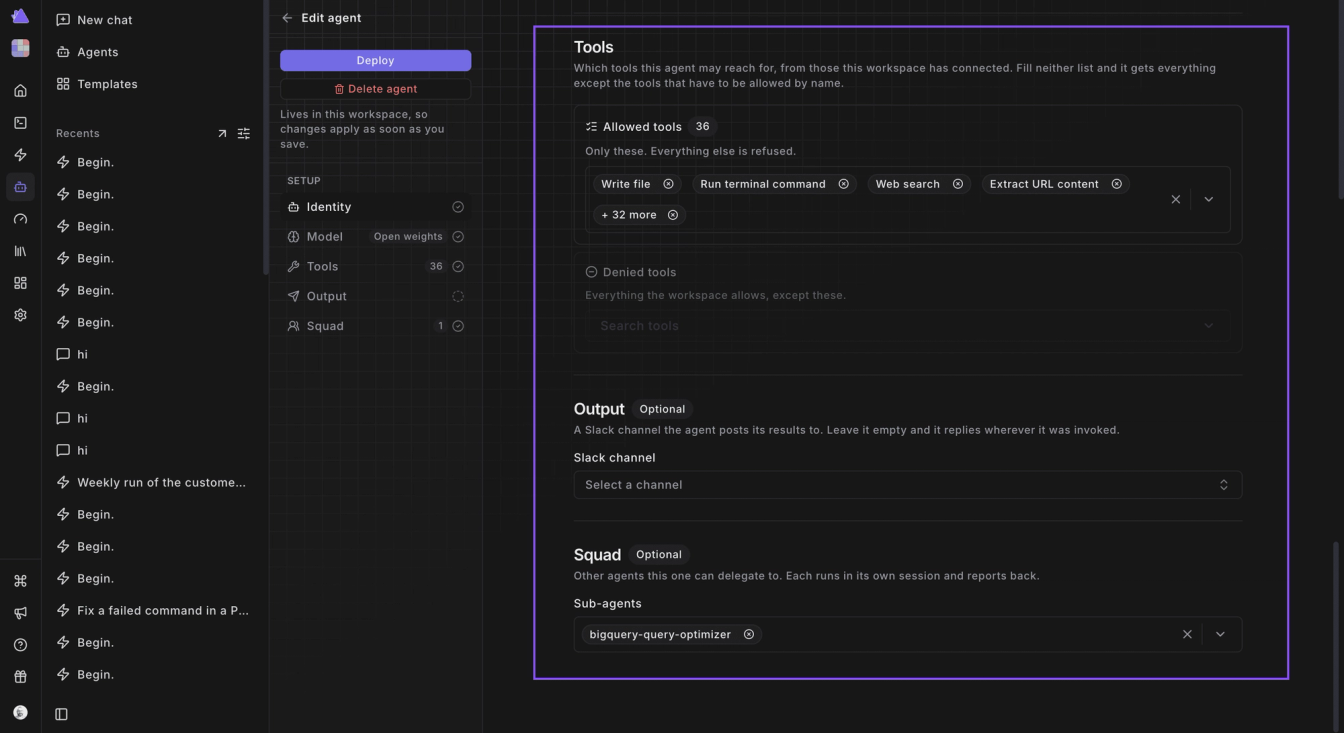
Tucked nicely beneath the tools section is the output channels and squads. Output channels define where the agent should stream its output when its working like Slack, MS Teams or just in the app.
Agent Squads
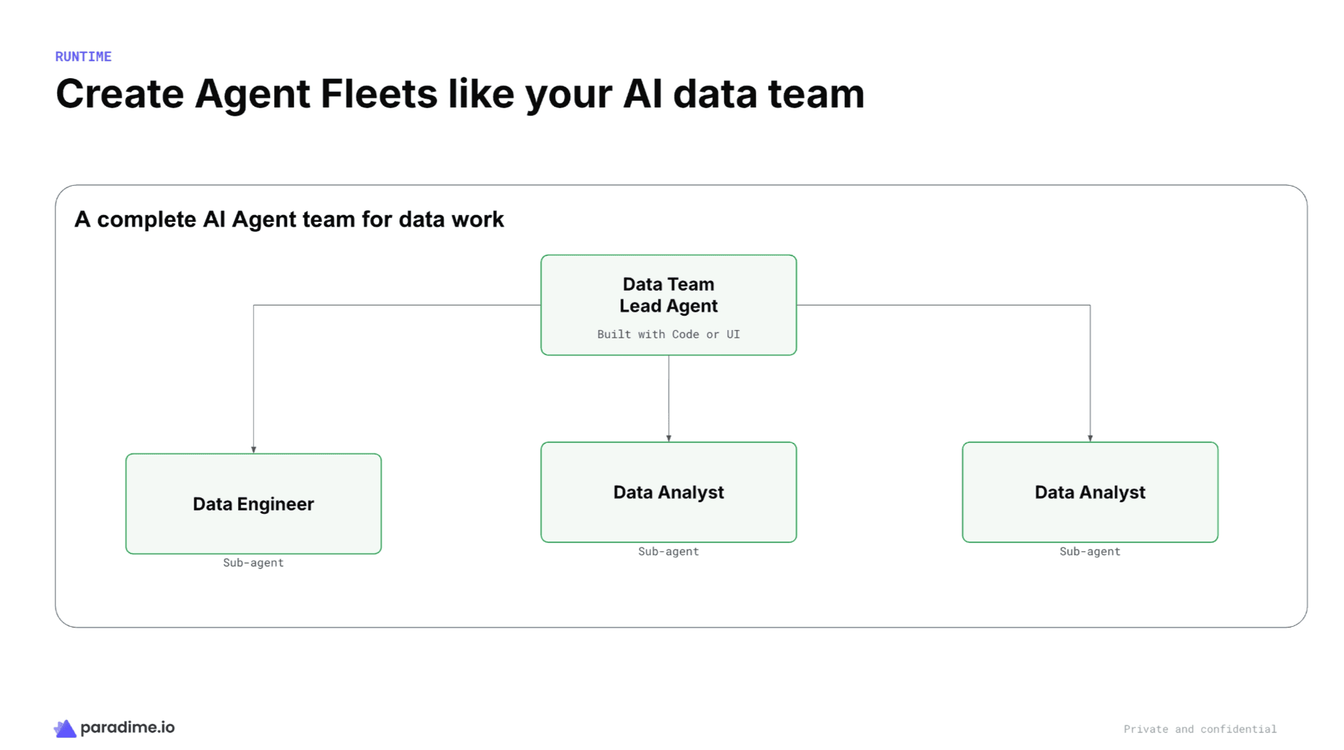
Squads is a pretty powerful feature to run agent squads where you can run a team or a fleet of agents. A classic example is to build a data team using DinoAI agents like in the example below where a master agent (aka. Data Team Lead) runs a squad of data engineers and data analysts.
What’s Next
This is a very active area of development at Paradime today. We are building the data platform and the harness and the agent layer on top at the same time. That way we make sure that while the harness is continuously improving with new features and capabilities, the interaction layer is also evolving.
We ultimately think that data engineers should become AI engineers. To be able to do that they can’t be stuck in legacy tools of the MDS stack with a narrow feature set. These tools typically just expose an MCP server so end users can interact with them during interactive Claude or ChatGPT sessions. But these tools are not built for agents that need high quality context operating at a high performance bar.
That’s where the context engine and the harness underneath we are building at Paradime comes in. There is a lot of exciting work we are doing around security, speed, integrations, model families, and interoperability with other coding agents while bringing in new capabilities to the harness itself.
Conclusion
If you or your organization is currently experimenting with building agents for data operations, IT operations, or revenue operations, we would love to help. We can set up an initial consultation to see if we can help and we can architect a solution for you that meets your needs. The Paradime platform today serves startups to complex FTSE100, and Global 2000 enterprises.
DM me at kaustav@paradimehq.com or signup for a trial at https://app.paradime.io and we will help you get started.
Interested to Learn More? Try Out the Free 14-Days Trial
One AI-native workspace to build, ship, and monitor dbt™ — without the tool sprawl.
More Articles
Join industry leaders winning with DinoAI agents
Data engineers and analysts at the most AI-native startups and enterprises use Paradime's DinoAI agents everyday to become market leaders.