Managing Snowflake costs is one of the biggest challenges data teams face today. As organizations scale their cloud data warehouses, warehouse spending can quickly spiral out of control—especially when resources run idle or workloads aren't properly optimized. For data engineers, analytics engineers, and data platform teams, the pressure to reduce costs while maintaining query performance has never been greater.
Enter Paradime Radar: an AI-powered cost management suite designed to automatically optimize Snowflake warehouse spending without compromising on performance. In this guide, we'll explore how Radar's three core optimization features—the Warehouse AI Autoscaler, Warehouse AI Agent Optimizer, and Idle Time Optimizer—can help your team achieve 8-18% reductions in annual Snowflake bills.
Understanding Snowflake Cost Drivers
Before diving into optimization strategies, it's crucial to understand what drives Snowflake costs. Unlike traditional on-premises databases, Snowflake's cloud-native architecture separates compute, storage, and services—each with its own pricing model.
Compute costs from virtual warehouses typically represent the largest expense. Snowflake charges per-second billing (with a 60-second minimum) for warehouse usage, measured in credits. The larger the warehouse and the longer it runs, the more credits you consume. Serverless compute features like Snowpipe and search optimization also fall under this category but are automatically managed by Snowflake.
Storage costs are calculated as a monthly flat rate per terabyte of compressed data stored in your account. While generally more predictable than compute costs, storage expenses accumulate as you retain historical data, maintain Time Travel, and use Fail-safe features.
Cloud services fees cover metadata management, authentication, and query optimization. Snowflake only charges for cloud services if daily consumption exceeds 10% of your daily warehouse usage—making this a relatively minor cost driver for most organizations.
Data transfer costs apply when moving data between different cloud regions or platforms. While data ingress is free, egress can add up for organizations frequently transferring large datasets across regions.
The challenge? Compute costs are notoriously difficult to control manually. Warehouses left running unnecessarily, improperly sized resources, and peak-hour demand spikes all contribute to wasted spending. This is where intelligent automation becomes essential.
Introducing Paradime Radar for Snowflake Cost Management
Paradime Radar is an AI-powered cost management suite that continuously monitors and optimizes your Snowflake environment. Unlike manual optimization approaches that require constant attention and expertise, Radar operates 24/7 with zero impact on query performance.
The platform integrates seamlessly with your existing Snowflake setup—no complex migrations or workflow disruptions required. Once connected, Radar begins analyzing warehouse usage patterns, identifying optimization opportunities, and implementing cost-saving measures automatically.
Key benefits include:
24/7 automated monitoring that never sleeps, ensuring your warehouses are always optimized
Zero performance impact through conservative AI-driven adjustments that prioritize query speed
Granular warehouse control allowing you to customize optimization settings per warehouse
Real-time savings tracking with comprehensive dashboards showing both potential and actual cost reductions
Quick setup with onboarding completed in under 30 minutes and first-day savings
Most importantly, Radar delivers measurable results: organizations typically see 8-18% reductions in annual Snowflake bills with a 0-10x return on investment from cost savings alone.
Warehouse AI Autoscaler: Dynamic Right-Sizing for Fluctuating Workloads
The Warehouse AI Autoscaler addresses one of the most common Snowflake cost challenges: workloads that fluctuate throughout the day. Rather than provisioning warehouses for peak demand and wasting resources during off-hours, the Autoscaler dynamically adjusts warehouse sizes in real-time.
Here's how it works: The Autoscaler continuously monitors query workload for each warehouse, analyzing factors like query queue depth, execution times, and resource utilization. When demand increases—such as during business hours when multiple analysts run reports—the Autoscaler automatically scales warehouse size up to handle the load. Conversely, during off-peak hours, it scales resources down to minimize credit consumption.
This approach is particularly effective for:
BI tools and reporting warehouses where usage spikes during business hours but drops significantly evenings and weekends
Ad-hoc analytics environments with unpredictable query patterns
Multi-tenant scenarios where different user groups access the warehouse at different times
The Autoscaler takes a conservative approach to ensure query performance never suffers. It learns from historical patterns, adapting to time-of-day trends and seasonal variations. If a scale-down would risk query slowdowns, the system maintains current capacity until usage definitively decreases.
Configuration is straightforward: select which warehouses should use autoscaling, and Radar handles the rest. The AI continuously refines its scaling decisions based on actual warehouse behavior, becoming more precise over time.
Warehouse AI Agent Optimizer: Intelligent Configuration Management
While the Autoscaler handles real-time workload fluctuations, the Warehouse AI Agent Optimizer focuses on long-term right-sizing and configuration optimization. This feature analyzes historical usage patterns to determine the optimal baseline configuration for each warehouse.
The AI Agent Optimizer automatically:
Reviews warehouse usage patterns across days, weeks, and months to identify trends
Adjusts configuration settings including base warehouse size and multi-cluster settings
Reduces resources allocated to underused warehouses while maintaining adequate capacity for peak times
Right-sizes warehouses without manual intervention or guesswork
What sets this optimizer apart is its intelligence. Rather than applying blanket rules, it understands that different warehouses serve different purposes. A warehouse handling heavy ETL workloads requires different configuration than one serving interactive dashboards. The AI learns these nuances automatically.
The conservative performance approach ensures changes happen gradually. The optimizer validates that adjustments don't negatively impact query execution times before making them permanent. If performance degrades, it automatically rolls back changes and tries a different approach.
For data teams, this eliminates the tedious work of manually analyzing query history, calculating utilization rates, and testing different warehouse configurations—work that often gets deprioritized amid other urgent tasks.
Idle Time Optimizer: Eliminating Wasted Credits
One of the simplest yet most impactful cost drivers is warehouse idle time. When warehouses remain active but unused—waiting between queries or forgotten after a workload completes—they continue consuming credits unnecessarily.
The Idle Time Optimizer tackles this problem through intelligent suspension timing. While Snowflake offers auto-suspend functionality, determining the right suspension threshold requires balancing cost savings against the resume time penalty. Set it too short, and you'll incur frequent resume costs; set it too long, and you waste credits on idle time.
Radar's Idle Time Optimizer uses AI-powered learning from warehouse monitoring to optimize suspension timing across all your warehouses. It analyzes:
Usage patterns to understand typical pause lengths between queries
Workload characteristics to identify warehouses that benefit from aggressive vs. lenient suspension policies
Historical idle time to quantify wasted credits and prioritize high-impact optimizations
Best practices include identifying warehouses with significant idle periods—these are prime candidates for optimization. For warehouses with near-constant usage, the optimizer may recommend minimal suspension adjustments or even disabled auto-suspend to avoid resume overhead.
The optimizer works seamlessly with existing Snowflake configurations, enhancing rather than replacing your current auto-suspend settings. It continuously refines suspension thresholds as usage patterns evolve.
Tracking Your Savings with Radar
Visibility into cost savings is critical for demonstrating ROI and making informed optimization decisions. Radar provides comprehensive tracking through an intuitive savings dashboard.
The dashboard displays:
Potential annual savings projections based on identified optimization opportunities
Actual savings to date showing realized cost reductions from implemented optimizations
Warehouse Savings Across Optimizations charts visualizing cost impact over time
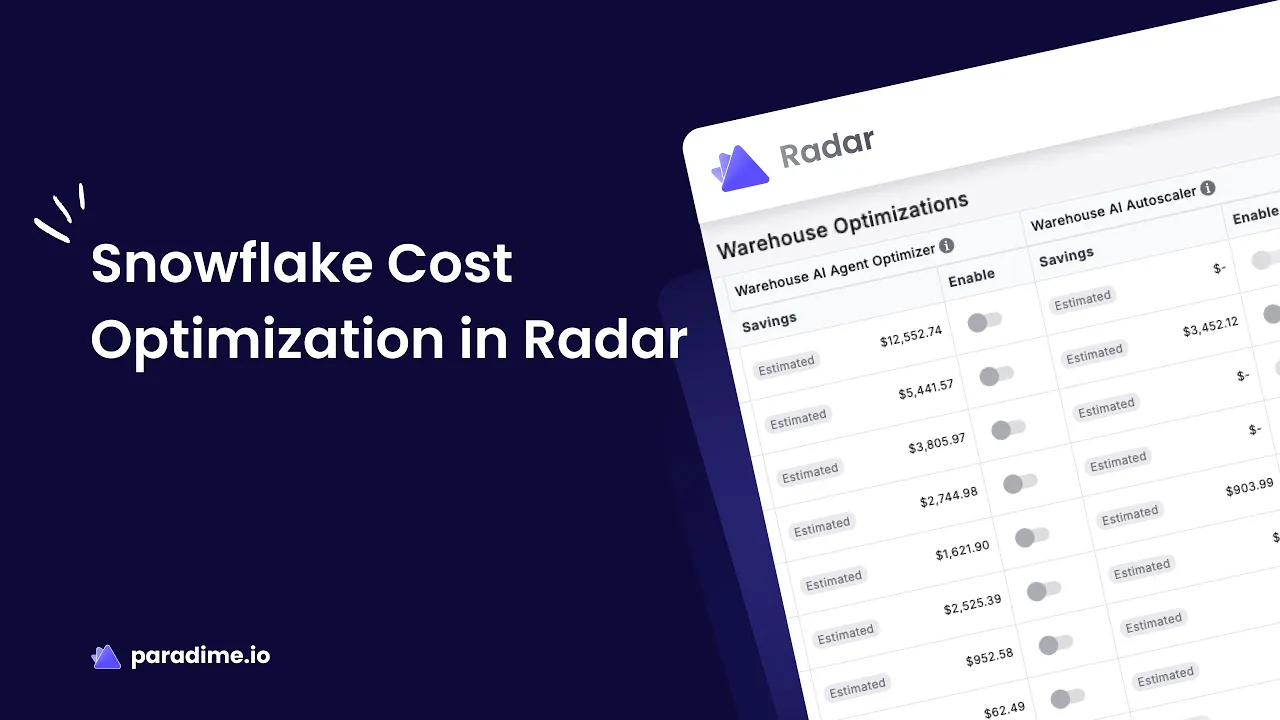
Warehouse Optimizations tables detailing specific optimizations applied to each warehouse
You can filter data by date ranges (7, 14, 30, or 60 days) and optimization type (Autoscaler, Agent Optimizer, Idle Time Optimizer) to analyze performance and identify which strategies deliver the greatest impact for your environment.
This granular visibility enables you to:
Calculate precise ROI for stakeholder reporting
Identify top-performing optimizations and apply learnings to other warehouses
Monitor ongoing impact ensuring savings persist as workloads evolve
Report cost savings to finance teams and leadership with concrete metrics
Best Practices for Snowflake Cost Optimization
While Radar automates much of the optimization work, combining it with Snowflake native tools and following best practices amplifies results.
Leverage Snowflake resource monitors alongside Radar to set hard budget limits and receive alerts when spending approaches thresholds. This provides a safety net while Radar optimizes within those boundaries.
Separate workloads by warehouse rather than running everything through a single warehouse. Different workload types—ETL, reporting, ad-hoc analytics—have distinct performance and cost profiles. Dedicated warehouses enable more precise optimization.
Review query performance regularly using Snowflake's query history. While Radar optimizes warehouses, inefficient queries can still drive excessive costs. Identify and rewrite expensive queries to maximize savings.
Adjust for seasonal patterns. If your business has predictable seasonal spikes (end-of-quarter reporting, holiday analytics), communicate these to your team and monitor how Radar adapts. You may want to temporarily adjust optimization aggressiveness during peak periods.
Start conservatively and iterate. When first implementing Radar, begin with less critical warehouses to build confidence in the AI's decisions. As you validate performance remains strong, expand optimization to production workloads.
Monitor auto-suspend settings even with optimization enabled. Snowflake recommends 5-10 minute auto-suspend for most warehouses—Radar enhances this but shouldn't contradict basic best practices.
Getting Started with Radar Cost Management
Ready to start optimizing? Getting Radar up and running is straightforward.
Prerequisites include completing the initial Cost Management setup and following the Radar Get Started guide. You'll need appropriate permissions in your Snowflake account to allow Radar to monitor and adjust warehouse settings.
Installation takes just three clicks. Connect your Snowflake account to Paradime, authorize Radar to access warehouse metadata and controls, and complete the initial configuration. The entire process typically takes under 30 minutes.
Enabling optimizations is granular and flexible. Select which warehouses you want Radar to manage—you can start with one or two and expand over time. Choose which optimization types to enable per warehouse: Autoscaler, Agent Optimizer, Idle Time Optimizer, or all three.
Testing and validation happen automatically, but monitor results during the first few days. Review the savings dashboard to confirm optimizations are delivering expected impact and verify query performance remains consistent.
Many teams see their first cost savings on the same day they implement Radar, with savings increasing as the AI learns your environment's unique patterns.
Real-World Impact and Common Pitfalls
Organizations using Paradime Radar typically achieve 8-18% reductions in annual Snowflake spending while maintaining zero impact on query performance. The time saved on manual optimization—analyzing usage reports, calculating ideal warehouse sizes, adjusting configurations, monitoring results—represents another significant benefit, freeing data teams to focus on high-value analytics work.
However, it's important to avoid common pitfalls:
Over-optimization risks can occur if you're too aggressive with optimization settings or try to micro-optimize every warehouse. Let Radar's AI handle the complexity rather than constantly overriding its decisions.
Balancing cost and performance is critical. While aggressive cost-cutting might look good on paper, any optimization that slows queries and frustrates users isn't worth it. Radar's conservative approach helps, but stay vigilant during initial implementation.
Change management matters, especially in larger organizations. Communicate optimization initiatives to stakeholders who might notice warehouse configurations changing. Educate teams on how Radar works so they understand resources are being optimized, not arbitrarily reduced.
Making Snowflake Cost Optimization Effortless
Snowflake cost optimization doesn't have to be a manual, time-consuming burden. With Paradime Radar's AI-powered automation—the Warehouse AI Autoscaler, Warehouse AI Agent Optimizer, and Idle Time Optimizer—data teams can achieve significant cost reductions without sacrificing query performance or spending hours analyzing usage reports.
The results speak for themselves: 8-18% annual bill reductions, zero performance impact, and a substantial return on investment from cost savings alone. As Snowflake environments grow more complex and costs continue scaling, intelligent automation isn't just helpful—it's essential.
Ready to take control of your Snowflake spending? Getting started with Radar is simple. Complete the quick setup, enable optimizations for your warehouses, and start seeing savings within days. Your data warehouse—and your CFO—will thank you.


