Introduction: The Documentation Burden Facing Analytics Engineers
Creating entity relationship diagrams has long been one of the most tedious yet essential tasks in analytics engineering. Teams spend countless hours manually drawing database structures, only to watch them become outdated as data models evolve. The traditional approach—switching between database tools, diagramming software, and code editors—fragments workflows and creates documentation that's difficult to maintain, version, or share effectively.
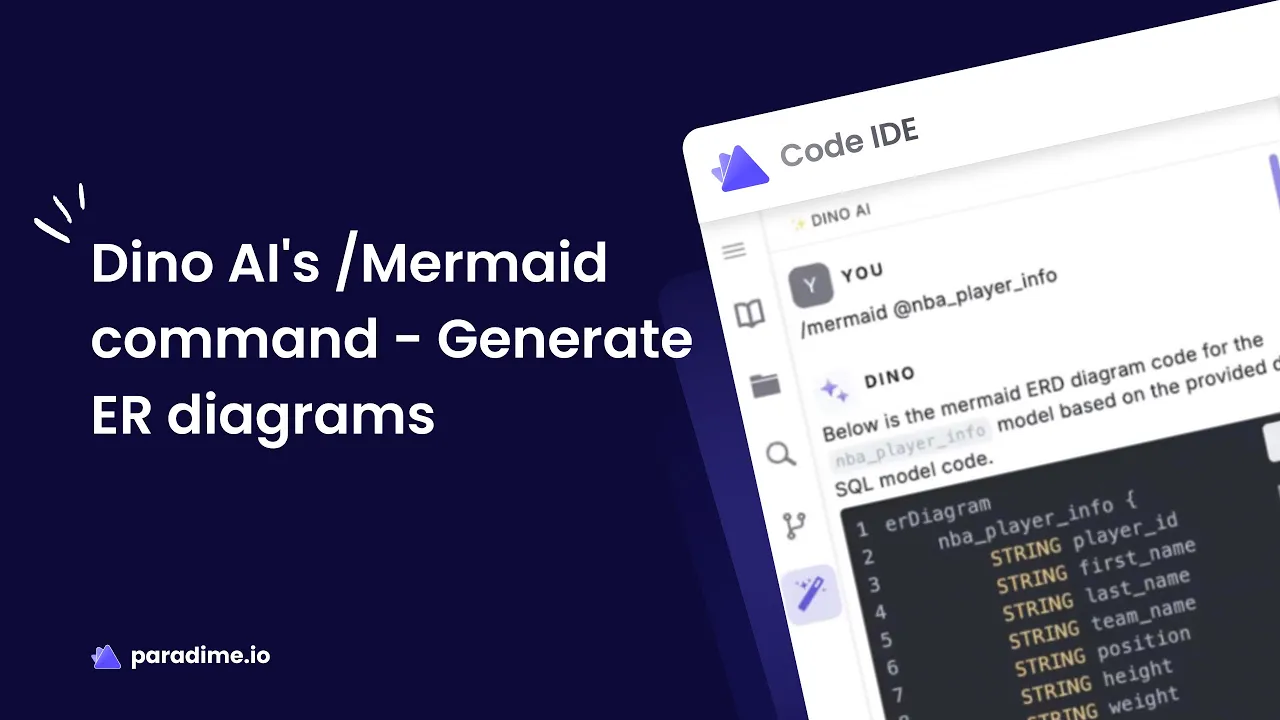
Enter AI-powered ERD generation. Paradime's DinoAI transforms this pain point into a seamless, seconds-long process through its innovative /Mermaid command. By combining artificial intelligence with the diagrams-as-code methodology, analytics engineers can now generate comprehensive, accurate entity relationship diagrams directly within their development environment—no manual drawing required.
This article explores how DinoAI's /Mermaid command eliminates documentation overhead, accelerates data governance, and integrates seamlessly with modern dbt workflows.
The Pain Points of Traditional ER Diagram Creation
Hours Lost to Manual Diagramming
Traditional ERD creation demands significant time investment. Analytics engineers must manually identify each table, define attributes, map relationships, and format diagrams—a process that can consume 3-4 hours for complex data models. As databases evolve, these diagrams require constant maintenance, creating an ongoing documentation burden that pulls engineers away from actual data modeling work.
Tool Fragmentation Kills Productivity
The conventional workflow requires juggling multiple applications: database management tools to understand schemas, dedicated diagramming software like Lucidchart or draw.io, and then switching back to code editors for development. This constant context-switching disrupts flow states and reduces productivity by up to 40%, making documentation feel like a chore rather than an integrated part of development.
Version Control Nightmares
Static diagram files created in proprietary tools pose serious version control challenges. Binary files can't be meaningfully compared in Git diffs, making it nearly impossible to track what changed between diagram versions. When multiple team members collaborate, merging diagram updates becomes a manual reconciliation process prone to errors and lost work.
Documentation Drift Undermines Trust
The most insidious problem: documentation decay. As data models evolve through schema migrations and model updates, manually maintained ERDs quickly fall out of sync. Outdated diagrams mislead stakeholders, slow onboarding, and erode trust in documentation—creating a vicious cycle where teams stop maintaining diagrams altogether because they're too painful to keep current.
Introducing DinoAI's /Mermaid Command
AI-Powered Diagram Generation
DinoAI is Paradime's integrated AI co-pilot, built directly into the Code IDE to accelerate analytics engineering workflows. The /Mermaid command represents a breakthrough in documentation automation: simply describe the ERD you need in natural language, and DinoAI generates complete, accurate Mermaid.js code that visualizes your database structure.
Unlike traditional diagramming tools, DinoAI analyzes your dbt project structure, understands table relationships, identifies foreign keys, and determines cardinality—all automatically. The AI translates your data model into professional ERDs that follow industry-standard crow's foot notation without manual intervention.
The Diagrams-as-Code Advantage
Mermaid.js enables diagrams-as-code, treating visual diagrams as text files alongside your SQL and dbt models. This approach eliminates the disconnect between diagrams and implementation, making documentation a natural extension of development rather than a separate workflow.
Text-based diagrams integrate seamlessly with Git, allowing you to track changes, review updates in pull requests, and maintain a complete history of your data architecture evolution. When diagrams live as code, they become versionable, diffable, and collaborative—transforming documentation from a static artifact into living, maintainable code.
Step-by-Step: Generating Your First ER Diagram
1. Launch DinoAI in the Code IDE
Access DinoAI directly from your Paradime workspace by opening the Code IDE and activating the AI co-pilot. The integrated interface means zero context-switching—documentation creation happens exactly where you're already working.
2. Write a Natural Language Prompt
Describe the ERD you need using simple, conversational language:
"Create a mermaid ERD diagram showing the relationships between my customer, order, and product tables"
"Generate a mermaid ERD for my e-commerce data model with proper cardinality notation"
"Build an ERD for my analytics schema showing table relationships and key columns"
DinoAI understands your dbt project context, so prompts can reference your actual models without additional configuration.
3. Review the Generated Mermaid Code
DinoAI produces complete Mermaid syntax defining entities, attributes, relationships, and cardinality. The generated .mmd file includes proper notation like ||--|| for one-to-one, ||--o{ for one-to-many, and }o--o{ for many-to-many relationships—all accurately representing your data model structure.
4. Preview and Refine
Click the eye icon (👁️) to instantly visualize your ERD. The real-time preview allows you to verify accuracy and aesthetics. Need adjustments? Simply ask DinoAI to add entities, modify relationships, or adjust the diagram structure through conversational follow-ups.
5. Save and Version Control
Save your .mmd file within your dbt project repository. It's now a version-controlled asset that can be reviewed in pull requests, tracked over time, and shared with your team. When data models change, regenerating the ERD takes seconds—ensuring documentation stays synchronized with reality.
Key Benefits Transforming Analytics Workflows
Dramatic Time Savings
Teams using Paradime report transformative productivity gains. Zeelo reduced deployment time from 4 hours to 5 minutes, while MyTutor's analytics engineers experienced a 50% jump in efficiency. Automated ERD generation contributes significantly to these improvements by eliminating hours of manual diagramming work, allowing engineers to focus on high-value modeling and analysis.
Perfect Accuracy, Zero Manual Errors
AI generation minimizes human error in diagram creation. DinoAI automatically captures all relationships, correctly identifies foreign keys, and applies consistent cardinality notation. The result: ERDs that accurately reflect your database structure without the typos, missed connections, or notation inconsistencies that plague manual diagrams.
Seamless Team Collaboration
Text-based Mermaid diagrams revolutionize collaboration. Team members can edit diagrams in any text editor, review changes in standard pull request workflows, and merge updates using familiar Git processes. No more license limitations, proprietary file formats, or tool dependencies—just straightforward, code-based collaboration.
Documentation That Stays Current
When data models evolve, regenerating ERDs with DinoAI takes seconds instead of hours. This low friction ensures documentation remains synchronized with actual database schemas, eliminating the documentation drift that undermines traditional approaches. Fresh, accurate ERDs support data governance, accelerate onboarding, and maintain stakeholder trust.
Accelerated Data Governance
Visual ERDs integrated with dbt documentation improve data discoverability and help stakeholders understand data relationships. Clear documentation supports compliance efforts by providing transparent data lineage and structure information, making governance practices sustainable rather than burdensome.
Understanding Mermaid ERD Syntax
Entity Definitions
Mermaid entities represent database tables with their attributes (columns and data types). The syntax is straightforward:
Relationship Notation
Mermaid uses intuitive crow's foot notation to connect entities:
||--||one-to-one relationship||--o{one-to-many relationship}o--o{many-to-many relationship
These symbols clearly communicate cardinality—whether relationships are exactly-one (||), zero-or-one (o|), zero-or-many (o{), or one-or-many (|{).
Complete ERD Example
This simple syntax produces professional diagrams that immediately communicate database structure and relationships.
Best Practices for AI-Generated ER Diagrams
Keep Diagrams Focused
Limit ERDs to 8-12 related entities for optimal readability. Create multiple domain-specific diagrams (customer management, order processing, inventory tracking) rather than one overwhelming comprehensive diagram that's difficult to parse.
Use Descriptive Naming
Ensure your dbt models use clear, business-friendly naming conventions. Well-named tables and columns make generated ERDs self-explanatory, reducing the need for additional documentation and making diagrams accessible to non-technical stakeholders.
Regenerate with Code Changes
Treat ERD updates as part of your standard development workflow. When schema changes occur, regenerate diagrams before merging pull requests. This practice ensures documentation evolves in lockstep with code, preventing drift.
Create Custom .dinoprompts
For consistency across your team, create reusable prompt templates (.dinoprompts) that define your organization's ERD standards. These templates ensure uniform diagram generation across projects and team members.
Integration with Modern Data Stack
Seamless dbt Documentation
Generated .mmd files integrate directly with dbt docs, allowing you to share visual data model representations alongside table descriptions, column metadata, and lineage information. This unified documentation creates a comprehensive data catalog that serves both technical and business users.
Column-Level Lineage
Combine ERDs with Paradime Radar's column-level lineage capabilities to show complete data flow—from source systems through transformations to BI tools. This holistic view supports impact analysis, troubleshooting, and architectural planning.
Portable, Platform-Agnostic
Mermaid diagrams aren't locked into Paradime. The .mmd files render in GitHub, GitLab, Notion, Confluence, and other platforms supporting Mermaid.js, making your documentation accessible wherever your team collaborates.
Beyond ERDs: The Complete DinoAI Advantage
While ERD generation showcases DinoAI's capabilities, the co-pilot offers comprehensive AI assistance across analytics engineering workflows:
Automated SQL Generation: Write complex queries from natural language descriptions
dbt Model Creation: Generate transformation logic and model configurations
Documentation Writing: Produce comprehensive table and column descriptions
Code Refactoring: Optimize existing SQL for performance and maintainability
Test Generation: Automatically create dbt tests based on data model characteristics
This comprehensive AI assistance is why Paradime teams achieve 50-83% productivity gains—automation extends across the entire analytics workflow, not just documentation.
Getting Started Today
Paradime offers a 14-day free trial with no credit card required. Connect your existing dbt project to immediately access DinoAI's /Mermaid command and experience automated ERD generation firsthand.
As data models grow more complex and documentation demands increase, AI-powered automation becomes essential for maintaining productivity and governance standards. DinoAI's /Mermaid command transforms a historically painful task into a seamless, seconds-long process—allowing analytics engineers to focus on what matters: building reliable, impactful data models.
Frequently Asked Questions
Can I edit AI-generated ERDs manually?Yes. Generated .mmd files are standard text files that you can edit manually using Mermaid syntax, or refine through additional DinoAI prompts.
Do I need to know Mermaid syntax?No. DinoAI generates complete Mermaid syntax from natural language prompts. Understanding basic syntax helps with manual refinements, but isn't required.
How does DinoAI understand my database relationships?DinoAI analyzes your dbt project structure, model definitions, foreign key references, and schema metadata to accurately map entity relationships.
Can I use generated ERDs outside Paradime?Absolutely. Mermaid .mmd files are portable and render in GitHub, GitLab, documentation sites, Notion, Confluence, and other platforms supporting Mermaid.js.
How often should I regenerate ERDs?Regenerate ERDs whenever significant data model changes occur, ideally as part of your pull request review process before merging schema updates.
Does this work with non-dbt projects?While DinoAI is optimized for dbt projects, it can generate ERDs from natural language descriptions of any database structure.


