Introduction
Paradime is an AI-powered workspace for analytics teams—think "Cursor for Data." It consolidates your entire analytics workflow into one intelligent platform, eliminating tool sprawl and accelerating development. With features like DinoAI co-pilot for SQL generation and documentation, production-grade dbt orchestration through Paradime Bolt, and column-level lineage with real-time monitoring, teams achieve 50-83% productivity gains and 25-50% faster development cycles. High-velocity companies trust Paradime to transform their analytics engineering workflows.
The Challenge of Maintaining dbt Project Standards
Why Code Consistency Matters in Analytics Engineering
Every analytics engineering team faces the same frustrating reality: as projects grow, maintaining consistent code standards becomes exponentially harder. What starts as a simple style preference—uppercase SQL keywords versus lowercase, trailing commas versus leading ones—quickly spirals into hours of back-and-forth during code reviews.
The impact is measurable. Inconsistent standards slow team velocity by creating friction in code reviews, confusing new team members during onboarding, and making it harder to understand and maintain code over time. When every developer follows their own preferences, the codebase becomes a patchwork of conflicting styles that undermines collaboration.
Common pain points include endless formatting debates that waste precious review time, documentation gaps where some models are meticulously documented while others have none, and naming convention conflicts that create confusion about table purposes and relationships. The hidden cost isn't just the time spent debating these issues—it's the cognitive load that prevents developers from focusing on what actually matters: building valuable data products.
Traditional Approaches to Standards Enforcement
Analytics teams have tried multiple approaches to enforce consistency. Manual style guides outline best practices in documentation, but they rely on developers remembering and following guidelines correctly every time. The result? Guidelines get forgotten or ignored under deadline pressure.
Pre-commit hooks and linting tools like SQLFluff and pre-commit-dbt offer automation, catching violations before code reaches production. These tools can enforce SQL formatting rules and flag missing tests or documentation. However, they have significant limitations: they require complex configuration, can't understand context or intent, and often produce false positives that frustrate developers.
Code review checklists add another layer, giving reviewers a systematic way to check for standard violations. But this approach is inherently reactive—problems are caught after the code is written, requiring time-consuming rewrites.
The fundamental limitation of manual enforcement at scale is simple: it doesn't scale. As teams grow and projects expand, the volume of code requiring review overwhelms manual processes. Standards drift inevitably occurs, and technical debt accumulates faster than teams can address it.
Introducing .dinorules for Automated Standards Enforcement
What is .dinorules?
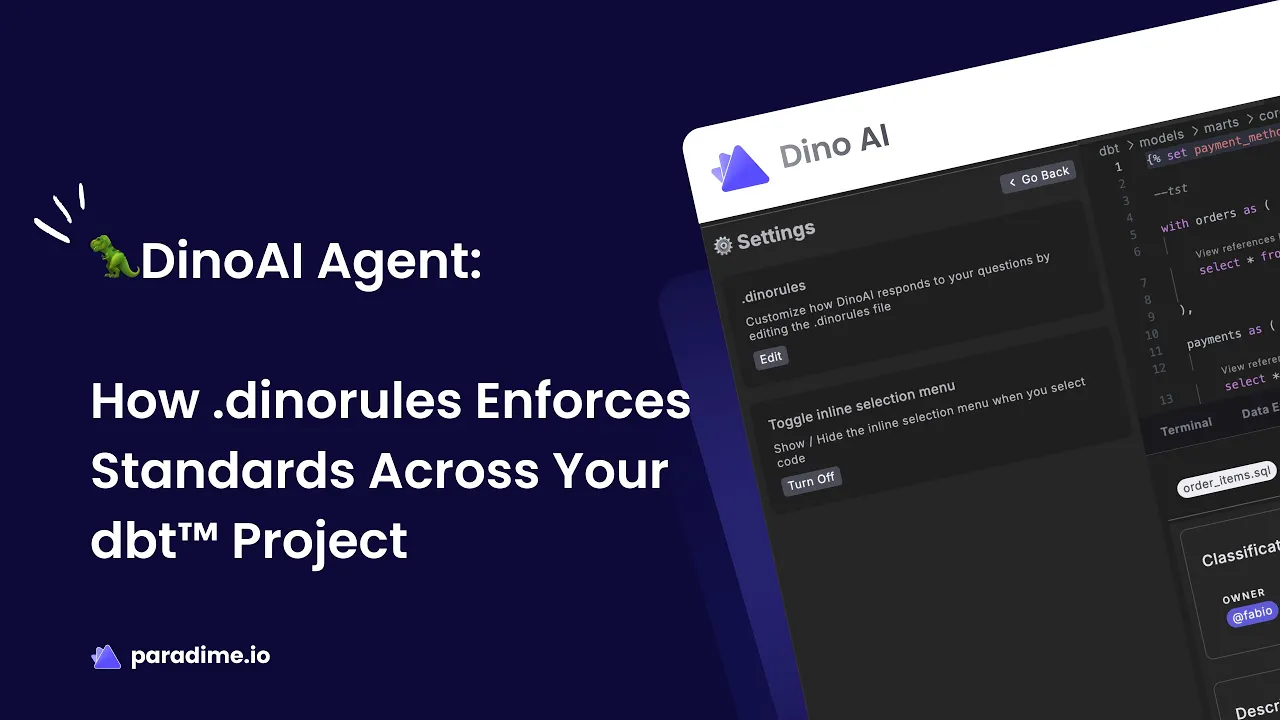
Paradime's .dinorules represents a fundamentally different approach to standards enforcement. Instead of configuring complex linting rules or maintaining detailed style guides that developers must memorize, you simply write your standards in plain English in a text file.
The .dinorules file lives in your repository root—the same level as your dbt_project/, macros/, and seeds/ directories. It's version-controlled alongside your dbt project, making standards a living part of your codebase that evolves with your team's needs.
What makes .dinorules revolutionary is its simplicity. There's no specific format or complex syntax to learn. You can write instructions as general or specific as needed, using bullet points or sections however makes sense for your team. Want SQL keywords in uppercase? Just write "Use uppercase for SQL keywords." Need trailing commas? Add "Place commas at the end of lines." It's that straightforward.
How .dinorules Works with DinoAI
The magic happens through AI-powered context awareness. When you create or edit your .dinorules file, DinoAI automatically loads it as context for every operation. Whether you're generating a new model, refactoring existing code, or writing documentation, DinoAI applies your standards in real-time.
This integration with Paradime's Code IDE means standards enforcement happens at the moment of creation, not as an afterthought. When DinoAI generates SQL code, it follows your formatting preferences. When it writes documentation, it matches your documentation structure. When it creates visualizations, it adheres to your diagramming standards.
The result is automatic enforcement during model generation and refactoring. Developers get correctly formatted, properly documented code from the start—eliminating the frustration of fixing violations after the fact.
Key Use Cases for .dinorules
SQL Styling Standardization
SQL style inconsistencies are among the most common sources of code review friction. With .dinorules, you can eliminate these debates entirely by defining your preferences once:
Uppercase SQL keywords enforcement: Automatically ensure keywords like SELECT, FROM, WHERE, and JOIN appear in uppercase
Trailing comma conventions: Specify whether commas appear at the end of lines or the beginning of the next line
Consistent indentation patterns: Define how CTEs, subqueries, and CASE statements should be indented
Snake_case naming conventions: Ensure all table names, column names, and CTEs follow snake_case standards
CTE vs. subquery standards: Specify when to use common table expressions versus inline subqueries
Automated Documentation Generation
Documentation is critical for maintaining analytics projects, but writing it manually is tedious and often deprioritized. .dinorules transforms documentation from a chore into an automatic process:
Define your documentation structure once—what should be included in model descriptions, how columns should be named and described, what metadata to include—and DinoAI generates documentation that follows these patterns. Documentation is stored per model in schema.yml files, exactly where your team expects to find it, with consistent naming conventions that make information easy to locate.
Visual Diagram Creation
Understanding complex data models becomes significantly easier with visual representations. .dinorules enables automatic Mermaid diagram generation for complex models, creating visual documentation that's stored as version-controlled code alongside your models.
Because Mermaid diagrams are text-based and GitHub natively supports visualizing them, your team gets interactive, always-up-to-date visual documentation without separate diagramming tools or image files that quickly become outdated.
Bulk Updates to Existing Models
Perhaps the most powerful use case is updating legacy code. Traditional approaches to standardizing existing models require manually touching each file—a process that can take days or weeks for large projects.
With .dinorules and DinoAI, you can update entire directories in minutes. Define new standards, point DinoAI at a directory of models, and watch as it applies your standards consistently across all files. This capability eliminates technical debt efficiently, making it practical to evolve standards as your team matures.
Implementing .dinorules in Your dbt Project
Getting Started with .dinorules
Creating your first .dinorules file takes just minutes. In Paradime's Code IDE, click the DinoAI icon (🪄) in the right-side panel, then click the settings icon (⚙️), and select "Edit in .dinorules section." Alternatively, manually create a .dinorules file in your repository root.
Start with the standards that cause the most friction for your team. Recommended starting points include:
SQL formatting preferences: Keyword casing, comma placement, indentation rules
Documentation requirements: What makes good documentation, required sections, metadata to include
Testing standards: When to add schema tests versus data tests, test coverage expectations
File placement matters—the .dinorules file must be in your repository root to be automatically loaded by DinoAI.
Best Practices for Writing Effective Rules
The most effective .dinorules use clear, specific natural language instructions. Instead of "format SQL nicely," write "Use uppercase for SQL keywords (SELECT, FROM, WHERE, JOIN). Place commas at the end of lines. Indent by 2 spaces."
Start by prioritizing critical standards first. You don't need to document every possible rule on day one. Begin with the 3-5 standards that cause the most pain, then iterate based on team feedback. As you use .dinorules and see what works, you can refine and expand your instructions.
Structure your file logically, using sections like "General Project Context," "Modeling Guidelines," "SQL Best Practices," "Testing Standards," and "Documentation Standards" to organize related rules together.
Team Adoption and Rollout Strategy
Introducing .dinorules successfully requires thoughtful change management. Start by explaining the "why"—how .dinorules eliminates frustration and frees developers to focus on valuable work rather than formatting concerns.
Train developers on AI-assisted workflows through practical examples. Show them how DinoAI uses .dinorules to generate correctly formatted code, and let them experience the time savings firsthand. Most developers become advocates once they see .dinorules in action.
Measure impact and ROI by tracking metrics like time spent on manual formatting, code review duration, and developer satisfaction. These concrete numbers help justify the investment and identify areas for further improvement.
The Benefits of AI-Powered Standards Enforcement
Developer Productivity Gains
The productivity gains from .dinorules are substantial and immediate. Developers eliminate hours of manual formatting work that previously consumed valuable time. Instead of fixing comma placement, adjusting indentation, or rewriting documentation to match team conventions, they focus on business logic and solving analytical challenges.
The cognitive load reduction is equally valuable. When developers don't need to remember dozens of style rules or worry about formatting details, they can dedicate mental energy to architecting better data models and writing more efficient queries.
Faster Code Reviews and Onboarding
Consistent code accelerates review cycles dramatically. When every model follows the same patterns, reviewers can focus on logic, accuracy, and business value rather than style violations. Teams report code reviews finishing 25-50% faster after implementing .dinorules.
For new team members, .dinorules provides automatic learning of standards. Instead of reading style guides and making mistakes that require correction, new developers see correct examples from their first day. They learn by doing, with DinoAI as a guide that always follows team conventions.
Higher Code Quality and Maintainability
Automatic enforcement reduces human error. Even experienced developers occasionally forget standards or make typos. .dinorules catches these issues before they reach code review, improving quality consistently.
Consistent patterns improve readability across the entire codebase. When every model follows the same structure, developers can quickly understand unfamiliar code and identify what it does. This consistency makes project maintenance over time significantly easier, reducing the long-term cost of ownership.
.dinorules vs. Traditional Standards Enforcement
Comparing Approaches
Traditional manual style guides require ongoing human effort to create, maintain, and remember. They're reactive—problems appear after code is written. .dinorules is proactive, applying standards at creation time through AI assistance.
Pre-commit hooks like SQLFluff offer automation but require complex configuration in specific syntax formats. They work through rejection—blocking commits that violate rules—which frustrates developers. .dinorules works through assistance—helping developers write correct code from the start.
Compared to dbt Cloud AI features, Paradime DinoAI with .dinorules offers deeper customization and team-specific standards enforcement. While dbt Cloud provides general AI assistance, .dinorules tailors that assistance to your exact requirements.
When to Use .dinorules
.dinorules becomes valuable when team size and project complexity reach thresholds where manual consistency breaks down—typically around 3-5 developers or 50+ models. At this scale, the time saved quickly exceeds the minimal setup investment.
The feature integrates seamlessly with existing workflows. You don't need to abandon pre-commit hooks or code review processes. Instead, .dinorules complements these tools by reducing the violations they catch and the friction they create.
Real-World Results and ROI
Time Savings Analysis
Teams using .dinorules report eliminating hours of manual standardization work weekly. What previously required 15-20 minutes per model—formatting SQL, writing documentation, ensuring consistency—now happens automatically in seconds.
Code review time drops by 25-50% when style issues are eliminated before review. Reviewers focus on substance rather than style, making reviews more valuable and less frustrating.
For bulk updates, the difference is stark: manually refactoring 100 models might take days. With .dinorules and DinoAI, the same work completes in minutes.
Quality Improvements
Consistency metrics across projects show dramatic improvement. Teams track metrics like documentation coverage rates, test coverage percentages, and style guide compliance—all of which improve significantly after implementing .dinorules.
The reduction in style-related code review comments frees reviewer attention for more important feedback about logic, performance, and business value. Teams report improved documentation coverage as writing documentation becomes effortless rather than tedious.
Conclusion: Transform Your dbt Standards with .dinorules
Maintaining consistent standards across dbt projects has always been challenging—until now. Paradime's .dinorules feature transforms standards enforcement from a manual, reactive process into an automated, proactive one powered by AI.
By defining your team's standards once in plain English, you eliminate hours of manual formatting work, accelerate code reviews, improve code quality, and reduce cognitive load on developers. Whether you're standardizing SQL styling, automating documentation generation, creating visual diagrams, or updating legacy code, .dinorules makes it effortless.
The result is a more productive team that focuses on building valuable data products rather than debating comma placement. Standards become automatic, consistent, and painless—exactly how they should be.
Ready to experience AI-powered standards enforcement firsthand? Start your 14-day free trial of Paradime today and discover how .dinorules can transform your dbt workflow.


