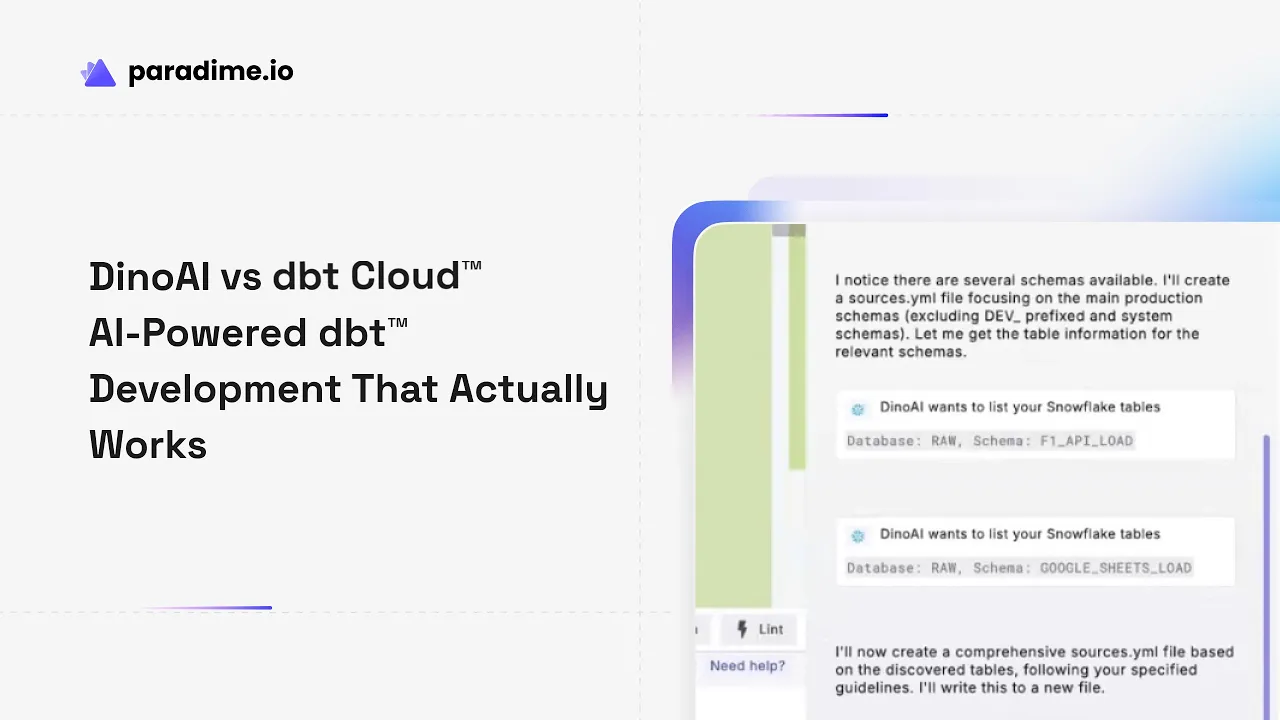
In the rapidly evolving world of analytics engineering, AI assistants are transforming how data teams work with dbt™. Paradime has positioned itself as an AI-powered workspace that consolidates the entire analytics workflow—often described as 'Cursor for Data.' The platform eliminates tool sprawl and development friction while delivering 50-83% productivity gains through its intelligent design and comprehensive feature set. At the heart of this transformation is DinoAI, Paradime's advanced AI co-pilot that deeply understands dbt™ projects and data warehouses, enabling teams to work faster, smarter, and more efficiently than ever before.
The Evolution of AI in dbt™ Development
Why AI Assistants Matter for Analytics Engineers
The modern data stack has grown exponentially complex. Analytics engineers juggle multiple tools, frameworks, and platforms while facing mounting pressure to deliver faster with fewer resources. Time spent on repetitive tasks—documentation, testing, and code generation—adds up quickly, often consuming hours that could be spent on strategic work. Maintaining consistent coding standards across growing teams becomes increasingly challenging, while rising costs and productivity pressures force organizations to do more with less.
AI assistants promise to address these pain points, but not all solutions are created equal.
Current State: dbt Cloud's Copilot
Recently announced at dbt Developer Day 2025, dbt Cloud's Copilot represents the company's entry into AI-assisted development. The tool offers a button-based interface with predefined tasks focused on generating tests, documentation, and semantic models. However, this approach comes with significant limitations: users are constrained to specific functions without the flexibility to instruct the AI for custom modifications or complex operations.
Perhaps most notably, dbt Copilot is exclusively available on the Enterprise tier at approximately $500 per user per month—creating a substantial barrier to entry for small and mid-size teams looking to adopt AI-powered workflows.
DinoAI's Voice Commands: Hands-Free Development
Speech-to-Text Tool Overview
DinoAI introduces a game-changing capability rarely seen in development tools: native voice command support. Through its Speech-to-Text Tool, developers can interact with DinoAI using natural language voice commands instead of typing. This feature leverages advanced natural language processing to understand dbt™-specific requests, making AI assistance more accessible and intuitive.
The interface is straightforward—developers simply click the microphone icon in the Code IDE and speak their requests naturally. DinoAI processes the voice input, transcribes it accurately, and executes the appropriate actions.
Use Cases for Voice Development
Voice commands unlock several powerful workflows. Developers can code hands-free while simultaneously reviewing documentation or reference materials on another screen. For many users, speaking is significantly faster than typing, especially for complex prompts or detailed instructions. The ability to multitask during development—perhaps reviewing data while dictating transformations—dramatically improves efficiency.
Beyond productivity, voice commands offer meaningful accessibility benefits for developers with repetitive strain injuries, mobility challenges, or those who simply prefer verbal communication.
Best Practices
To get the most from voice commands, speak clearly at a normal pace without over-enunciating. Be specific with development requests—instead of "add tests," say "add unique and not_null tests to the user_id column in the staging users model." Always review transcriptions before submission to catch any misinterpretations. Combine voice input with DinoAI's contextual file selection to ensure the AI understands exactly which files you're referencing.
.dinoprompts: The First Prompt Library for Analytics Engineers
What Are .dinoprompts?
One of DinoAI's most innovative features is .dinoprompts—a YAML-based prompt library that revolutionizes how teams share and reuse AI instructions. Think of it as a centralized repository of proven prompts for common analytics engineering patterns. These templates are purpose-built for dbt™ workflows, eliminating the need to craft prompts from scratch every time.
Key Features
The .dinoprompts file provides ready-made prompts covering 70-80% of common tasks analytics engineers face daily. Access is seamless—simply type "[" as a hotkey or click the prompts button to browse available templates. What sets .dinoprompts apart is the built-in variable system that makes prompts context-aware. Variables like {{ git.diff.withOriginDefaultBranch }}, {{ editor.currentFile.path }}, and {{ editor.openFiles.path }} dynamically insert relevant information, ensuring prompts always have the right context.
Since the .dinoprompts file lives in your repository root and is git-tracked by default, your entire team can share, version, and collaborate on prompts just like any other code asset.
Prompt Categories
Teams can build comprehensive libraries covering every stage of development. Pull request documentation templates automatically generate detailed descriptions of changes. Source configuration management prompts handle the tedious work of setting up new data sources. Model generation and refactoring templates ensure consistency across your project. Documentation and testing automation prompts eliminate manual busy work. Integration helpers for Jira and Linear connect AI workflows directly to project management tools.
Creating Custom .dinoprompts
Building custom prompts is straightforward. The YAML structure requires just two fields: name and prompt. Multi-line prompts use the pipe character, while single-line prompts work inline. Teams can codify their specific standards—perhaps a prompt that ensures all models follow your naming conventions or one that generates tests according to your team's patterns. Variables make prompts flexible, and because the file is version-controlled, you can track how your prompt library evolves over time.
Conversational AI vs Button-Based Interfaces
DinoAI's Flexible Approach
DinoAI takes an instruction-based, conversational approach to AI assistance. Rather than limiting users to predefined buttons, it accepts natural language instructions for simple and complex tasks alike. Developers can modify requests on the fly, iterate on solutions, and maintain full control over when and how code changes are applied through permission-based modifications.
This flexibility means DinoAI adapts to your workflow rather than forcing you to adapt to the tool.
dbt Copilot's Limitations
In contrast, dbt Copilot's button-based interface constrains users to approximately three predefined actions. Adding specific tests to models requires working around the interface limitations. Documentation generation lacks granular control—you can't easily generate docs for only newly added models, for example. Removing or modifying certain elements becomes unnecessarily complex when you're restricted to preset options.
Real-World Implications
These architectural differences have significant real-world consequences. Development speed suffers when you're forced to work through rigid interfaces instead of simply telling the AI what you need. The learning curve steepens as users must memorize which button does what rather than conversing naturally. Team standardization becomes challenging when the tool can't easily accommodate your specific patterns and practices. Ultimately, limited flexibility represents a hidden cost—the opportunity cost of problems you can't solve because your AI assistant can't understand the request.
Context Engineering: .dinorules and MCP Integration
Full Warehouse Context
DinoAI's support for Model Context Protocol (MCP) servers provides something dbt Copilot lacks: full warehouse context integration. By connecting directly to your data warehouse metadata, DinoAI eliminates AI hallucinations that plague context-limited assistants. It understands your actual table structures, column names, data types, and relationships—generating code based on reality rather than assumptions.
.dinorules for Team Standards
The .dinorules file enables teams to enforce coding guidelines and best practices automatically. Define standards for SQL formatting (trailing commas, uppercase keywords), naming conventions (snake_case for all models), materialization strategies (staging as views, marts as incremental), testing requirements (unique and not_null tests for all primary keys), and documentation expectations.
Because .dinorules is git-tracked by default, your team's collective knowledge and standards become codified, versioned, and automatically enforced across every DinoAI interaction. New team members onboard faster when the AI already knows how your team writes code.
vs. dbt Copilot's Context Limitations
dbt Copilot lacks MCP server support, relying instead on a metadata-only approach that provides limited understanding of warehouse-specific patterns. Without direct warehouse context, the AI can't generate SQL optimized for your actual data structures or catch issues that only appear when you understand the real schema.
Complete Pipeline Generation and Modification
What DinoAI Can Do
DinoAI excels at comprehensive pipeline development. Starting from a blank slate, it can generate complete data pipelines in minutes—creating models, sources, and configurations that work together cohesively. It optimizes existing models for cost and performance, generates comprehensive documentation, tests, and semantic definitions, and updates models automatically when source tables or columns change. When your team's standards evolve, DinoAI can refactor existing code to comply with new patterns.
dbt Copilot Constraints
dbt Copilot's predefined operations prevent it from handling comprehensive pipeline generation or complex multi-step modifications. It cannot take a high-level description and create an entire pipeline, nor can it perform sophisticated cost optimizations that require understanding both your code and your warehouse.
Pricing and Value Proposition
Cost Comparison
The pricing difference is stark. DinoAI's Code IDE ranges from $20 per user per month (Spark tier, 1M credits) to $84 per user per month (Vibe tier, 10M credits), with a middle Flow tier at $44 per user per month for teams using AI a few times weekly. dbt Copilot requires Enterprise licensing at approximately $500 per user per month.
For a team of 10 analytics engineers, DinoAI's Vibe tier costs $840 monthly ($10,080 annually) versus $5,000 monthly ($60,000 annually) for dbt Copilot—a difference of $49,920 per year.
Feature-to-Cost Analysis
The value proposition becomes even clearer when considering features. DinoAI provides voice commands, .dinoprompts, .dinorules, MCP integration, complete pipeline generation, and conversational flexibility at a fraction of dbt Copilot's cost. Teams gain access to cutting-edge AI capabilities across all pricing tiers, with a 14-day free trial requiring no credit card.
Accessibility
DinoAI's tiered pricing ensures teams of any size can access AI-powered development. Small startups can begin with Spark, growing teams adopt Flow, and power users leverage Vibe. dbt Copilot's Enterprise-only availability excludes the majority of data teams, particularly those at smaller organizations or companies just beginning their analytics journey.
Implementation and Getting Started
Setting Up DinoAI
Getting started is straightforward. Enable voice commands by clicking the microphone icon in the Code IDE. Create your first .dinoprompts file in your repository root using the YAML structure provided in Paradime's documentation. Configure .dinorules to codify your team's standards. DinoAI integrates seamlessly with existing workflows—it enhances rather than replaces your current processes.
Migration from dbt Cloud
For teams considering a move from dbt Cloud, Paradime maintains full compatibility with dbt™ Core projects. Your existing models, tests, and documentation continue working without modification. The learning curve focuses on leveraging new AI capabilities rather than relearning fundamentals. Training involves understanding prompt engineering, voice commands, and how to build effective .dinoprompts libraries—skills that compound over time.
Team Adoption Strategies
Successful adoption starts with building a shared prompt library. Have team members contribute their most useful prompts to the .dinoprompts file. Standardize how your team uses AI through .dinorules that reflect your actual practices. Measure productivity improvements by tracking time saved on documentation, testing, and repetitive coding tasks. Share wins across the team to build momentum.
The Future of AI-Powered Analytics Engineering
Emerging Trends
The future of analytics engineering is increasingly voice-first, with developers speaking instructions as naturally as they currently type. Collaborative AI prompt libraries will become as important as shared code repositories, with teams building institutional knowledge through proven prompts. Context-aware code generation will eliminate hallucinations entirely as AI assistants gain deeper integration with data warehouses. Automated optimization and cost management will shift from manual tuning to AI-driven continuous improvement.
Why DinoAI Represents the Future
DinoAI's architecture embraces these trends today. Its flexibility over rigid interfaces allows the platform to evolve with emerging use cases. Community-driven prompt development through .dinoprompts creates a network effect—as more teams share prompts, everyone benefits. True warehouse context understanding through MCP integration sets a new standard for code generation accuracy. Continuous innovation in AI capabilities ensures Paradime users stay at the cutting edge.
Preparing Your Team
Success in AI-augmented development requires new skills. Teams must learn prompt engineering—how to communicate effectively with AI assistants. Balancing automation with human oversight becomes critical; AI should enhance judgment, not replace it. Building institutional knowledge through .dinoprompts and .dinorules transforms tribal knowledge into durable assets that outlast individual team members.
Conclusion: Making the Choice
When DinoAI Makes Sense
DinoAI is ideal for teams seeking maximum flexibility in their AI tooling. Organizations with budget constraints find the 4-10x cost savings impossible to ignore. Groups needing voice-command capabilities for accessibility or efficiency gain significant advantages. Companies wanting to build custom prompt libraries that capture their unique workflows will find .dinoprompts transformative.
When dbt Copilot Might Work
Existing dbt Cloud Enterprise customers already paying premium pricing may find value in dbt Copilot as an included feature. Teams comfortable with limited automation and willing to work within predefined constraints can accomplish basic tasks. Organizations not needing advanced features like voice commands, custom prompts, or full warehouse context may find Copilot sufficient.
Next Steps
The best way to understand DinoAI's potential is to try it yourself. Start a free trial at https://www.paradime.io—no credit card required for the 14-day trial period. Explore the comprehensive documentation at https://docs.paradime.io to understand the full feature set. Build your first .dinoprompt to experience how reusable templates accelerate development. Test voice commands in your workflow to discover hands-free development. The future of AI-powered analytics engineering is here—and it speaks your language.


