Introduction
Paradime is an AI-powered workspace for analytics teams that consolidates the entire analytics workflow into one platform. With features like DinoAI (an AI copilot for SQL and dbt), Paradime Bolt for production-grade orchestration, and real-time monitoring, Paradime helps data teams ship 10x faster with 50-83% productivity gains. Teams at companies like Tide, Customer.io, and MyTutor trust Paradime to eliminate tool chaos and accelerate development cycles.
As dbt projects grow and teams scale, maintaining consistent code quality becomes increasingly challenging. Different developers bring different coding styles, documentation habits, and naming conventions—creating friction during code reviews and making onboarding new team members more difficult. This is where DinoAI's .dinorules feature transforms how analytics teams enforce dbt code standards and maintain SQL formatting automation across their entire codebase.
What is .dinorules?
Understanding DinoAI Code Standards Configuration
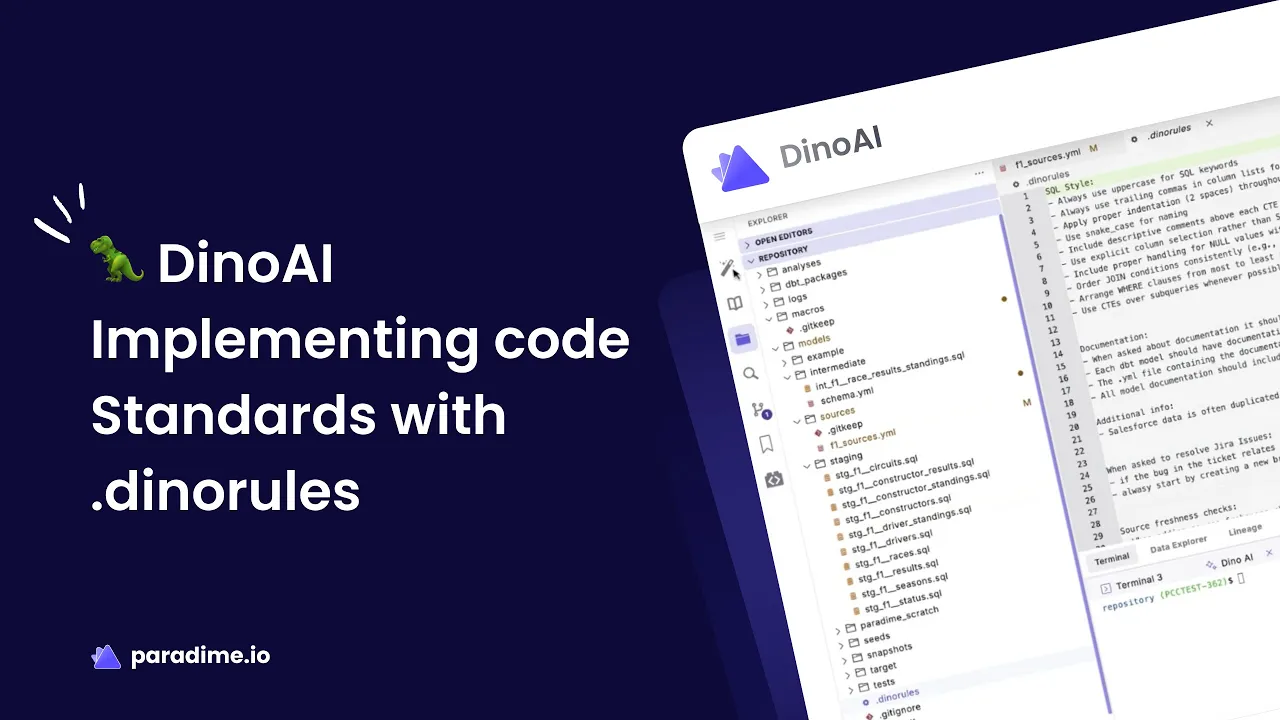
The .dinorules feature is a simple text file that defines your team's coding standards for dbt projects using natural language instructions. Unlike traditional linting tools that require complex configuration syntax, .dinorules accepts plain English instructions that specify exactly how your team wants code to be written, documented, and organized.
Think of it as your team's coding style guide, but one that's automatically enforced by AI rather than manually checked during code reviews. Whether you prefer uppercase SQL keywords, trailing commas, or specific naming conventions, .dinorules captures these preferences in a single, shareable file.
How .dinorules Works
When you interact with DinoAI—whether generating new models, refactoring existing code, or creating documentation—it automatically loads your .dinorules file as part of its context. These standards are then applied to every operation without requiring additional prompts or reminders.
This seamless integration means developers don't need to memorize style guides or constantly reference documentation. DinoAI ensures consistency automatically, allowing your team to focus on business logic and data modeling rather than formatting decisions. The AI becomes an extension of your team's collective knowledge, enforcing analytics engineering best practices with every interaction.
Setting Up .dinorules in Your dbt Project
Creating Your First .dinorules File
Getting started with .dinorules is remarkably straightforward. Current Paradime users can begin using this feature immediately:
Open your Code IDE in Paradime
Click the DinoAI icon (🪄) on the left-side panel
Click the settings icon (⚙️) at the top right of the DinoAI panel
This automatically creates a
.dinorulesfile in your project root
Alternatively, you can manually create the file by adding a new file named .dinorules to your repository root. Once created, simply add your custom instructions using natural language—no specialized syntax or formatting required.
File Structure and Location Requirements
The .dinorules file must be named exactly .dinorules (with the leading dot) and placed in the root directory of your dbt project repository. Your structure should look like this:
Because .dinorules is git-tracked by default, it becomes part of your repository's version control. This means changes to coding standards are visible in pull requests, can be discussed during code reviews, and maintain a complete history of how your team's standards evolve over time.
Writing Effective Configuration Rules
One of .dinorules' greatest strengths is its flexibility in accepting natural language instructions. There's no specific formatting, structure, or syntax required—you can organize your rules using paragraphs, bullet points, numbered lists, or any format that makes sense for your team.
However, organizing rules into clear sections improves readability and maintainability. Consider grouping related standards together, such as:
SQL Formatting preferences
Naming conventions for models and columns
Documentation requirements
Testing standards
Business logic patterns
The instructions can be as general or specific as needed. For example, you might write: "Use uppercase for all SQL keywords" or provide detailed specifications like "All timestamp columns should be converted to UTC and named with a _utc suffix."
Key Areas to Standardize with .dinorules
SQL Formatting and Style Guidelines
SQL formatting is often the first area teams tackle with .dinorules, as it creates immediate visual consistency across the codebase. Common standards include:
Keyword capitalization: Specify whether SELECT, FROM, WHERE, and other keywords should be uppercase or lowercase
Indentation style: Define consistent spacing for nested queries and complex logic
Comma placement: Choose between leading commas (at the start of lines) or trailing commas (at the end)
Aliasing conventions: Establish when and how to use table aliases
CTE preferences: Standardize the use of Common Table Expressions versus subqueries
For example, your team might prefer uppercase keywords with trailing commas and snake_case for all column names—.dinorules ensures DinoAI generates code following these exact specifications.
Naming Conventions and Model Organization
Consistent naming makes projects easier to navigate and understand. Use .dinorules to enforce dbt consistency in:
Model naming patterns: Prefix conventions like
stg_,int_,fct_, anddim_for different model layersColumn naming standards: Snake_case vs. camelCase, required suffixes for dates/timestamps
Table reference patterns: How to reference upstream models and source tables
Primary key conventions: Standard naming for unique identifiers across models
Folder structure requirements: Organization patterns for staging, intermediate, and mart layers
Documentation and Testing Requirements
High-quality documentation and comprehensive testing are hallmarks of mature dbt projects. Configure .dinorules to automatically enforce:
Documentation file organization: Separate YAML files for each model or consolidated schema files
Column description standards: Required fields, format specifications, business context expectations
Test coverage requirements: Which column types always need uniqueness or not_null tests
Business-critical column flags: How to identify and document key metrics and dimensions
YAML structure preferences: Ordering of properties, indentation, and metadata inclusion
Business Logic Patterns
Domain-specific patterns ensure business logic is handled consistently across your analytics codebase:
Timestamp handling: Timezone conversions, standardized column names, date arithmetic patterns
Null treatment: Default values, COALESCE patterns, null handling in aggregations
Date formatting: Standard formats for display versus calculation columns
Rounding rules: Precision for financial calculations, percentage formatting
Industry-specific patterns: Revenue recognition, customer segmentation, or other domain logic
Advanced .dinorules Capabilities
Generating Rules from Existing Projects
Rather than writing .dinorules from scratch, DinoAI can analyze your existing dbt project and automatically generate a configuration file that codifies your current patterns. This approach is ideal for teams that have already established conventions but haven't formalized them.
Using Agent Mode, you can:
Open DinoAI and select Agent Mode
Add representative files as context using the "@" icon, selecting examples from different folders:
Enter the prompt: "Analyze my selected dbt project files and create a .dinorules that captures my existing SQL formatting, naming conventions, folder structure, and documentation patterns."
Review the generated configuration
Accept the changes to create the file in your project root
This pattern recognition capability means you don't need to explicitly document every convention—DinoAI identifies consistency in your best-practice files and translates them into enforceable rules.
Bulk Updates to Legacy Code
Once you've established new standards in .dinorules, you don't need to manually update hundreds of existing files. DinoAI can apply your standards across entire directories in minutes, a task that would typically take hours of tedious manual work.
This bulk update capability is invaluable when:
Adopting new company-wide coding standards
Preparing legacy code for new team members
Implementing enhanced documentation requirements
Standardizing inconsistent historical patterns
Rather than postponing standardization work indefinitely, teams can modernize their entire codebase quickly and move forward with consistent, high-quality code.
Team Collaboration and Version Control
Because .dinorules files are git-tracked, they enable seamless team collaboration around coding standards. Changes to standards go through the same review process as code changes, ensuring team alignment and preventing unilateral standard modifications.
This version control integration provides:
Change visibility: All standard updates appear in pull requests
Discussion forums: Team members can comment on proposed standard changes
Historical tracking: Complete audit trail of how standards evolved
Rollback capability: Easy reversion if new standards prove problematic
Onboarding clarity: New team members see exactly what standards apply
The shared nature of .dinorules means the entire data team benefits from consistent AI-generated code, whether they're working in staging models, building complex marts, or creating new documentation.
Real-World Benefits and Impact
Reducing Cognitive Load on Developers
One of .dinorules' most significant benefits is freeing developers from constant formatting decisions. Instead of remembering whether keywords should be uppercase or where commas belong, developers can focus entirely on business logic, data transformations, and analytical insights.
This cognitive load reduction is particularly valuable during complex modeling work when mental resources should be dedicated to understanding data relationships and implementing sophisticated transformations—not debating stylistic choices.
Faster Code Reviews and Onboarding
Consistent formatting and documentation dramatically accelerate code reviews. Reviewers can focus on logic, performance, and data quality rather than nitpicking style inconsistencies. When all code follows the same patterns, reviewing becomes faster and more substantive.
For new team members, standardized code provides immediate clarity about team practices. Rather than learning through observation and correction, new hires see consistent patterns from day one. This accelerates ramp-up time and reduces the mentorship burden on senior team members.
Maintaining Quality at Scale
As dbt projects grow to hundreds or thousands of models with contributions from multiple developers, maintaining code quality becomes exponentially more challenging. Without automated enforcement, standards gradually degrade as different developers interpret guidelines differently or new team members introduce alternative patterns.
DinoAI with .dinorules provides automatic quality maintenance across repositories of any size. Whether your project has 50 models or 5,000, the same standards apply consistently. This scalability ensures code quality doesn't deteriorate as your team and project expand.
Best Practices for .dinorules Implementation
Starting Small and Iterating
When implementing .dinorules for the first time, resist the temptation to define every possible standard immediately. Instead, focus on high-impact areas that create immediate value:
SQL formatting basics: Keyword capitalization, comma style, and indentation
Core naming conventions: Model prefixes and column naming patterns
Essential documentation: Required fields for all models
Basic testing standards: Uniqueness and not_null tests for key columns
As your team becomes comfortable with these foundational standards, gradually add more sophisticated rules covering business logic patterns, advanced documentation requirements, and domain-specific conventions.
Selecting Representative Models for Pattern Analysis
When using Agent Mode to generate .dinorules from existing projects, carefully select which files to analyze. Choose your best-practice models rather than legacy code that might contain outdated patterns or inconsistencies.
Include representative examples from each layer of your dbt project:
Well-documented staging models showing your preferred source data patterns
Intermediate models demonstrating your transformation logic style
Final mart models reflecting your business-facing naming and documentation standards
The quality of your selected examples directly influences the quality of generated rules—garbage in, garbage out applies to AI-generated standards just as much as any other automation.
Balancing Flexibility and Standardization
While consistency is valuable, overly rigid standards can frustrate developers and stifle innovation. Determine which areas require strict standardization (like naming conventions that enable automated tooling) versus areas where flexibility is acceptable (like whether to use CTEs or subqueries in specific situations).
Some teams maintain separate .dinorules files for different project types or allow specific models to deviate from standards when business requirements demand it. Find the balance that maximizes consistency without creating unnecessary friction in your development workflow.
Common Use Cases and Examples
SQL Styling Standardization
A typical .dinorules configuration for SQL formatting might include:
"Use uppercase for all SQL keywords including SELECT, FROM, WHERE, JOIN, GROUP BY, and ORDER BY. Apply trailing commas at the end of each line in column lists. Use consistent 4-space indentation for nested queries. All table and column names should use snake_case. Prefer descriptive CTEs over nested subqueries for readability. Add comments explaining complex SQL functions or business logic."
This ensures every model DinoAI generates follows these exact specifications without requiring developers to manually format code.
Automated Documentation Generation
Documentation standards might specify:
"Each dbt model must have its own documentation file following the naming pattern schema_[model_name].yml. Include model-level descriptions explaining business purpose and key transformations. All columns require descriptions with business context. Primary keys must include uniqueness and not_null tests. Foreign keys should reference upstream models. Add metadata tags indicating data sensitivity level and refresh frequency."
DinoAI then automatically generates comprehensive documentation matching these specifications whenever creating or modifying models.
Visual Diagram Creation
For complex models, teams often require visual documentation:
"Generate Mermaid diagrams for all models with 5 or more upstream dependencies. Store diagrams as code in a /diagrams folder within the project. Include model names, relationships, and key transformations in the diagram. Use consistent color coding: staging models in blue, intermediate models in yellow, marts in green."
This ensures complex data lineage is automatically visualized and version-controlled alongside the code.
Getting Started with .dinorules Today
Quick Start Checklist
Ready to implement dbt code standards in your project? Follow these essential steps:
Create your .dinorules file using the DinoAI settings icon or manually in your project root
Define 3-5 core standards focusing on SQL formatting and naming conventions
Test with a sample model by asking DinoAI to generate a new staging model
Review and refine the generated code to ensure standards are correctly applied
Share with your team by committing .dinorules to version control
Expand gradually by adding documentation, testing, and business logic standards over time
Resources and Documentation
For detailed guidance and additional examples, explore Paradime's official documentation on .dinorules and DinoAI configuration. The documentation includes comprehensive examples, troubleshooting guides, and advanced use cases.
Current Paradime users can start using .dinorules immediately. New teams can begin with a free trial to experience how SQL formatting automation and dbt consistency transform analytics engineering workflows.
Measuring Success and ROI
Track these metrics to quantify .dinorules impact:
Code review time: Measure reduction in review duration as formatting debates disappear
Consistency scores: Audit projects for adherence to naming and documentation standards
Onboarding time: Track how quickly new team members become productive
Developer satisfaction: Survey team members about reduced cognitive load and frustration
Time savings: Calculate hours saved on manual formatting and bulk standardization tasks
Most teams report significant productivity gains within the first few weeks of .dinorules adoption, with benefits compounding as projects grow and new team members join.
Conclusion
DinoAI's .dinorules feature represents a fundamental shift in how analytics teams maintain code quality and enforce standards. By combining natural language configuration with AI-powered code generation, it eliminates the friction traditionally associated with coding standards while ensuring consistency across projects of any size.
For analytics engineers and data team leads seeking to standardize their dbt development workflows, .dinorules offers an elegant solution: define your standards once, and let AI handle the enforcement. The result is cleaner code, faster reviews, easier onboarding, and teams that can focus on delivering analytical insights rather than debating comma placement.
Whether you're starting a new dbt project or scaling an existing one, .dinorules provides the foundation for sustainable, high-quality analytics engineering. Start small, iterate based on your team's needs, and experience the productivity gains that come from automated dbt code standards and SQL formatting automation.


