Introduction
Paradime is an AI-powered workspace for analytics teams that consolidates your entire analytics workflow into one platform. With features like DinoAI (an AI co-pilot for dbt development), Bolt (production-grade orchestration), and Radar (column-level lineage and monitoring), Paradime helps teams achieve 50-83% productivity gains while reducing warehouse costs by 20%+. Analytics teams use Paradime to eliminate tool sprawl and accelerate development cycles by up to 50%.
Learn more: Why Paradime
The sources.yml Maintenance Challenge
Keeping sources.yml files in sync with your data warehouse is a constant struggle for analytics engineers. Data environments rarely stand still—new tables appear, schemas evolve, and maintaining your dbt project becomes an ongoing challenge. What makes this task particularly painful is the manual work involved: tracking numerous tables and columns, copying metadata, ensuring proper YAML formatting, and avoiding typos. A task that should take minutes ends up consuming 30+ minutes of valuable engineering time.
Why sources.yml Files Matter
In dbt, sources represent the raw data tables in your database. Defining sources in a sources.yml file enables analytics engineers to clearly define data lineage using the {{ source() }} function, test assumptions on source data, and calculate data freshness. Sources are the foundation of trustworthy analytics and provide critical lineage visibility from your data warehouse through to BI tools.
Common Pain Points
Time-consuming manual updates: Manually comparing warehouse schemas to existing sources.yml files
Error-prone process: Typos and formatting errors when copying column names and metadata
Schema drift: Missing new tables or columns as the warehouse evolves
Pattern inconsistency: Difficulty maintaining naming conventions and documentation standards across updates
Introducing DinoAI Context
DinoAI Context is a powerful feature that gives you precise control over what information DinoAI focuses on when generating or updating code. Instead of scanning your entire repository (which is inefficient and can lead to inaccurate results) or working with too little context (which means the AI doesn't understand your project standards), Context allows you to explicitly tell DinoAI which files, folders, or parts of your project to focus on.
How Context Improves AI Output
Higher accuracy: The AI focuses only on relevant information
Faster responses: No wasted time scanning unrelated files
Consistent standards: Easily maintain coding patterns across your project
Better understanding: DinoAI learns from your existing code examples
Using DinoAI Context for sources.yml Updates
DinoAI Context transforms the sources.yml maintenance burden into a simple conversation. What previously took 30+ minutes now takes just 10 seconds.
How It Works
Connect your warehouse: DinoAI accesses your data warehouse metadata directly
Add file context: Use the "@" symbol to add your existing sources.yml file as context
Provide a simple prompt: Ask DinoAI to update your sources with new tables
Review and accept: DinoAI generates the updated YAML with new tables while preserving existing documentation and patterns
Three Ways to Add File Context
1. Active Files Context
Have multiple files open in editor tabs
Click the DinoAI icon in the right panel
Click "@" symbol and select "Add Active Files to context"
Add your prompt
2. Open File Context
Have a single file open and selected in the editor
Click the DinoAI icon
Click "@" symbol and select "Add Open File to context"
Add your prompt
3. File Selection Context
Click the DinoAI icon
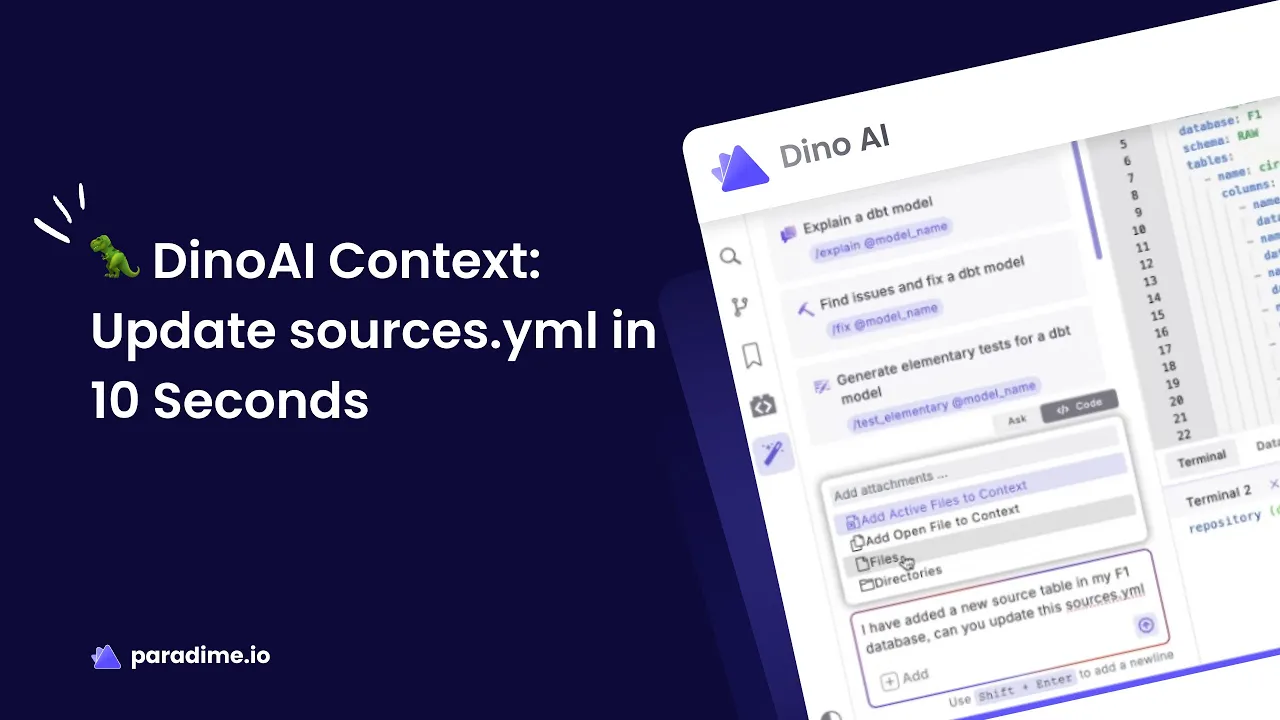
Click "@" symbol and select "Files"
Search and select specific files to add as context
Add your prompt
Creating sources.yml from Scratch
DinoAI can also generate complete sources.yml files from scratch by scanning your data warehouse:
Open DinoAI and ensure Agent Mode is selected
Enter a prompt like: "I uploaded new data to my warehouse. Can you create a sources.yaml file?"
DinoAI connects to your warehouse, scans schemas and tables, retrieves column information including data types
If configured, DinoAI applies your .dinorules preferences for naming and formatting
Review the generated sources.yml file
Accept to create the file in your project
Key Benefits of DinoAI Context for sources.yml
Time Savings
Reduce a 30+ minute manual task to just 10 seconds. DinoAI handles the tedious comparison work, identifies new tables, and updates your project automatically.
Accuracy and Completeness
Eliminate typos and formatting errors. DinoAI captures all tables and columns without missing anything, pulling metadata directly from your warehouse.
Pattern Consistency
DinoAI maintains your established patterns and naming conventions. By adding your existing sources.yml file as context, DinoAI learns and follows your project's standards.
Warehouse Synchronization
Keep your dbt project in sync as your warehouse evolves. DinoAI scans current schema information and updates sources accordingly while preserving existing documentation.
Best Practices for Using Context
Provide example files: Add files that demonstrate patterns you want DinoAI to follow
Add relevant context only: Too many files can dilute focus and reduce accuracy
Include both SQL and YAML files: Provide comprehensive context when appropriate
Start with high-quality examples: DinoAI will follow the patterns it sees in your context files
Use .dinorules: Configure project-wide preferences for consistent output
Real-World Impact
As Fabio from Paradime explains: "Think about it this way: you have a dbt repository with hundreds of models in different folders, and you want the agent to only work on a few things. You don't want it to look at the entire repository."
Kaustav adds: "When you narrow the focus, you increase the quality of output... It's a much more natural way to interact with the agent."
The result is a maintenance task that previously consumed significant engineering time now completed in seconds, allowing analytics engineers to focus on higher-value work like building better models and generating insights.
Getting Started with DinoAI Context
Current Paradime users can access DinoAI Context today. New users can start a free trial to experience how Context transforms sources.yml maintenance and other repetitive analytics engineering tasks.
Prerequisites:
Connect your data warehouse to Paradime's Code IDE environment
Have an existing sources.yml file (for updates) or new warehouse tables (for creation)
Access to DinoAI Agent Mode in Paradime
Start streamlining your sources.yml maintenance workflow and reclaim hours of engineering time with DinoAI Context.


