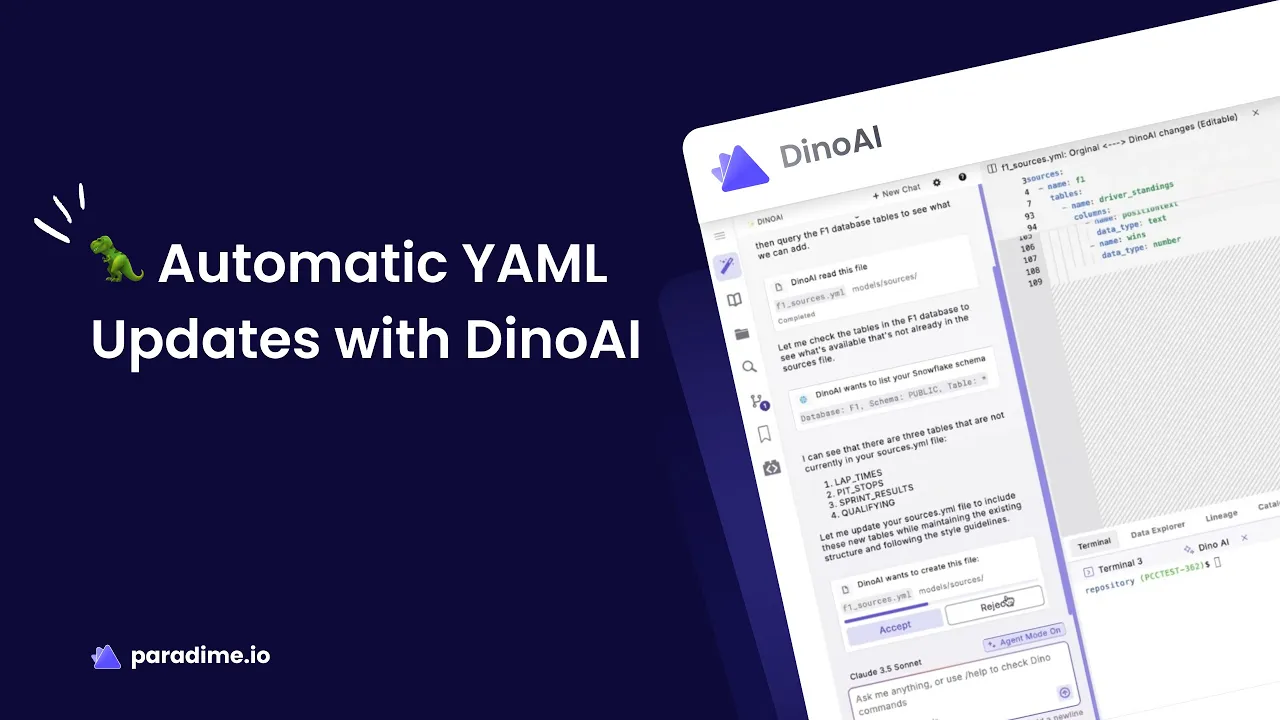
Managing data infrastructure is a constant balancing act between speed and accuracy. For analytics engineers working with dbt, one of the most tedious yet critical tasks is maintaining sources.yml files—the foundational configuration that connects your transformation layer to raw data tables. What should be a quick update often turns into a 30-minute ordeal of copying schema information, checking column names, and hoping you didn't introduce any typos. DinoAI's automated sources.yml sync changes this entirely, reducing this manual maintenance to seconds while improving accuracy.
What is sources.yml in dbt and Why Does It Matter?
In dbt projects, sources represent the raw data tables that serve as the foundation for all transformations. Rather than hardcoding table references like raw.production.customers throughout your models, dbt allows you to centralize these definitions in sources.yml files.
This centralization delivers several critical benefits. First, it eliminates scattered table references across your project—if a source table location changes, you update one file instead of hunting through dozens of models. Second, sources enable freshness checks that monitor whether your data is arriving on schedule, turning data quality monitoring into a declarative part of your workflow. Third, they automatically generate data lineage documentation, showing exactly how raw data flows through your transformations.
Perhaps most importantly, properly configured sources make your dbt project maintainable as it scales. They standardize how teams reference external data, reduce refactoring overhead, and provide a clear contract between your data platform and analytics code.
The Pain Points of Manual sources.yml Maintenance
Despite their importance, maintaining sources.yml files manually is remarkably time-consuming. The typical workflow looks like this: you learn about new tables in your warehouse, switch to your database client to explore the schema, copy column names and data types, switch back to your IDE, and carefully format everything in YAML syntax. This process easily consumes 30+ minutes for even moderately complex sources.
The manual approach introduces several failure modes. YAML formatting errors are surprisingly common—misaligned indentation, incorrect nesting, or missing colons can break your entire configuration. When copying column information by hand, it's easy to miss newly added columns or misspell column names, creating subtle bugs that only surface during model development. As your warehouse schema evolves through migrations, renames, or new data ingestion, keeping sources.yml synchronized becomes an ongoing maintenance burden.
For analytics engineers, this translates to significant productivity loss. The constant context switching between warehouse exploration and code editing disrupts flow. New data sources sit unused while waiting for someone to document them properly. Over time, documentation drift accumulates—your sources.yml files no longer accurately reflect reality, and the technical debt compounds.
How DinoAI Automatically Syncs sources.yml Files
DinoAI transforms this manual process into a simple conversation. Instead of jumping between tools, you tell DinoAI what you need: "I uploaded new customer data to the warehouse. Can you update my sources file?"
Behind the scenes, DinoAI connects directly to your data warehouse metadata, scanning available schemas and tables. It retrieves complete column information including data types, then generates properly formatted YAML that follows dbt's structure requirements. If you've configured a .dinorules file with team preferences, DinoAI applies those standards automatically—using your preferred naming conventions, documentation patterns, and formatting style.
What makes this particularly powerful is DinoAI's understanding of context. When updating an existing sources.yml file, it preserves your carefully written documentation while adding only the new tables. It doesn't overwrite your work—it augments it intelligently. You can point DinoAI to your existing file, and it will seamlessly integrate new sources while maintaining your project's established patterns.
The entire process takes seconds instead of half an hour. More importantly, it's accurate—no typos, no missed columns, no formatting errors. DinoAI generates complete, valid YAML that you can review and commit immediately.
Benefits of Automated sources.yml Management
The time savings alone justify automation. Reducing a 30-minute task to 10 seconds means analytics engineers can focus on what actually creates value: building transformations, answering business questions, and improving data models. When new data sources arrive, teams can start using them immediately instead of waiting for documentation.
Accuracy improvements are equally significant. Automated generation eliminates the typos and formatting errors that plague manual YAML editing. Every column is captured, data types are correct, and the structure always validates. This reliability reduces debugging time and prevents the frustration of broken references.
As dbt projects grow, maintainability becomes crucial. With DinoAI, keeping pace with warehouse schema changes is effortless. When your data platform team adds tables or modifies schemas, updating your sources configuration is a quick prompt away rather than a project-halting chore. This prevents technical debt accumulation—your documentation stays current instead of gradually becoming outdated.
For teams, the productivity impact extends beyond individual time savings. New analytics engineers onboard faster because the source documentation they rely on is comprehensive and accurate. Senior engineers spend less time on tedious configuration and more time on sophisticated modeling challenges. The entire team benefits from consistent, reliable source definitions.
Best Practices for dbt Sources with DinoAI
To get maximum value from automated source management, organize your sources thoughtfully. Group them logically by database and schema, making it easy to find what you need. Implement freshness checks for critical sources—these alert you when data ingestion delays occur, catching issues before they impact downstream models.
Leverage DinoAI's .dinorules functionality to encode your team's standards. You might specify that all sources should include descriptions, follow specific naming patterns, or group certain types of tables together. Once defined, DinoAI applies these preferences consistently across every source it generates, eliminating the manual effort of enforcing standards.
Integrate source management into your regular workflow. When new data arrives, update sources immediately rather than letting documentation lag. Use version control to track changes—reviewing source updates in pull requests helps teams stay aware of data platform evolution. Combine automated source generation with dbt's testing capabilities to validate assumptions about your data.
Real-World Impact: Use Cases That Matter
When your data platform team ingests a new data source—perhaps a third-party API or newly migrated system—analytics engineers traditionally waited for manual documentation. With DinoAI, that wait disappears. You can generate complete source definitions within seconds of tables appearing in your warehouse, enabling rapid time-to-insight.
Schema evolution is inevitable in data platforms. Upstream systems add columns, change data types, or restructure tables. DinoAI makes adapting to these changes straightforward—regenerate your sources, review the diff, and deploy. This agility reduces pipeline breakage risks and maintains backward compatibility more easily.
For teams managing enterprise-scale dbt projects with hundreds of sources across multiple warehouses, automation becomes essential. Manual maintenance simply doesn't scale to that complexity. DinoAI enables teams to manage large source inventories without proportionally increasing administrative overhead.
Getting Started with DinoAI for sources.yml
Setting up DinoAI requires connecting it to your data warehouse—a one-time configuration that grants access to metadata. Once connected, you can immediately start generating sources.
To create your first automated source, simply prompt DinoAI with what you need: "Generate a sources file for the sales schema in the production database." DinoAI will scan that schema, retrieve all table and column information, and produce a formatted sources.yml file. Review the output to ensure it matches your expectations, then save it to your dbt project.
For more advanced scenarios, you can update existing sources selectively, process multiple schemas in batch, or customize output using your .dinorules configuration. The key is starting simple—automate one source file, see the time savings, then expand from there.
Transform Your Analytics Engineering Workflow
DinoAI's automated sources.yml sync represents a fundamental shift in how analytics engineers interact with their data platforms. By eliminating 30+ minutes of manual work per source update, improving accuracy through direct metadata access, and maintaining consistency as projects scale, it removes one of dbt development's most tedious pain points.
This is the future of analytics engineering—AI assistants that handle repetitive tasks flawlessly, letting you focus on solving complex data problems. The time you save on documentation maintenance compounds across your team and across every new data source.
Ready to reclaim hours of productivity? Try Paradime's DinoAI and experience automated sources.yml sync firsthand. Your future self—no longer copying column names at 4 PM on a Friday—will thank you.


