If you're an analytics engineer, you've probably caught yourself typing the same AI prompts over and over. "Generate documentation for this model." "Create a pull request description." "Help me refactor this SQL." Each time, you're starting from scratch, hoping the AI understands your intent, and wasting precious minutes on repetitive tasks.
What if you could capture your best prompts, share them with your team, and access them instantly whenever you need them? That's exactly what DinoAI's .dinoprompts feature delivers—the industry's first prompt library built specifically for analytics engineers.
What is DinoAI's .dinoprompts Feature?
The First Prompt Library Built for Analytics Engineers
The .dinoprompts feature is a YAML-based prompt library that lives directly in your dbt repository. Unlike generic prompt management tools, .dinoprompts understands the unique workflows of analytics engineers—from generating dbt sources files to documenting pull requests to refactoring models.
At its core, .dinoprompts solves a critical problem: the endless repetition of writing similar AI prompts across projects. Every time you need to document a new model or create a pull request, you're reinventing the wheel. This leads to inconsistent AI outputs, wasted time, and lost institutional knowledge when team members move on.
What makes .dinoprompts different is its deep integration with the Paradime Code IDE and git-tracked collaboration model. Your prompts aren't stored in some external tool or personal notes file—they're version-controlled alongside your code, making them searchable, shareable, and sustainable.
Core Components of .dinoprompts
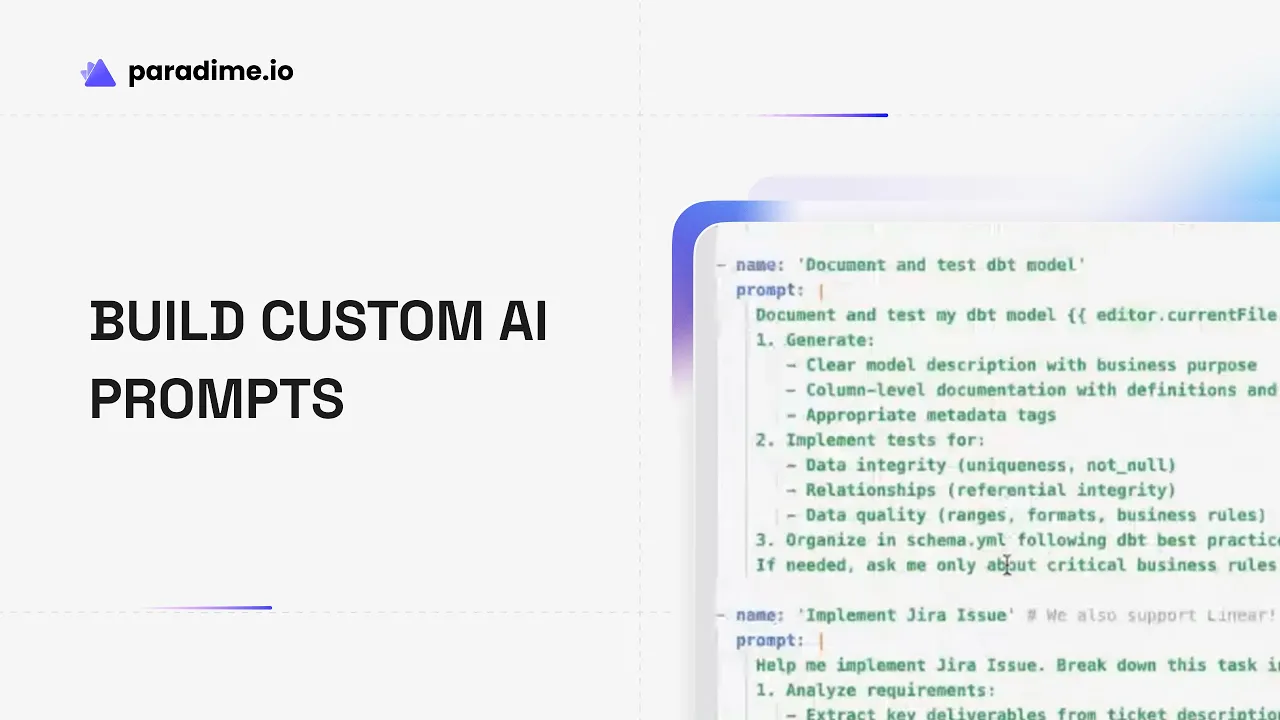
The .dinoprompts file uses a straightforward YAML structure that's easy to read and modify:
Each prompt consists of two required fields: a name for quick identification and the prompt itself. You can write single-line prompts or use the pipe (|) character for multi-line prompt definitions.
The real power comes from built-in variables like {{ git.diff.withOriginDefaultBranch }}, {{ editor.currentFile.path }}, and {{ editor.openFiles.path }}. These dynamic substitutions automatically inject context about your current work, eliminating the need to manually copy file paths or code snippets.
Access your prompt library using the [ keyboard shortcut or the prompts button in DinoAI's chat input. Select your prompt, provide any additional context if needed, and DinoAI executes it with full awareness of your project structure.
Why Your dbt Team Needs a Custom Prompt Library
The Challenge of Prompt Repetition
Consider how much time your team spends on repetitive AI interactions. Each developer writes their own version of "generate tests for this model" or "create documentation for these columns." The phrasing varies, the quality fluctuates, and valuable patterns get lost in individual chat histories.
This inconsistency creates real costs. New team members struggle to learn effective prompt patterns. Best practices remain trapped in senior engineers' heads rather than codified in reusable templates. And every time someone leaves the organization, their accumulated prompt expertise walks out the door with them.
Benefits of Standardized Prompts
A shared prompt library transforms these individual pain points into organizational advantages. When your entire team uses the same tested prompts, you achieve consistent quality across all AI-generated outputs. Junior engineers immediately benefit from the accumulated wisdom of senior practitioners.
The time savings compound quickly. According to Paradime, .dinoprompts covers 70-80% of common analytics engineering AI tasks and can eliminate 80-90% of operational overhead. That pull request that used to take 15 minutes to document? Now it takes two minutes with a standardized prompt.
More importantly, you're building institutional memory that persists beyond individual contributors. Platform teams can provide standardized prompts to all dbt contributors, ensuring everyone follows the same conventions for documentation, testing, and code structure.
Real-World Impact on Productivity
The productivity gains manifest across your entire workflow. Pull request documentation becomes instantaneous—just trigger your PR prompt and DinoAI generates a comprehensive description including summary, motivation, testing recommendations, and impact assessment, all based on your actual git diff.
Model generation and refactoring accelerate dramatically. Instead of carefully explaining what you want each time, your prompt library captures exactly how your team prefers to structure models, handle incremental logic, or organize sources files.
Testing and documentation workflows transform from tedious chores into one-click operations. Your prompts encode your team's standards for test coverage, documentation detail, and freshness checks, ensuring consistency without constant manual oversight.
Getting Started with .dinoprompts
Setting Up Your First Prompt Library
Creating your prompt library takes less than five minutes. Open the DinoAI panel in the Paradime Code IDE by clicking the magic wand icon (🪄) in the right panel. Click the prompt option in the chat input or use the bracket symbol [ shortcut, then select "Add .dinoprompts" to auto-create a file with several built-in prompts.
The .dinoprompts file appears in the root directory of your repository, alongside your dbt_project folder and README. This placement ensures it's immediately available to all repository contributors and tracked in version control by default.
The default prompt categories cover the most common analytics engineering tasks: pull request documentation, source configuration management, model generation and refactoring, documentation and testing workflows, and Jira/Linear issue integration. These built-in prompts work out of the box but are designed to be customized for your team's specific needs.
Understanding the YAML Structure
The YAML syntax is intentionally simple to lower the barrier for team-wide contribution. Single-line prompts work fine for straightforward tasks:
For more complex prompts that need structure, use multi-line format with the pipe character:
The best practice is to organize prompts by workflow area and use descriptive names that make it obvious when to use each one. Your team will quickly build muscle memory for the most valuable prompts.
Accessing Your Prompt Library
Once your .dinoprompts file exists, accessing prompts becomes second nature. Press [ anywhere in the DinoAI chat input to open the prompt quick-select menu. Type to filter by prompt name, select your desired prompt, and hit enter.
DinoAI automatically executes the prompt with all variable substitutions applied. If your prompt references {{ git.diff.withOriginDefaultBranch }}, DinoAI pulls the actual diff between your current branch and the default branch. If you use {{ editor.currentFile.path }}, it grabs the file you're currently viewing.
For prompts that need additional input beyond the built-in variables, DinoAI prompts you for the necessary information before proceeding. This makes it easy to create flexible templates that adapt to different scenarios while maintaining consistency in structure and approach.
Building Custom Prompts for Your Workflow
Context-Aware Variables and Automation
The three built-in variables eliminate the most tedious parts of prompt engineering:
{{ git.diff.withOriginDefaultBranch }}captures all changes between your current branch and the default branch, perfect for pull request documentation{{ editor.currentFile.path }}references the file you're currently editing, ideal for model-specific operations{{ editor.openFiles.path }}includes all files you have open, useful for operations spanning multiple files
These variables transform static prompts into dynamic workflows. Instead of "generate documentation for models/staging/stg_customers.sql," you write one prompt that says "generate documentation for {{ editor.currentFile.path }}" and it works for any file you're editing.
Creating Prompts for Common Tasks
Start by identifying the five tasks your team does most frequently. For most analytics engineering teams, this includes:
Pull request documentation: Automatically generate comprehensive PR descriptions with summary, motivation, testing guidance, and impact assessment based on your git diff.
dbt sources.yml generation: Create properly formatted sources files with standardized freshness checks, table descriptions, and appropriate tags following your organization's conventions.
Model migration: Convert models between materialization strategies (table to incremental, view to table) while maintaining proper configuration and incremental logic.
Documentation and test generation: Create column-level documentation with business context and generate appropriate dbt tests based on column types and model purpose.
Code refactoring: Optimize SQL for performance, improve readability, or align with team style guidelines consistently across models.
Advanced Prompt Patterns
Once you've mastered basic prompts, you can create sophisticated workflows by combining multiple variables and adding structured output requirements.
For example, a Jira-integrated PR prompt might pull the issue key from your branch name, reference the ticket details, and generate a PR description that includes the ticket summary, your code changes, and testing recommendations—all in one operation.
Teams using Mermaid diagrams for visual documentation can create prompts that analyze dbt model dependencies and automatically generate data lineage diagrams. This makes complex transformation logic accessible to business stakeholders without requiring them to read SQL.
The key to advanced prompts is balancing specificity with flexibility. Too rigid and they only work in narrow circumstances. Too vague and they produce inconsistent results. The sweet spot is clear instructions with variable-driven context.
Practical Examples and Use Cases
Pull Request Automation
The most immediately impactful use case is automating pull request documentation. A well-crafted PR prompt captures your git diff, analyzes the changes, and generates a comprehensive description that includes:
Summary of changes: High-level overview of what was modified
Motivation: Why these changes were necessary
Impact assessment: Which models are affected and how
Testing recommendations: How reviewers should validate the changes
This turns a 15-minute documentation task into a 2-minute review-and-edit operation, while ensuring every PR follows the same documentation standard.
dbt Model Development
Custom prompts dramatically accelerate model development cycles. Create prompts that:
Generate new staging models from source table metadata following your naming conventions
Refactor existing models to improve performance or readability
Convert models between materialization strategies with proper incremental logic
Add column-level documentation with business context derived from column names and types
For example, a model refactoring prompt might analyze your current file, identify optimization opportunities, implement performance improvements, and explain the rationale—all in one operation.
Data Quality and Testing
Testing is essential but tedious. Standardized prompts make it automatic:
Generate appropriate dbt tests based on column types (not_null for IDs, relationships for foreign keys)
Create source freshness configurations with your organization's warning and error thresholds
Build data validation test suites for critical business metrics
Generate troubleshooting prompts that analyze test failures and suggest fixes
This ensures comprehensive test coverage without the manual drudgery of writing repetitive YAML.
Visual Documentation with Mermaid
Mermaid diagram generation is a sleeper hit for teams that need to explain their data workflows to business stakeholders. Create prompts that:
Analyze dbt model dependencies and generate lineage diagrams
Visualize transformation logic within complex models
Create flowcharts showing data pipeline stages
Build accessible documentation that non-technical stakeholders can understand
These visual artifacts make data governance conversations dramatically more productive.
Sharing and Collaborating with Your Team
Version Control Integration
By default, .dinoprompts is git-tracked, which means it benefits from all your existing version control workflows. Commit prompt changes, review them in pull requests, track their evolution over time, and revert if necessary.
This git-native approach enables collaborative prompt development. Team members can propose new prompts through pull requests, senior engineers can review and refine them, and once merged, everyone benefits from the improvement.
The only consideration is potential merge conflicts if multiple team members edit .dinoprompts simultaneously without coordination. Establish conventions around prompt development—perhaps a dedicated "prompt improvement" branch or regular prompt review sessions—to minimize conflicts.
If you prefer to keep prompts personal, add .dinoprompts to your .gitignore file. However, most teams find the collaborative benefits outweigh the occasional merge conflict.
Building Organizational Knowledge
The most valuable aspect of .dinoprompts is its role as a knowledge repository. Every effective prompt captures a best practice. Every variable substitution encodes a workflow insight. Over time, your prompt library becomes a comprehensive guide to how your team builds analytics.
This is particularly valuable for platform teams supporting multiple analytics contributors. Provide a standardized .dinoprompts file with organizational conventions baked in, and every contributor automatically follows the same patterns for documentation, testing, source configuration, and code structure.
Document your prompt naming conventions so team members can quickly find what they need. Consider organizing prompts into categories (documentation, testing, development, refactoring) and using consistent prefixes or naming patterns.
Training and Onboarding
New hire onboarding accelerates dramatically when your prompt library serves as both a task automation tool and a training resource. New analytics engineers can browse .dinoprompts to understand team conventions, see examples of effective prompts, and immediately start producing work that matches team standards.
Create role-specific prompt collections for junior engineers, senior engineers, and platform team members. Junior engineers might have more detailed, prescriptive prompts that enforce best practices. Senior engineers might have more flexible templates that allow for judgment and customization.
Track adoption and effectiveness by monitoring which prompts get used most frequently and gathering feedback on which workflows still feel painful. High-usage prompts indicate valuable automation; low-usage prompts might need improvement or removal.
Optimizing Your Prompt Library
Prompt Engineering Best Practices
Effective prompts strike a balance between specificity and flexibility. Too specific and they only work in narrow circumstances. Too vague and outputs vary wildly in quality.
Start with clear, specific instructions about what you want DinoAI to produce. Include structural requirements (format as markdown, include specific sections) and quality expectations (use business-friendly language, explain technical decisions).
Use variables to inject context dynamically rather than creating dozens of similar prompts for different files or scenarios. One well-designed prompt with {{ editor.currentFile.path }} beats ten hardcoded prompts for specific models.
Test prompts with different inputs to ensure consistent quality. Have multiple team members try the same prompt on different models or scenarios and compare results. Refine based on outliers and edge cases.
Measuring Productivity Gains
Track the time impact of your most-used prompts. How long did PR documentation take before? How long now? What about sources file generation or test creation? These concrete metrics help justify continued investment in prompt development.
Monitor consistency in AI outputs. Are PR descriptions now more uniform in quality? Does documentation follow a consistent pattern? Is test coverage more comprehensive and standardized? These qualitative improvements compound over time.
Evaluate team adoption rates. Which prompts get used daily? Which rarely? High-adoption prompts should be refined and promoted. Low-adoption prompts should be improved, better documented, or removed to reduce clutter.
Identify high-value prompts for expansion. If one prompt saves 20 minutes per use and gets used ten times per week, invest in making it even better. The return on that investment multiplies across all team members and future use.
Maintenance and Evolution
Schedule regular prompt library reviews—quarterly works well for most teams. Remove outdated prompts that reference deprecated patterns or tools. Update prompts to reflect current best practices and team conventions.
Incorporate team feedback systematically. Create a lightweight process for team members to suggest prompt improvements. This could be as simple as a dedicated Slack channel or periodic prompt review meetings.
Stay current with DinoAI feature updates. As Paradime releases new variables, tools, or capabilities, update your prompts to take advantage. The goal is continuous improvement, not set-and-forget automation.
DinoAI Features That Enhance .dinoprompts
Credit Saver Mode
Paradime's Credit Saver Mode intelligently manages AI credit consumption by automatically detecting when conversations are becoming inefficient. When triggered, it summarizes previous conversation history, preserving essential context while eliminating redundancy.
Users report 70% reductions in credit consumption on complex tasks—what previously required 10 million credits now needs only 3 million. This automatic optimization means you can use your prompt library liberally without worrying about hitting credit limits or monitoring usage.
Credit Saver Mode requires no configuration and activates automatically for all users, removing the anxiety of cost management and letting you focus on getting work done.
Voice-to-Text Integration
DinoAI's speech-to-text tool allows you to interact with your AI co-pilot using your voice instead of typing. This natural communication method works seamlessly with your prompt library—speak the prompt name or describe what you need, and DinoAI executes the appropriate workflow.
Voice interaction accelerates hands-free workflows, particularly useful during pair programming sessions or when walking through code reviews. The combination of voice commands and standardized prompts creates a remarkably fluid development experience.
MCP Server Integration
Model Context Protocol (MCP) integrations dramatically expand DinoAI's contextual awareness beyond your repository and warehouse. MCPs connect DinoAI with Jira for issue tracking, Perplexity for web search, terminal integration for git and dbt commands, and Paradime documentation for feature references.
This comprehensive context makes prompts even more powerful. Your PR documentation prompt can pull issue details from Jira. Your troubleshooting prompt can search the web for recent dbt best practices. Your deployment prompt can execute terminal commands with proper error handling.
MCPs transform DinoAI from a code assistant into a full-stack analytics engineering co-pilot that understands your entire workflow, not just your SQL.
Getting Started Today
The fastest way to experience the value of .dinoprompts is to start simple and iterate based on real usage patterns.
Week 1: Set up your .dinoprompts file and explore the default prompts. Use them for actual work and note which ones feel valuable versus which need customization.
Week 2: Identify your top 3-5 repetitive workflows that consume the most time. Create custom prompts for these tasks, using variables to make them flexible and reusable.
Week 3: Share your custom prompts with a small group of teammates and gather feedback. Refine based on their experiences and edge cases they discover.
Week 4: Roll out to your full team with a brief training session on accessing and using the prompt library. Begin tracking time savings and adoption metrics.
Within a month, your team should have a robust, battle-tested prompt library that eliminates 80-90% of repetitive prompt writing and standardizes AI assistance across your analytics engineering workflows.
Ready to transform how your team builds analytics? Start your 14-day free trial of Paradime at paradime.io, explore the official documentation at docs.paradime.io, and join the Paradime community to share prompts and learn from other analytics engineering teams building their own AI-powered workflows.


