Introduction
Paradime is an AI-powered workspace designed to consolidate the entire analytics workflow into one unified platform. Eliminating tool chaos from VSCode, dbt Cloud™, Airflow, Monte Carlo, and Looker, Paradime accelerates analytics engineering with its Code IDE, Bolt orchestration, and Radar monitoring. With DinoAI as your co-pilot, teams achieve 10x faster shipping, 50-83% productivity gains, and eliminate repetitive busywork like writing YAML files, formatting SQL, and manually committing changes.
What is DinoAI and How It Transforms dbt Development
DinoAI is Paradime's AI-native code assistant built specifically for analytics engineers working with dbt. Unlike generic AI coding tools, DinoAI understands the unique challenges of analytics engineering and integrates directly into your development environment.
At its core, DinoAI offers full warehouse-context awareness, meaning it has real-time access to your data warehouse's tables, schemas, and relations. This warehouse intelligence enables DinoAI to generate accurate, context-aware code that references your actual data structures rather than hallucinating table names or column definitions.
DinoAI connects to 30+ development and data tools through Model Context Protocol (MCP) integrations—think of them as "USB ports for AI." These integrations bring context from Jira, GitHub, Perplexity web search, terminal commands, and more directly into your workflow. Instead of switching between applications to gather information, DinoAI pulls everything into a single interface.
The real differentiator lies in DinoAI's dbt-specific knowledge base. It understands dbt best practices, naming conventions, and common patterns out of the box. Where general-purpose AI tools require lengthy explanations of dbt concepts, DinoAI already knows how incremental models work, how to structure YAML files, and how to write effective data tests.
Team-wide standardization comes through two powerful features: .dinorules and .dinoprompts. These YAML files live in your repository, allowing teams to define coding standards and reusable prompt templates that ensure everyone's AI assistant follows the same patterns.
Setting Up DinoAI for Automated dbt Development
Getting started with DinoAI begins with connecting your data warehouse. Paradime supports Snowflake, BigQuery, Databricks, and Redshift connections that enable warehouse-context awareness. Once connected, DinoAI can query metadata, understand table structures, and reference actual column names in generated code.
Enabling warehouse-context in DinoAI transforms it from a generic code assistant into an intelligent co-pilot that understands your specific data environment. This feature answers warehouse-specific questions like "How do I use the haversine function in Snowflake?" with precise, contextual responses.
Git integration and branch management work seamlessly within Paradime's IDE. DinoAI assists with GitOps workflows by automating branch creation, generating meaningful commit messages, and even helping resolve merge conflicts with AI-powered suggestions.
Custom .dinorules files establish code standards that DinoAI automatically enforces. These rules define naming conventions, style guides, SQL formatting preferences, and quality standards. As a version-controlled YAML file, .dinorules ensures every team member's AI assistant generates consistent code that matches your organization's patterns.
The .dinoprompts library takes automation further by creating reusable prompt templates for common tasks. Using Jinja syntax with dynamic variables like {{editor.currentFile.path}} and {{git.diff.withOriginDefaultBranch}}, these prompts automatically incorporate context without manual specification. Out-of-box prompts handle updating sources.yml, generating documentation, creating tests, and even producing Mermaid diagrams for visual documentation.
Automating dbt Model Development with AI
DinoAI accelerates model creation through intelligent warehouse-context integration. Using @symbols, you can reference specific schemas, tables, and files as context. DinoAI then generates complete dbt models that accurately reflect your data structures.
Auto-generating source YAML files becomes a 10-second task instead of 30 minutes. DinoAI connects to your warehouse, identifies missing tables, and generates complete YAML definitions with all columns and metadata. This warehouse-aware automation eliminates the tedious manual work of documenting source schemas.
For staging and transformation models, DinoAI provides natural language prompts that generate production-ready SQL. Instead of writing boilerplate SELECT statements, you can describe the transformation in plain English and let DinoAI produce the code—complete with proper CTEs, joins, and dbt syntax.
Complex SQL refactoring becomes manageable with AI assistance. DinoAI can analyze legacy code, suggest performance improvements, and even convert queries between warehouse dialects when migrating platforms. Companies like Zeelo have cut development time from 4 hours to 5 minutes using these capabilities.
Incremental models require specific logic patterns that DinoAI generates automatically. It implements merge strategies, handles dedupe logic, and optimizes incremental runs for cost reduction—all while following dbt best practices. Voice-to-text capabilities even allow you to verbally explain complex business logic that DinoAI converts into documented code.
Automating Documentation and Testing
Documentation becomes effortless when DinoAI auto-generates comprehensive model descriptions and column-level documentation. By analyzing your code structure and warehouse metadata, DinoAI produces accurate descriptions that maintain consistency across your entire project.
Test generation follows the same intelligent pattern. DinoAI suggests appropriate data quality tests based on column types and data patterns. It creates custom generic tests, implements schema tests at scale, and ensures your models meet quality standards without manual test writing.
YAML file management—often the most tedious part of dbt development—becomes automated. DinoAI generates complete YAML files with proper structure and formatting, updates documentation across multiple models simultaneously, and maintains consistency as your project grows. The custom prompt "clean next select" used by Motive's team demonstrates how teams create shortcuts that eliminate repetitive formatting tasks.
Accelerating Development Workflows with AI-Powered Features
Terminal automation brings AI assistance to command-line operations. DinoAI suggests appropriate dbt commands based on natural language requests and provides debugging help when errors occur. Through MCP terminal integration, it can execute git and dbt commands with user approval, streamlining the development loop.
GitOps automation generates comprehensive pull request descriptions using the {{git.diff.withOriginDefaultBranch}} variable. These AI-generated descriptions include modification summaries, motivation explanations, testing recommendations, and impact assessments—all without leaving your development environment.
Data previews and impact analysis help you understand changes before deployment. DinoAI shows downstream dashboard dependencies, analyzes column-level lineage, and assesses how modifications will affect dependent models and business intelligence tools. This comprehensive impact visibility reduces deployment risks and speeds up code reviews.
Context Engineering for Team Productivity
Context engineering represents a fundamental shift in how teams work with AI. Instead of repeatedly explaining project context to generic AI tools, DinoAI builds institutional knowledge directly into your development environment through .dinorules, .dinoprompts, and warehouse integration.
The @symbols feature enables contextual AI by allowing you to reference specific files, folders, and warehouse objects directly in prompts. This eliminates the need to manually copy-paste code or explain database structures—DinoAI already knows your environment.
Credit Saver Mode demonstrates intelligent context management by recognizing task transitions and automatically summarizing previous context rather than maintaining full token history. This preserves essential information while reducing computational costs and improving response quality.
Team-wide standardization through shared .dinorules and .dinoprompts files ensures every team member's AI assistant generates consistent code. This organization-wide context configuration creates what industry leaders call "Cursor for Data"—an AI development environment specifically designed for analytics engineering rather than general software development.
Advanced DinoAI Features for Power Users
MCP integrations expand DinoAI beyond code generation. The Jira integration connects your issue tracking system, allowing DinoAI to reference ticket details and error context. Perplexity web search provides up-to-date documentation and best practices without leaving the IDE. The terminal integration executes commands directly from AI suggestions, while Paradime documentation search finds answers to platform-specific questions instantly.
Future MCP integrations promise even more context: PDF parsing for business requirements, BI tool integration for dashboard definitions and metrics, meeting notes from collaboration tools, and custom knowledge bases for organization-specific documentation.
Creating ERDs and diagrams with AI eliminates manual diagram creation. DinoAI generates MermaidJS diagrams directly from dbt models, visualizes data lineage automatically, and produces documentation diagrams that stay current with code changes.
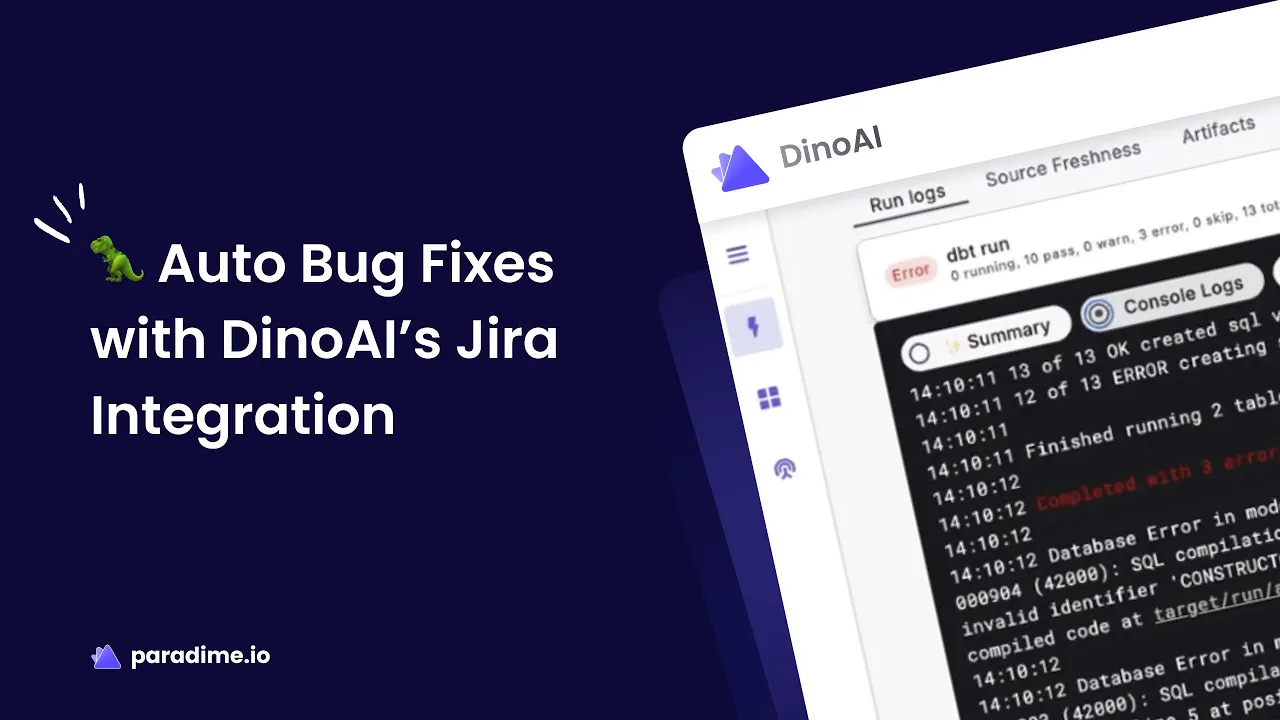
AI Auto-Fix debugging identifies syntax errors, resolves compilation issues, and suggests query performance optimizations. When errors occur, DinoAI explains the problem and often provides ready-to-implement fixes, dramatically reducing debugging time.
Real-World Success Stories
Motive's data team achieved a 10x productivity boost and saved 1-2 person-months annually by eliminating DevOps overhead. Their engineering lead noted, "DinoAI has transformed my development process. Having it integrated directly into my development environment means I never have to context-switch, making my coding significantly faster and more efficient."
Zeelo cut development time from 4 hours to 5 minutes for complex tasks. Emma reduced pipeline runtime by 50% through AI-assisted optimization. Customer.io boosted development speed by 25%+ while cutting warehouse costs by 20%+.
These aren't marginal improvements—they represent fundamental transformations in how analytics engineering teams operate. Companies managing 400+ models maintain 100% uptime while delivering business value in days rather than months.
Best Practices for Automating dbt with DinoAI
Optimize prompts by being specific and leveraging warehouse context effectively. Instead of generic requests, reference specific schemas with @symbols and provide clear success criteria. Iterate on AI-generated code rather than expecting perfection immediately.
Maintain code quality by combining AI assistance with linters like SQLFluff and Prettier. Implement pre-commit hooks that catch issues before they reach production. Balance automation with human code review—AI accelerates development, but experienced engineers ensure architectural soundness.
Measure productivity impact by tracking time saved on repetitive tasks, monitoring model development velocity, and calculating ROI. Teams typically see 50-83% reductions in manual work, with some tasks going from hours to minutes.
Getting Started with Paradime and DinoAI
Paradime offers a 14-day free trial that lets you experience DinoAI's capabilities firsthand. Setup involves creating your workspace, connecting your first data warehouse, and running your first AI-assisted dbt model. The onboarding process takes minutes rather than weeks compared to traditional analytics stacks.
Migrating from dbt Cloud™ or legacy tools happens in under a week. Paradime imports existing dbt projects seamlessly and provides up to 70% cost savings compared to dbt Cloud's pricing. Teams gain unlimited model builds, predictable pricing, and AI-powered development without compromising on orchestration or monitoring capabilities.
Resources include comprehensive documentation, video tutorials, and community best practices. Support teams assist with onboarding, and the platform's intuitive design means analytics engineers become productive on day one rather than after lengthy training periods.
DinoAI represents the future of analytics engineering—where AI handles repetitive tasks so engineers can focus on solving business problems. By combining warehouse-context awareness, team standardization through .dinorules and .dinoprompts, and intelligent automation, DinoAI eliminates 90% of analytics engineering busywork while accelerating delivery 10x. Whether you're building your first dbt model or managing hundreds in production, DinoAI transforms development from tedious to effortless.


