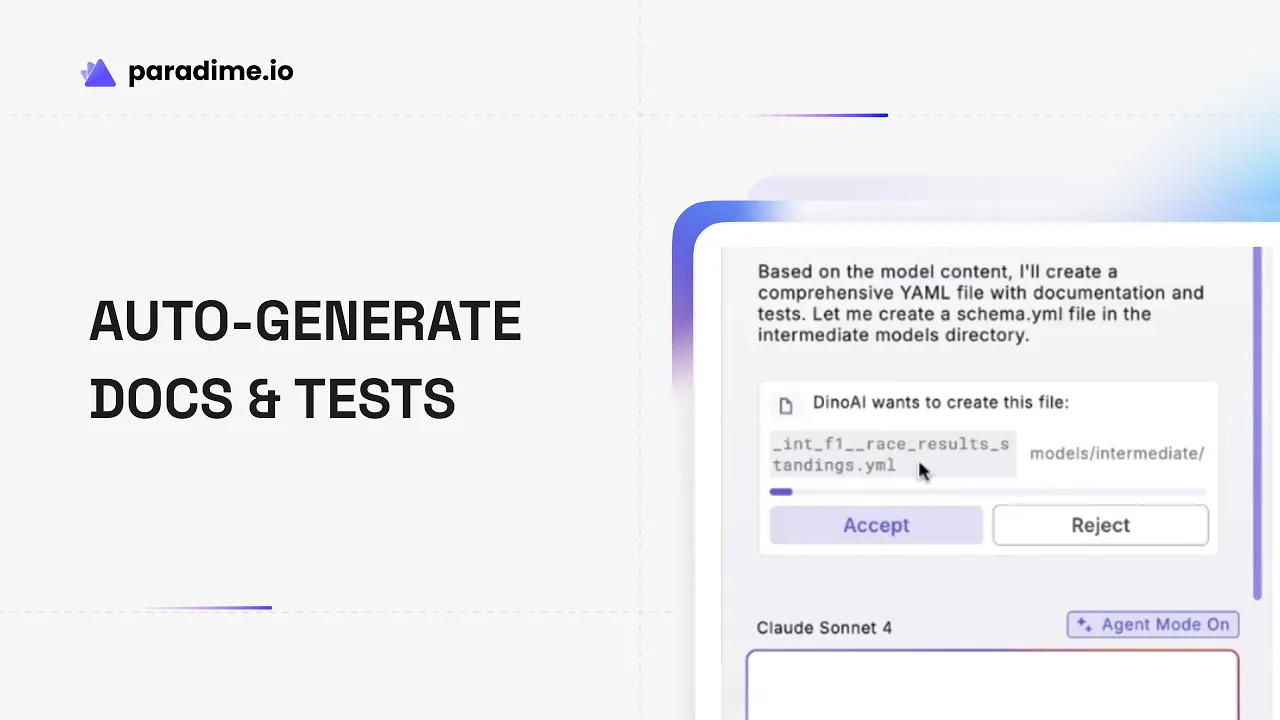
Documentation is the silent killer of analytics engineering productivity. While data teams pour hours into building sophisticated dbt™ models, the tedious work of documenting those models often falls by the wayside—leading to knowledge silos, onboarding nightmares, and data quality issues that compound over time. But what if you could transform documentation from a multi-day burden into a seconds-long automated process?
Enter DinoAI, Paradime's AI co-pilot that's revolutionizing how analytics engineers approach dbt documentation and testing. This guide explores how high-velocity data teams are leveraging AI to achieve comprehensive documentation coverage, enforce standards automatically, and reclaim hundreds of hours previously lost to manual YAML file creation.
The Documentation Bottleneck in Analytics Engineering
Ask any analytics engineer about their least favorite task, and documentation invariably tops the list. Creating schema.yml files for every model, writing descriptions for dozens of columns, and determining appropriate tests for each field is mind-numbingly repetitive work. What should take minutes stretches into hours or days, especially for teams managing hundreds of models.
The impact extends beyond individual productivity. Undocumented models create friction across the entire data organization. New team members struggle to understand existing transformations. Business stakeholders can't interpret data lineage. Data quality issues slip through without proper testing. And as projects scale, the documentation debt becomes increasingly insurmountable.
Most teams know they should prioritize documentation, but when faced with competing demands—building new dashboards, optimizing query performance, responding to urgent data requests—documentation gets pushed to "later." The result? dbt projects with 30% documentation coverage (or less), inconsistent naming conventions, and missing tests that would have caught data quality issues before they reached production.
Documentation isn't just nice-to-have administrative overhead. It's the foundation of data quality, team collaboration, and scalable analytics engineering practices. The challenge has always been making documentation sustainable without sacrificing development velocity.
How DinoAI Automates dbt Documentation and Testing
DinoAI transforms the documentation paradigm by analyzing your dbt models and automatically generating comprehensive schema.yml files complete with model descriptions, column details, and appropriate tests—all in seconds.
Auto-Generating Documentation in Seconds
The process is remarkably simple. Instead of manually crafting YAML files, you provide DinoAI with a natural language prompt like: "I have a bunch of new files in my Marts folder. Can you document this for me?"
DinoAI then:
Scans all models in the specified directory
Analyzes each model's structure, column names, and relationships
Generates schema.yml files with comprehensive descriptions
Adds appropriate tests based on column types and data patterns
Follows your custom documentation standards if configured via .dinorules
The output is production-ready documentation that maintains consistency across your entire project. DinoAI understands context from your model's SQL logic, table relationships, and existing documentation patterns to create descriptions that actually make sense—not generic placeholder text.
For example, when documenting a int_f1_race_results_by_constructor model, DinoAI generates structured YAML with model-level context ("This model combines race results with constructor information...") and column-level details ("Unique identifier for each race event") along with appropriate tests like not_null for critical fields.
Intelligent Test Generation
Beyond descriptions, DinoAI automatically determines which tests make sense for each column based on its data type, name, and relationships:
not_null tests for fields that should always have values
unique tests for primary keys and identifiers
relationships tests to validate foreign key connections between models
accepted_values tests when column names suggest constrained value sets
This intelligent test generation helps teams achieve comprehensive test coverage without the tedious work of manually specifying every test in YAML files. DinoAI balances thorough testing with compute efficiency, avoiding redundant or unnecessary tests that would slow down your CI/CD pipelines.
Bulk Documentation for Entire Directories
One of DinoAI's most powerful capabilities is bulk documentation generation. Rather than documenting models one at a time, you can point DinoAI at an entire folder structure and generate consistent documentation for dozens of models simultaneously.
This is transformative for teams tackling documentation debt. What previously required days of dedicated work—documenting an entire marts layer or staging area—now takes minutes. Teams report going from virtually no documentation to 80%+ coverage in a single afternoon.
Enforcing Standards with .dinorules
Raw AI generation is powerful, but what separates good AI tooling from great AI tooling is the ability to enforce your team's specific standards. This is where .dinorules becomes invaluable.
What Are .dinorules?
.dinorules is a simple text file you add to your dbt repository containing natural language instructions for how DinoAI should generate and format code, documentation, and tests. There's no special syntax to learn—just write your standards in bullet points or paragraphs.
When you interact with DinoAI, it automatically loads your .dinorules file and applies those standards to every operation. Want uppercase SQL keywords? Trailing commas? Specific documentation formats? Simply define it once in .dinorules, and DinoAI enforces it automatically.
Documentation Standards Examples
Teams use .dinorules to enforce documentation standards like:
Format requirements: "All model descriptions must include purpose, business owner, and refresh frequency"
Column documentation rules: "Primary keys should be documented as 'Unique identifier for [entity]'"
Test coverage mandates: "All primary keys must have not_null and unique tests"
Metadata requirements: "Include tags for data domain, PII status, and owning team"
Maintaining Consistency at Scale
The real power emerges when scaling across large dbt projects with multiple contributors. Without .dinorules, five different analytics engineers might document models in five different styles. With .dinorules, DinoAI ensures every generated piece of documentation follows the same pattern, regardless of who triggered the generation.
This consistency extends beyond aesthetics. It makes documentation more searchable, improves onboarding effectiveness, and ensures that automated processes (like data catalogs or governance tools) can reliably parse your documentation structure.
Teams can also use .dinorules for bulk updates. Need to retrofit existing models with new documentation standards? Update your .dinorules file and ask DinoAI to refresh entire directories—transforming what would be weeks of manual work into minutes of automated updates.
dbt Testing Best Practices
While automation accelerates documentation and test creation, understanding testing best practices ensures you're building the right foundation.
The 7 Critical Testing Principles
1. Shift Testing Left in Your Workflow Don't wait until models reach production to validate data quality. Implement tests during development so issues are caught and fixed immediately, not days later when they've already impacted downstream reports.
2. Build a Foundation with Generic Tests Start with dbt's four built-in generic tests: not_null, unique, accepted_values, and relationships. These cover the vast majority of data quality scenarios and require minimal configuration. DinoAI can automatically suggest and implement these for appropriate columns.
3. Leverage Unit Testing for Complex Logic For models with intricate business logic—complex calculations, multi-step transformations, edge case handling—unit tests provide the precision needed to validate behavior on controlled input datasets before running against full production data.
4. Use Data Diffing for Unknown Unknowns Generic and unit tests catch known failure modes, but what about unexpected changes? Data diffing compares model outputs before and after changes, surfacing unexpected differences that your explicit tests might miss.
5. Apply Test Types Strategically Avoid test fatigue by applying tests where they matter most. Not every column needs every test. Focus intensive testing on critical business metrics, primary keys, and fields that feed important downstream processes.
6. Always Test During CI/CD Your continuous integration pipeline should run tests automatically on every pull request. This catches issues before they reach production and creates a safety net that encourages confident, rapid iteration.
7. Never Deploy with Failing Tests This seems obvious, but bears repeating: treat test failures as blockers, not warnings. A failing test indicates a data quality issue or incorrect business logic—neither should reach production.
Building Sustainable Documentation Practices
Automation solves the time problem, but sustainable documentation requires the right processes and culture.
Documentation During Development, Not After
The most successful teams document models as they build them, not as a cleanup task after the fact. When DinoAI can generate documentation in seconds, there's no excuse to defer it. Make documentation generation part of your development workflow, not a separate phase.
Include a step in your development process: write the model logic, test it with sample data, then ask DinoAI to generate documentation and tests. Review and refine as needed, then commit everything together. This approach ensures documentation never lags behind code changes.
Documentation Hierarchy and Context
Effective documentation operates at multiple levels:
Project-level documentation explains overall architecture, naming conventions, and how different model layers interact. This lives in your dbt project's overview docs and README files.
Model-level documentation describes what each model does, who uses it, refresh frequency, and business context. This is where you connect analytics engineering work to business value.
Column-level documentation details what each field represents, its data type, calculation logic (for derived fields), and any important caveats. Reusable doc blocks help maintain consistency for columns that appear across multiple models.
Link technical details to business context wherever possible. Documentation that explains why a model exists and how teams use it is infinitely more valuable than purely technical descriptions of what the SQL does.
Documentation in Code Reviews
Make comprehensive documentation a pull request requirement. Reviewers should verify not just that documentation exists, but that it's clear, accurate, and useful. DinoAI-generated documentation provides an excellent starting point, but human review ensures business context and nuance are captured correctly.
Consider implementing automated checks in your CI/CD pipeline that flag models without documentation, similar to how you'd flag code without tests. This creates accountability without becoming bureaucratic—especially when generating that documentation takes seconds with DinoAI.
Maximizing DinoAI Across Your Analytics Workflow
Documentation automation is just the beginning. DinoAI's capabilities extend across the entire analytics engineering workflow.
Beyond Documentation
SQL Code Generation: Describe what you want to build, and DinoAI generates dbt model code that follows your team's conventions (as defined in .dinorules).
Debugging and Fixing: When models break, DinoAI can analyze error messages, identify issues, and suggest or implement fixes automatically.
Refactoring: Need to update models to meet new standards? DinoAI can refactor existing code to match current best practices, whether that's CTEs vs. subqueries, naming conventions, or SQL formatting.
SQL-to-dbt Conversion: Have legacy SQL queries that need to become proper dbt models? DinoAI automates the conversion, properly structuring models with configs, tests, and documentation.
Integration with Development Workflow
DinoAI operates directly within the Paradime Code IDE, meaning you never leave your development environment to access AI assistance. Use natural language prompts, keyboard shortcuts, or right-click menus to invoke DinoAI capabilities while editing models.
The integration extends to version control and CI/CD. AI-generated documentation and tests become part of your normal Git workflow—committed to branches, reviewed in pull requests, and deployed through your standard processes. There's no separate "AI tool" to manage; it's seamlessly embedded in how you already work.
Measuring Impact
Teams implementing DinoAI for documentation and testing report dramatic improvements:
Time savings: Documentation that previously required 2-4 hours per model now takes 30 seconds Coverage rates: Projects jumping from 30% to 90%+ documentation coverage within weeks Quality improvements: Comprehensive test coverage catching issues before production Onboarding acceleration: New team members getting productive faster with clear documentation
These aren't abstract metrics—they translate directly to shipping more features, catching more data quality issues, and reducing the firefighting that drains team morale and productivity.
Getting Started with DinoAI
Ready to transform your documentation workflow? Here's how to begin:
Setup and Configuration
Connect your dbt project to Paradime and configure DinoAI settings in your workspace. Ensure appropriate permissions are set for team members who will use AI generation capabilities.
Create Your .dinorules File
Start with documentation standards specific to your team. A simple initial .dinorules might include:
SQL formatting preferences (uppercase keywords, trailing commas, indentation style)
Documentation requirements (what every model description must include)
Testing mandates (which tests should apply to which column types)
Naming conventions and organizational standards
You can expand and refine these standards over time as your practices evolve.
Generate Your First Documentation
Start small with a single model or directory. Provide DinoAI with a prompt like "Document all models in the staging/shopify directory" and review the results. Refine your .dinorules based on what you observe, then scale to larger portions of your project.
Bulk Documentation for Existing Projects
For teams with significant documentation debt, tackle it systematically:
Document by domain or layer (staging, intermediate, marts)
Review and refine AI-generated content for accuracy
Commit changes through your normal Git workflow
Update .dinorules based on patterns you want to standardize
This approach lets you eliminate documentation debt quickly while building sustainable practices going forward.
The Future of AI-Powered Analytics Engineering
DinoAI represents a fundamental shift in how analytics engineering work gets done. By automating repetitive tasks like documentation and test generation, AI co-pilots free analytics engineers to focus on what actually requires human expertise: understanding business problems, designing effective data models, and optimizing for performance and maintainability.
This isn't about replacing analytics engineers—it's about amplifying their capabilities. Teams using AI-assisted workflows report 10x development acceleration and 50-83% productivity gains not because AI writes better SQL, but because it eliminates the friction and tedium that slows down human experts.
As AI capabilities evolve, expect even deeper integration into analytics workflows: more sophisticated code generation, automated optimization recommendations, proactive data quality monitoring, and AI-assisted troubleshooting that identifies and fixes issues before humans even notice them.
The analytics teams that thrive in this environment will be those that embrace AI as a co-pilot—using automation for what it does best while focusing human attention on strategic thinking, business partnership, and architectural decisions that drive real impact.
Documentation doesn't have to be a bottleneck anymore. With DinoAI, comprehensive, consistent, high-quality documentation becomes the default, not the exception—and analytics engineers get back hours every week to focus on work that actually moves the needle for their organizations.


