Introduction
For data teams working with dbt and analytics engineering, pull requests are more than just code review checkpoints—they're critical documentation that enables collaboration, maintains code quality, and prevents costly production issues. Yet the process of crafting comprehensive PR descriptions remains one of the most time-consuming bottlenecks in modern analytics workflows.
Paradime's DinoAI transforms this tedious manual task into an automated, intelligent process. By leveraging AI to analyze code changes and generate comprehensive pull request descriptions, data teams can achieve faster review cycles, more consistent documentation standards, and dramatically improved productivity—all while maintaining the high code quality standards that analytics engineering demands.
The Challenge of Manual Pull Request Creation in Analytics Engineering
Why Pull Request Documentation Matters for Data Teams
In analytics engineering, pull requests serve as more than gatekeepers for code changes. They document complex data transformations, track downstream impacts across dashboards and reports, and provide crucial context for reviewers who need to understand not just what changed, but why it matters.
Unlike traditional software development, analytics engineering introduces unique complexity: a single model change can cascade through dozens of downstream transformations, affecting business-critical dashboards and reports. Without comprehensive PR documentation, reviewers struggle to assess these impacts, leading to delayed reviews, misunderstood changes, and production issues that could have been prevented with better context.
Common Pain Points in Traditional Git Workflows
Data teams face a persistent trade-off: spend valuable time writing detailed PR descriptions, or sacrifice documentation quality to maintain velocity. The consequences of this choice are significant.
Writing comprehensive PR descriptions is time-consuming. Engineers must manually summarize file changes, explain the motivation behind transformations, document testing steps, and assess downstream impacts—a process that can take 15-30 minutes for complex changes. Multiply this across dozens of pull requests weekly, and the productivity cost becomes substantial.
Documentation consistency suffers as well. Different team members follow different standards, creating PRs that range from barely adequate to exhaustively detailed. This inconsistency increases reviewer burden and creates knowledge gaps in your project history.
The result? Teams either accept slower velocity while maintaining documentation quality, or sacrifice documentation to ship faster—knowing they're accumulating technical debt with every inadequately documented change.
How DinoAI Automates Pull Request Generation
Understanding DinoAI's PR Automation Capabilities
DinoAI is Paradime's AI-powered assistant designed specifically for analytics engineering workflows. When it comes to pull request automation, DinoAI analyzes the complete diff between your working branch and the default branch, understanding what files changed, what transformations were modified, and what downstream impacts might result.
This isn't simple text generation—DinoAI understands dbt project structure, data warehouse metadata, and analytics engineering best practices. It creates pull request descriptions that include summaries of modifications, explain the motivation behind changes, suggest testing steps for reviewers, and highlight critical areas requiring attention.
The entire Git workflow becomes automated: from generating meaningful commit messages to creating comprehensive PR descriptions to executing Git operations through the UI—all while maintaining consistency with your team's standards.
Technical Implementation: Variables and Context
The power behind DinoAI's PR automation lies in its intelligent use of context variables. The {{git.diff.withOriginDefaultBranch}} variable automatically captures the complete diff between your current branch and the repository's default branch, providing DinoAI with precise information about every modification, addition, and deletion.
Combined with {{editor.currentFile.path}} for model-specific context and integration with warehouse metadata, DinoAI constructs a comprehensive understanding of your changes. It knows which models were modified, how those models connect to downstream dependencies, and what impact the changes might have on your data pipeline.
This context awareness means DinoAI doesn't just describe what changed—it explains why it matters, what should be tested, and what reviewers should focus on during code review.
Components of AI-Generated Pull Request Descriptions
A DinoAI-generated pull request description includes several critical components. The summary of modifications provides a clear, concise overview of what changed across all affected files. The motivation and context section explains why these changes were necessary, connecting code modifications to business requirements or technical improvements.
Testing recommendations suggest specific validation steps reviewers should perform, tailored to the type of changes made. Impact assessments highlight potential downstream effects on dashboards, reports, and dependent models—crucial for preventing unintended consequences in production.
Finally, code review guidance directs reviewers' attention to the most critical aspects of the changes, ensuring thorough reviews without wasting time on routine modifications.
.dinoprompts: Customizable Templates for PR Automation
What Are .dinoprompts?
While DinoAI provides powerful out-of-box PR generation, every team has unique documentation standards and requirements. That's where .dinoprompts comes in—Paradime's reusable prompt library feature that enables version-controlled, customizable AI templates.
.dinoprompts uses YAML-based configuration, making it easy to create, modify, and version control your team's prompt templates. These prompts live in your repository root, tracked alongside your code, ensuring consistency across the entire team.
Creating Custom Pull Request Templates
Creating a custom PR template with .dinoprompts is straightforward. Here's an example:
The {{ git.diff.withOriginDefaultBranch }} variable dynamically injects your branch's changes into the prompt, while the structured format ensures consistent output across all pull requests.
Customization and Team Standards
The real power of .dinoprompts emerges when you adapt templates to your organization's specific needs. Add sections for Jira ticket references, include project-specific testing protocols, or enforce particular documentation styles—all through simple YAML configuration.
Because .dinoprompts files are git-tracked by default, prompt improvements become collaborative. Team members can propose enhancements through pull requests, iterating on your documentation standards just like any other code.
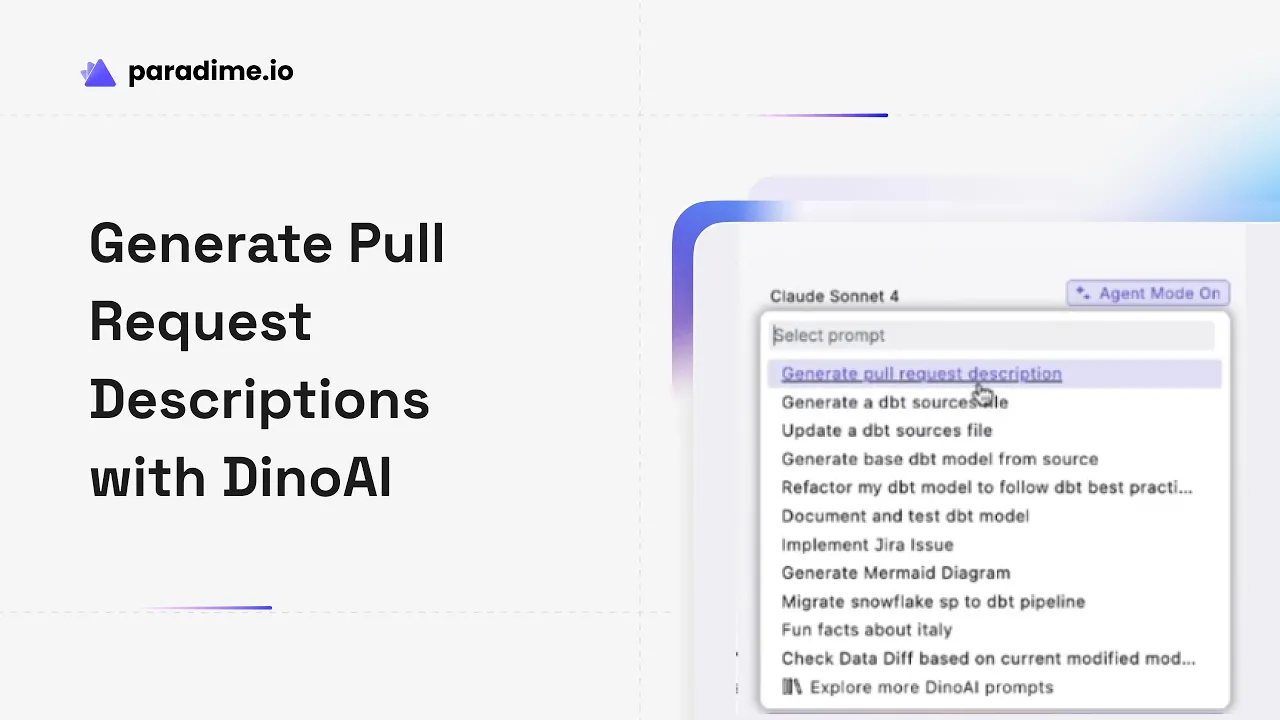
To access your prompts, click the DinoAI icon in the right panel, select the Prompt option, or use the bracket symbol shortcut "[" to quickly find and execute your custom prompts.
Documentation Automation Beyond Pull Requests
Automated Documentation Generation
DinoAI's documentation capabilities extend far beyond pull requests. With a single command, DinoAI can generate comprehensive dbt model documentation, including model descriptions, column definitions, and transformation logic explanations.
DinoAI Agent mode takes this further, automatically generating and updating documentation for entire folders of models. It analyzes model structure, examines warehouse metadata, and creates documentation that accurately reflects your data transformations—dramatically reducing the manual effort required to maintain up-to-date project documentation.
The voice-to-text capability provides an even more natural documentation workflow: simply explain your model's purpose verbally, and DinoAI converts your explanation into properly formatted documentation, complete with technical details.
Visual Documentation with Mermaid Integration
Complex data transformations benefit from visual representation. DinoAI automatically generates Mermaid diagrams that visualize your dbt model dependencies, data flows, source connections, and transformation logic.
These diagrams aren't just visual aids—they're code stored in your repository, version-controlled and visible directly in GitHub pull requests. When reviewers open your PR, they see not just the code changes but visual representations of how transformations connect and data flows through your pipeline.
For complex joins or multi-step transformations, these automatically generated diagrams provide clarity that text documentation alone cannot achieve.
File System and Warehouse Tool Integration
DinoAI's File System tool creates and modifies files directly in your repository with built-in safeguards. Combined with warehouse metadata access, DinoAI can create accurate documentation that reflects actual database schemas and column definitions—not outdated or incorrect descriptions.
This integration means DinoAI doesn't just generate documentation based on code—it validates against reality, accessing warehouse metadata to ensure column descriptions, data types, and transformation logic accurately reflect your production data structures.
Complete Git Workflow Automation in Paradime
Smart Commit Messages and Git Operations
Beyond pull requests, DinoAI automates the entire Git workflow. AI-generated commit messages provide meaningful version history that helps with debugging and code archaeology. Instead of generic "updated model" messages, DinoAI creates descriptive commits like "Refactor customer aggregation to use window functions for improved performance."
Git operations that traditionally require terminal commands—rebasing, pushing, conflict resolution—are handled directly through Paradime's UI. DinoAI guides less experienced team members through Git best practices, executing commands with user approval and following naming conventions automatically.
Terminal Integration and Error Handling
Through terminal integration, DinoAI executes Git commands while maintaining visibility and control. When fixing a failed pipeline, DinoAI can check your current branch, create a new branch following Jira ticket naming conventions, identify and fix errors in relevant files, run dbt commands to verify fixes, commit changes with appropriate messages, and push branches—all while suggesting next steps like creating merge requests.
This automation is particularly valuable for team members less familiar with Git operations, as DinoAI guides them through best practices without requiring deep Git expertise.
Integration with Project Management Tools
DinoAI's integration with Jira and Linear connects your Git workflow to project management. When fixing a production issue, DinoAI can fetch ticket details directly, eliminating manual context switching and ensuring commit messages and PR descriptions reference the correct tickets automatically.
Combined with webhooks from Paradime Bolt that automatically create Jira tickets for failed pipelines, this creates a fully automated incident response workflow—from error detection to ticket creation to fix implementation to PR generation.
Benefits of AI-Generated Pull Requests
Speed and Efficiency Gains
The time savings from automated PR generation are substantial. What previously took 15-30 minutes now takes seconds. Engineers can immediately push changes and move to the next task while DinoAI generates comprehensive documentation in the background.
Real-world metrics demonstrate the impact: teams report 50-83% productivity gains when leveraging Paradime's AI capabilities across their workflow. These gains compound as automation extends from PR generation to documentation to commit messages to Git operations.
Improved Code Review Quality
Consistent, comprehensive PR descriptions dramatically improve review quality. Reviewers immediately understand context, see recommended testing steps, and know which areas require careful attention—all without back-and-forth Slack messages seeking clarification.
This consistency reduces the risk of misunderstood changes reaching production. When every PR follows the same high documentation standard, reviewers can focus on actual code logic rather than reconstructing context from minimal descriptions.
Team Collaboration and Knowledge Sharing
Well-documented pull requests create invaluable knowledge preservation. New team members onboarding to the project can read through PR history and understand not just what changed, but why those changes were necessary and what impacts they had.
Cross-team collaboration improves as well. Business stakeholders reviewing data changes can understand modifications without deep technical expertise, thanks to clear summaries and context provided by AI-generated descriptions.
Cost Optimization with Credit Saver Mode
AI automation typically raises cost concerns, but DinoAI's Credit Saver Mode addresses this intelligently. By automatically detecting when conversations approach inefficient territory and summarizing previous history, Credit Saver Mode reduces credit consumption by up to 70% while maintaining workflow continuity.
Users completing complex 3-4 hour AI-assisted sessions that previously required 10 million credits now need only 3 million—a dramatic reduction achieved automatically without configuration or workflow interruption. The ROI calculation becomes clear: time saved from automation far exceeds AI infrastructure costs.
Best Practices for AI-Generated Pull Requests
Establishing Team Standards
Start by defining what constitutes a high-quality pull request for your analytics engineering team. Document required sections, preferred levels of detail, and specific information that should always be included. These standards become the foundation for your .dinoprompts templates.
Balance automation with human oversight. While DinoAI generates comprehensive descriptions, engineers should review them before submission, adding project-specific context that AI might miss or adjusting emphasis based on the particular change's sensitivity.
Review and Refinement Process
Treat AI-generated PR descriptions as high-quality first drafts rather than final products. Quick review ensures accuracy, adds nuanced context, and catches edge cases where AI interpretation might differ from engineering intent.
Iterate on your .dinoprompts templates based on team feedback. When reviewers consistently ask questions about certain types of changes, update your templates to address those gaps proactively. This continuous improvement ensures your automation becomes more valuable over time.
Integrating with Existing Workflows
Introduce AI-generated PRs gradually, starting with straightforward changes before expanding to complex refactoring. This allows team members to develop trust in the automation and understand where manual refinement adds value.
Provide training on DinoAI's PR automation features, ensuring all team members understand how to access prompts, customize generated descriptions, and leverage variables effectively. The more comfortable engineers become with the tools, the greater the productivity gains.
Measuring Success and Impact
Track key metrics before and after implementing AI-generated PRs: average PR creation time, review cycle duration, time from PR opening to merge, and documentation quality (measured through reviewer feedback).
Gather qualitative feedback as well. Are reviewers finding PRs easier to understand? Are new team members onboarding more quickly? Is the team shipping features faster? These insights guide continuous improvement and demonstrate ROI to stakeholders.
Real-World Impact and Getting Started
The Evolution of Analytics Engineering Workflows
AI automation is fundamentally transforming how data teams work. The shift from manual documentation to intelligent automation frees engineers to focus on high-value activities—designing better data models, optimizing transformations, and solving business problems—rather than spending hours on routine documentation tasks.
This transformation extends beyond individual productivity gains. When entire teams leverage AI automation consistently, the compound effect creates dramatically faster development cycles, higher code quality, and better collaboration—enabling truly high-velocity analytics engineering.
Getting Started with AI-Generated PRs
Begin by exploring DinoAI's out-of-box PR generation capabilities. Make a few changes in a test branch, ask DinoAI to generate a pull request description, and review the results. This hands-on experience builds understanding of what AI can generate automatically.
Next, create your first .dinoprompts template. Start simple, adding your team's standard PR sections and incorporating the {{ git.diff.withOriginDefaultBranch }} variable. Test it on a real pull request, gather feedback from reviewers, and iterate.
The quick wins come fast: even basic automation saves substantial time. As your team's comfort with DinoAI grows, expand automation to documentation generation, commit messages, and complete Git workflow automation—building toward comprehensive AI-assisted analytics engineering that helps your data team ship 10x faster.


