Introducing Paradime v6.0
Today we are live with Paradime v6.0 - redesigned and rearchitected for the AI era so that teams can run pipelines and agent loops for data from a single place.

Kaustav Mitra
·
10
min read

Introduction
Today is an amazing day - we have rolled out Paradime v6 to all users - a completely new redesign and re-architecture of Paradime. Without changing any existing functionality, we have rebuilt the Paradime UI for the AI era. But the redesign goes further. Under the hood we have lived with a design system for the Paradime UI since we started Paradime, that’s based on Blueprint from Palantir folks. However, that design system was not-modern, and was not built for the era where both humans and agents should be able to work together.
We have migrated from the old Blueprint based system to shadcn. shadcn is open source, is built on Tailwind, and is beautiful. It is extensively used by every modern app in the market. With the redesign we have also solved many long standing Paradime UI issues like:
flickering when changing screens in a lot of places
inconsistent UI across various parts of the app as we have grown and built
the catalog UX always left users asking for more and the design simply not built to accommodate user requests any more
rendering speed and stability
So without further ado, lets jump in the major changes that you will see from today as follows.
Home Page
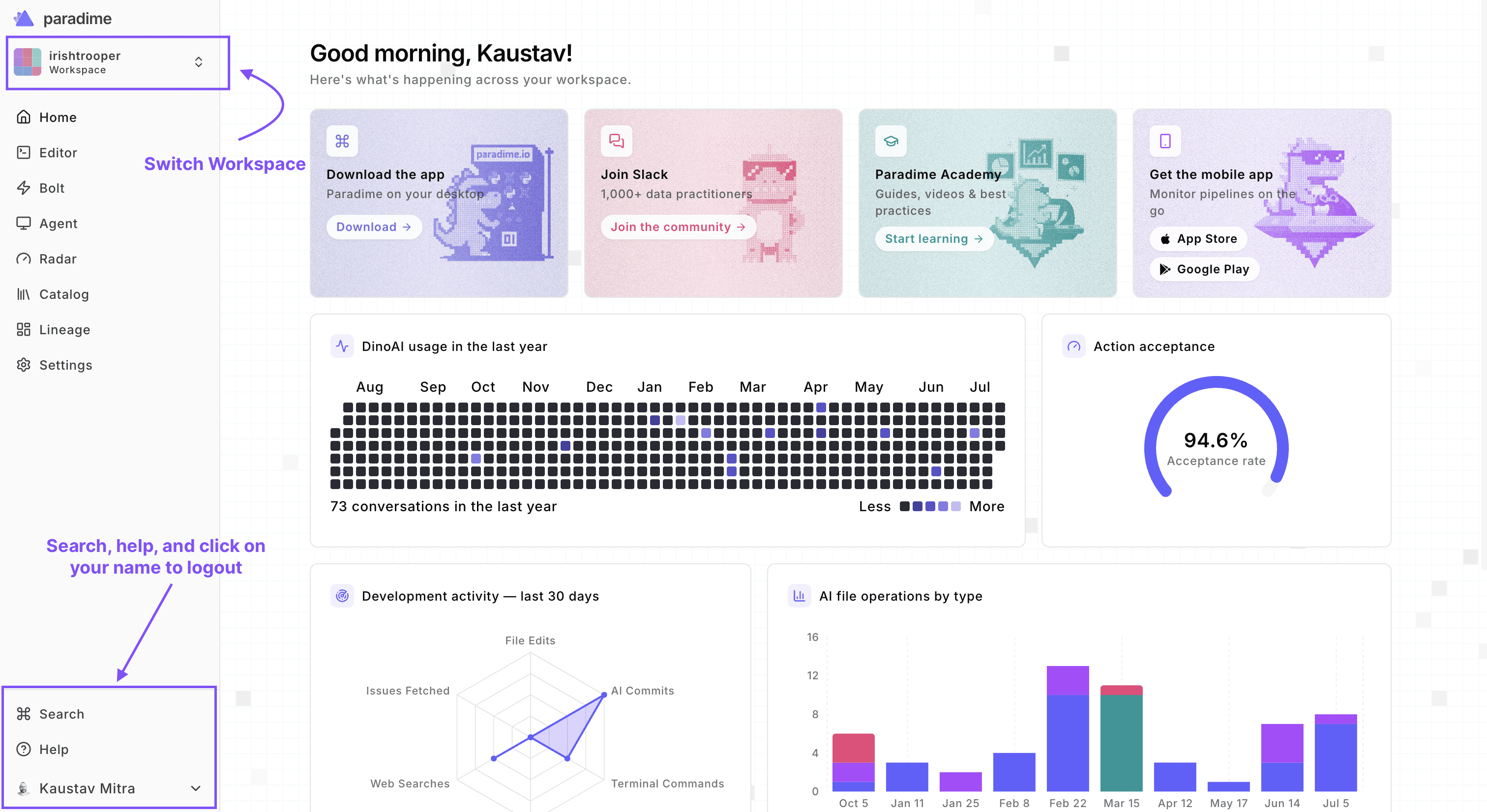
When you login, you will see a new home and redesigned home page. But the biggest changes are in the sidebar. The top navigation bar has moved and now the new sidebar has everything you need to navigate across the application.
Dark Mode
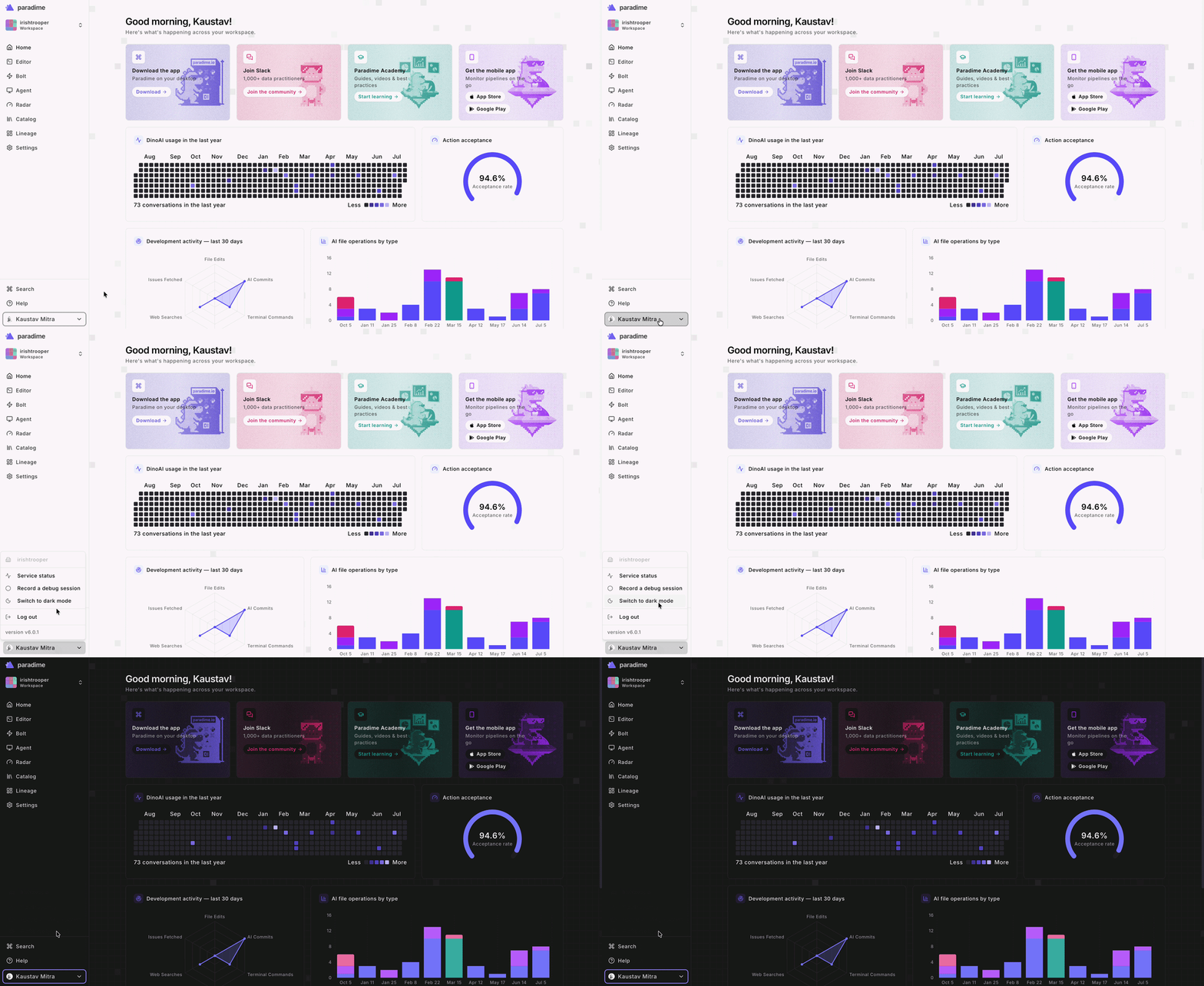
Yes, you read that correct - we now have dark mode across the application. In a single click on the user menu, you can switch between light and dark mode.
Navigation across the app
We have removed the top navigation bar and replaced that with a side nav bar that can expand or collapse as you wish. This is now consistent across all parts of the application. The expand and collapse is smooth and seamless.

Code IDE
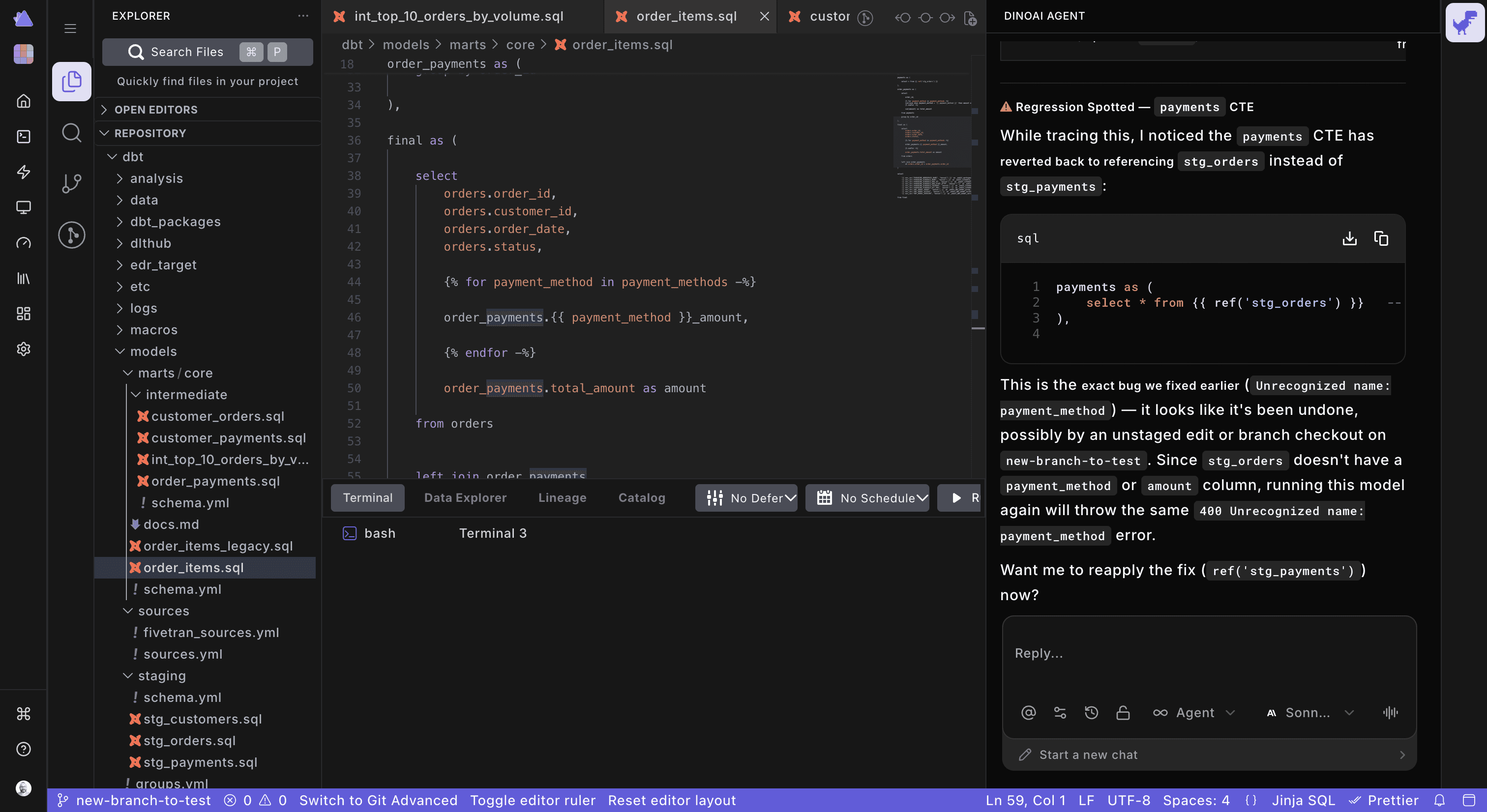
The Code IDE UI is completely unchanged. All existing functionality is available as usual. The difference is instead of the top navigation bar, you will now find the bar on the side, giving you a bit more vertical space. On smaller screens, this creates more working space for the user.
Bolt
We have significantly improved the UX of Paradime Bolt. When we first launched Bolt, we squarely focused on dbt™ scheduling. Bolt is now the control plane for data pipelines and agent loops. The existing UI was no longer fit to handle both dbt™, data, and agent use cases. Separately, as we have grown our customers are no longer just running dbt jobs, they are also running Python, ingestion, and various other orchestrations. Separately customers are also running agent loops to constantly track down and autonomously solve system failures and technical debt.
Here are the most significant changes we have made to the Bolt UI.
1. List of Schedules
The list of schedules has a new look, information is clear, and streamlined.
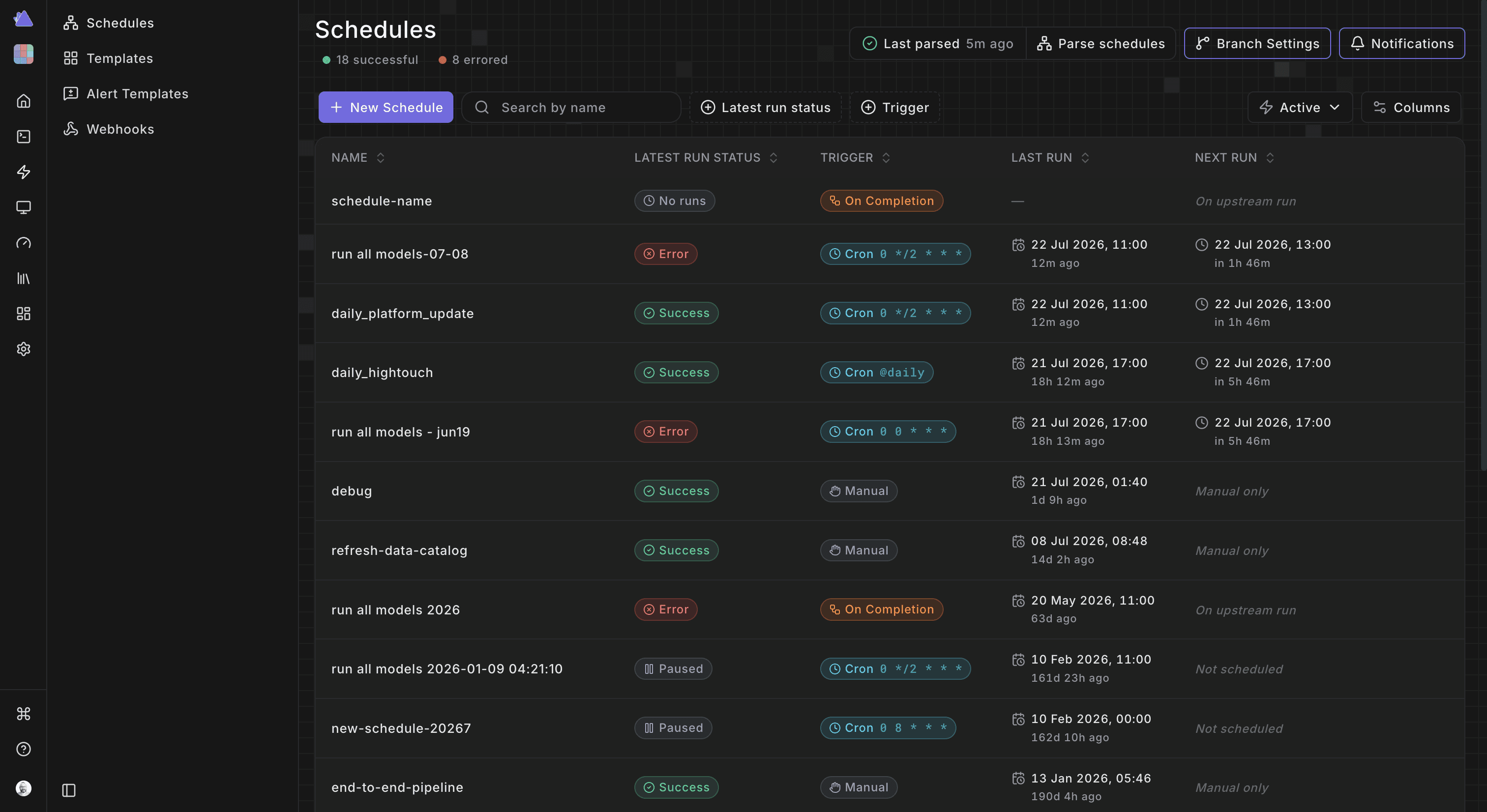
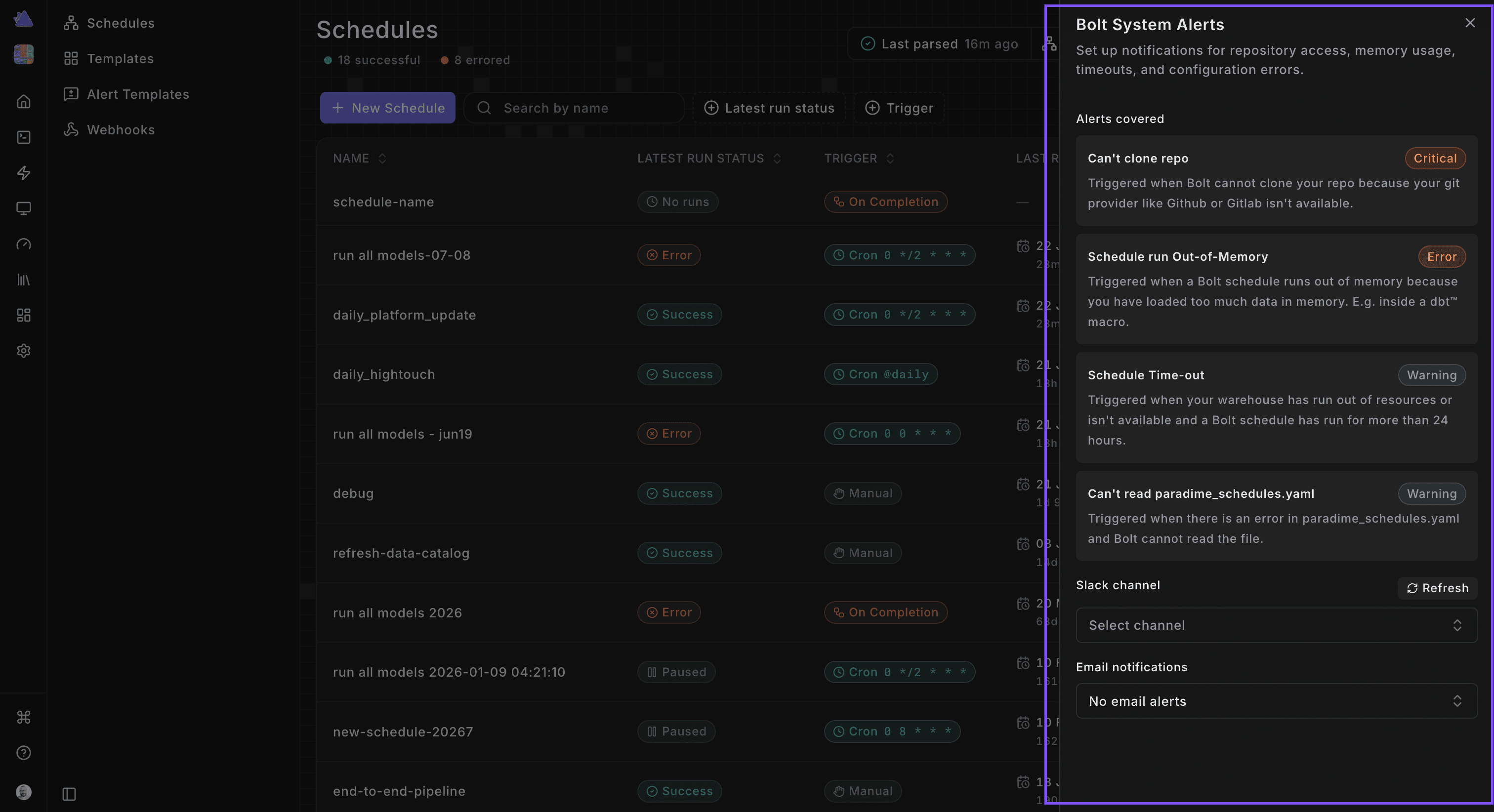
The top bar on the schedules page is a lot more functional and useful as follows:

System notifications is now available with the list of schedules and can be used to get notified if there are system level issues with the Bolt environment like OOMs etc.
2. Schedule Details
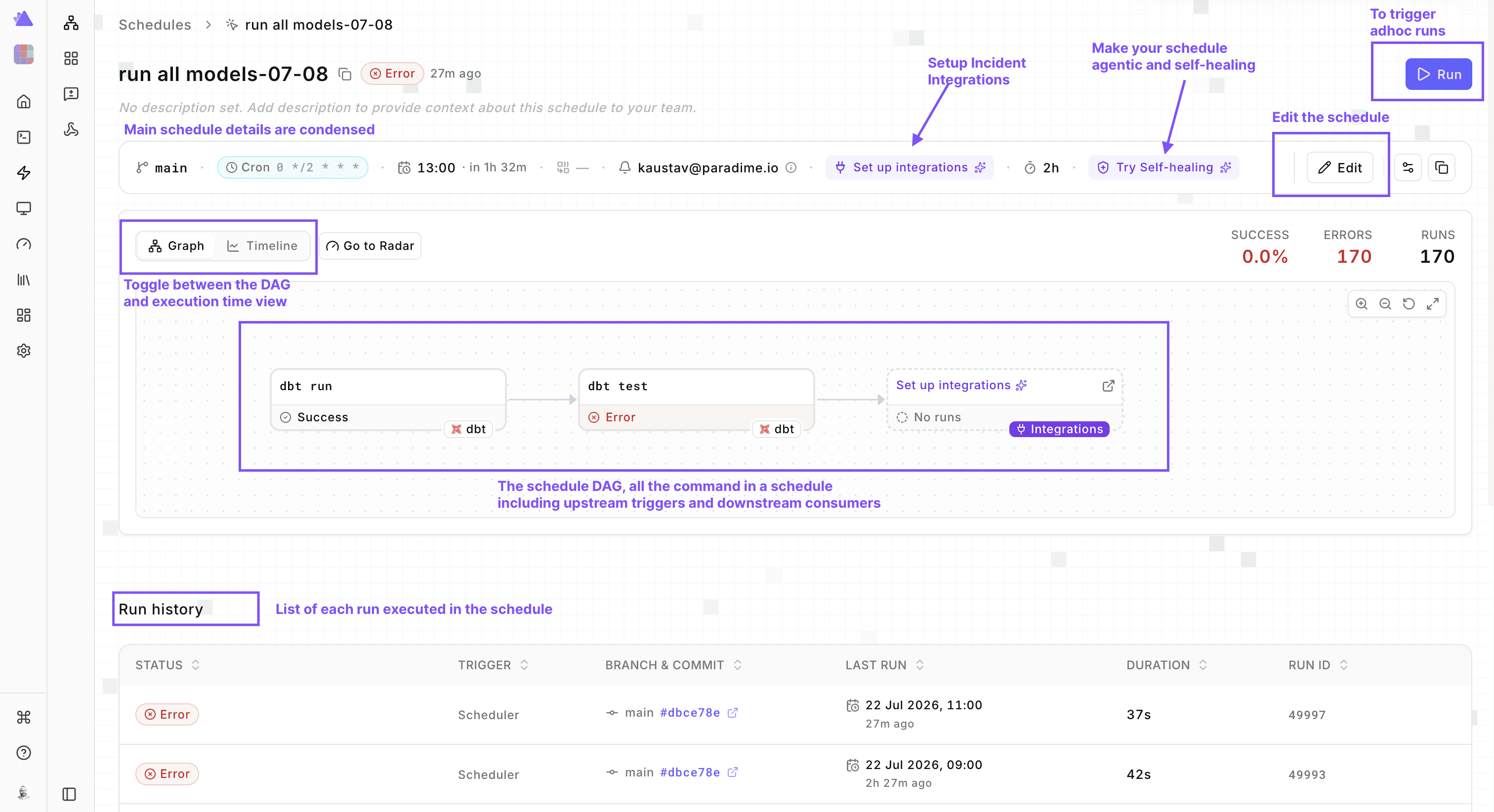
The schedule details screen has been redesigned to make reading easier, remove clutter, and put the focus on the most important information and actions the user can take.
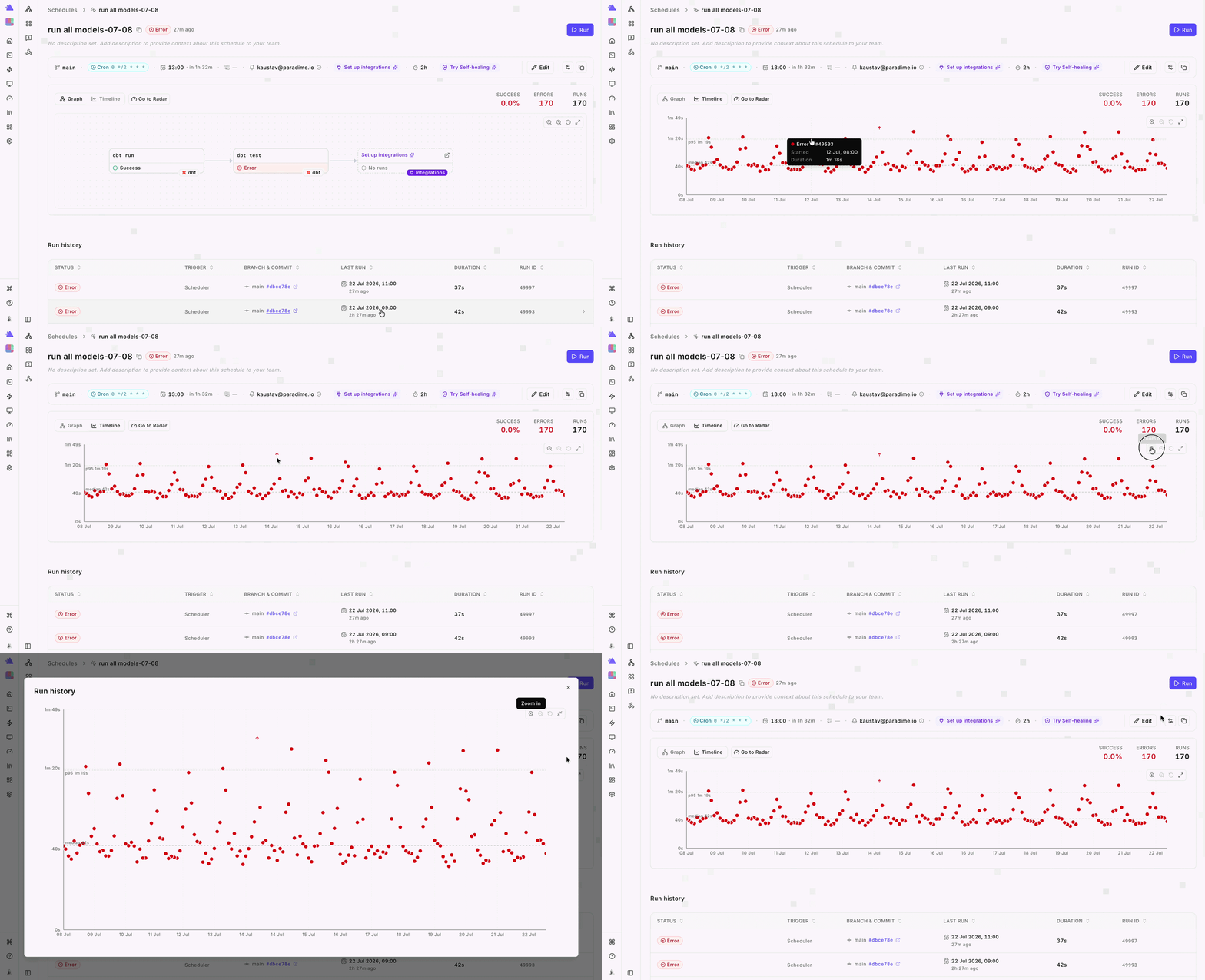
The timeline view is now a lot more functional, and you can zoom in and out, view median and p95 durations for the schedule.
3. Individual Run Details
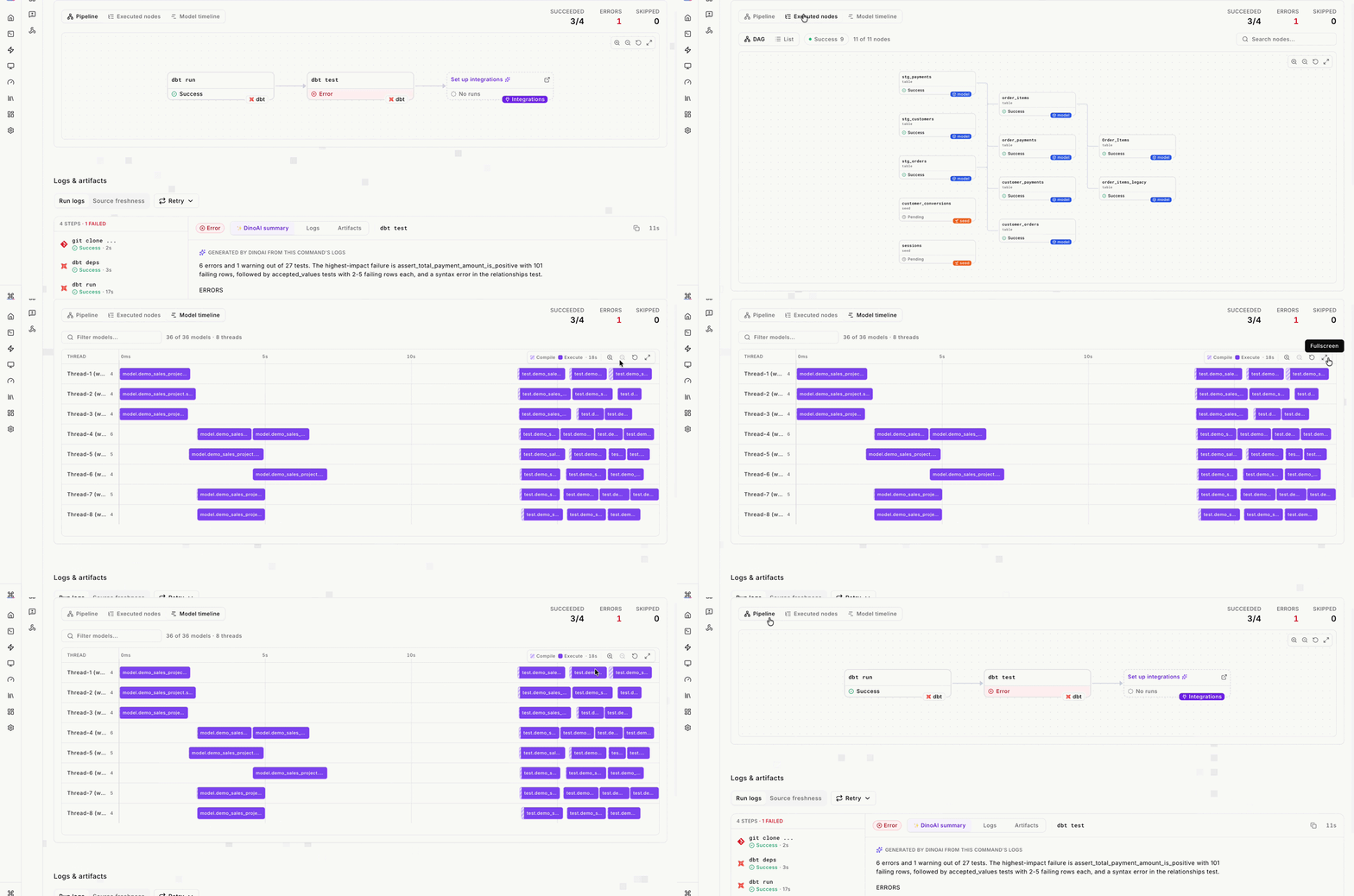
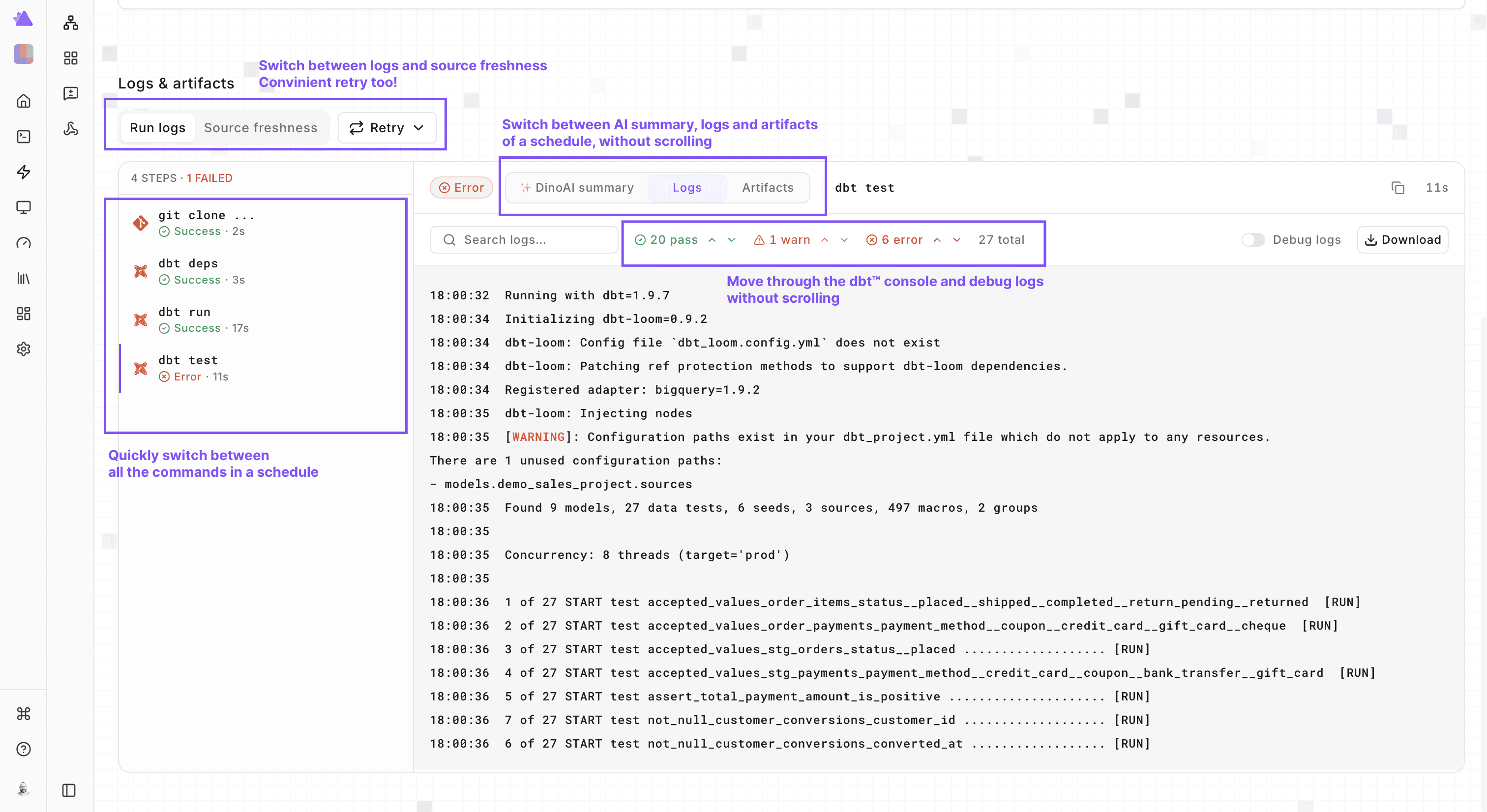
We have made navigating the rich information available in individual runs also easy to navigate.
Retry
You can now retry each run from failure or the whole schedule. When you retry from failure, only those commands that have failed, will be retried.

Analytics
We have combined analytics of a schedule in a single place, so you can now switch amongst the schedule DAG, dbt™ models executed in that run, and the model timeline view in a single place.
Command Logs
We have made moving through the commands, AI summary and logs for each command, and navigating through the logs fast, straightforward and eliminated
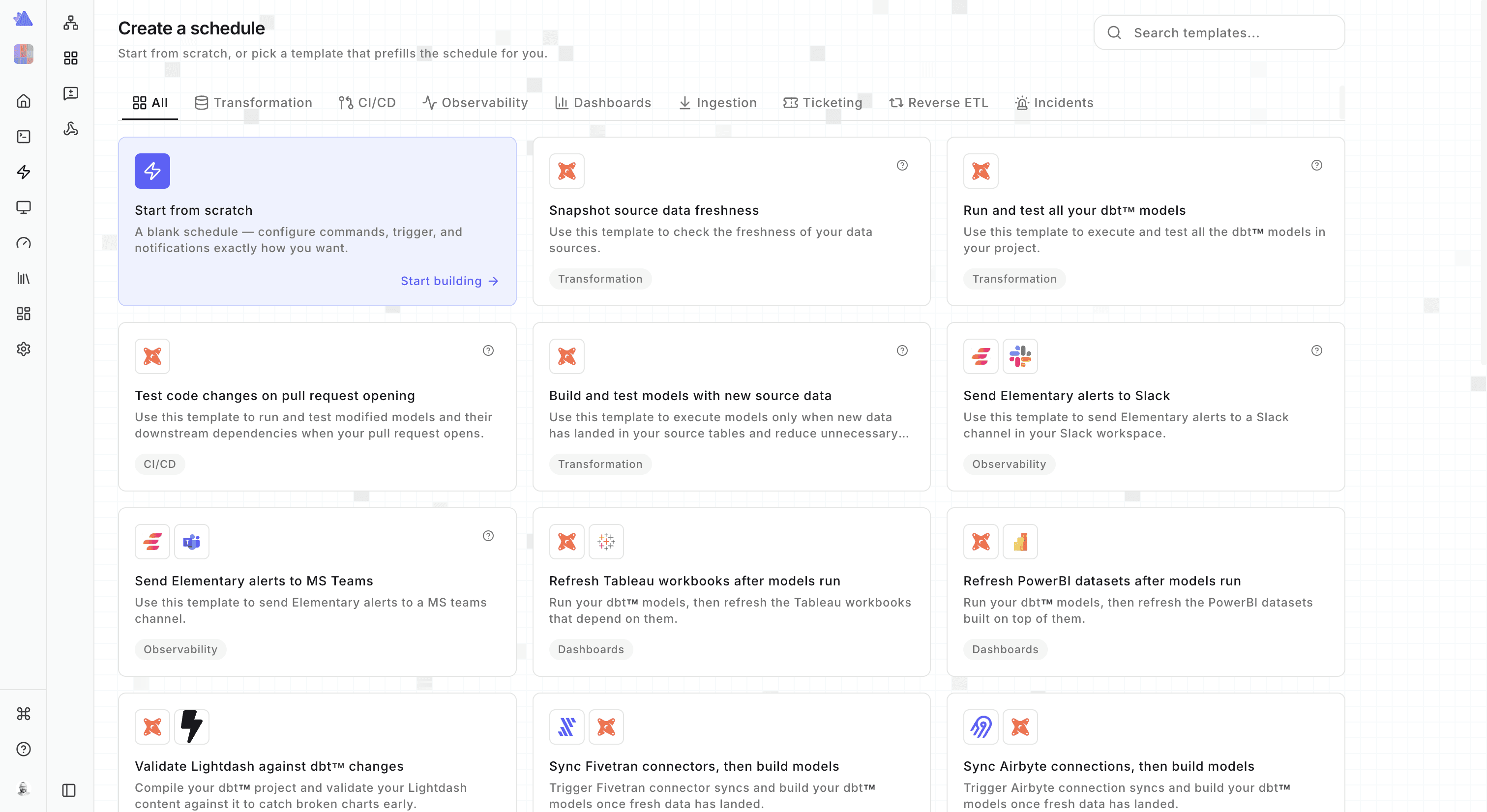
Templates
We have significantly expanded the list of templates available so you can take one and get started straightaway.
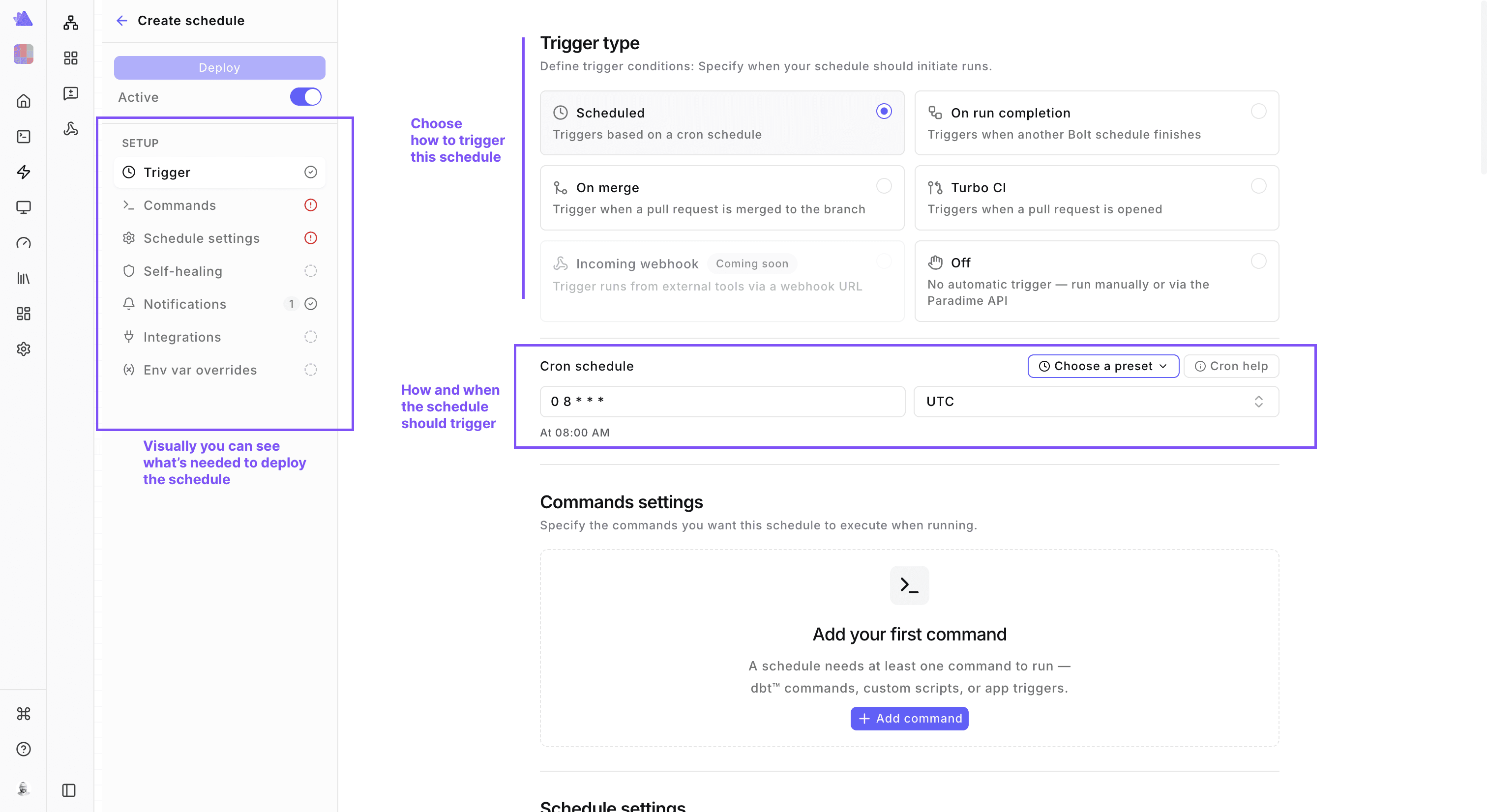
4. Creating a Schedule
We have improved the UI for creating schedules too making way for more modern scheduling. The most useful addition here is that on the left panel you will see all the setup steps need to deploy the schedule, so you are not guessing what needs to be resolved.
Command Palette
We have expanded the Bolt command palette far beyond dbt™. You can now trigger dbt™, Python, or any other third party system from a single place. The command palette now covers AI, data transformation, data quality, dashboard refreshes, data sync, other orchestrators and cloud compute and lastly data catalog refreshes.
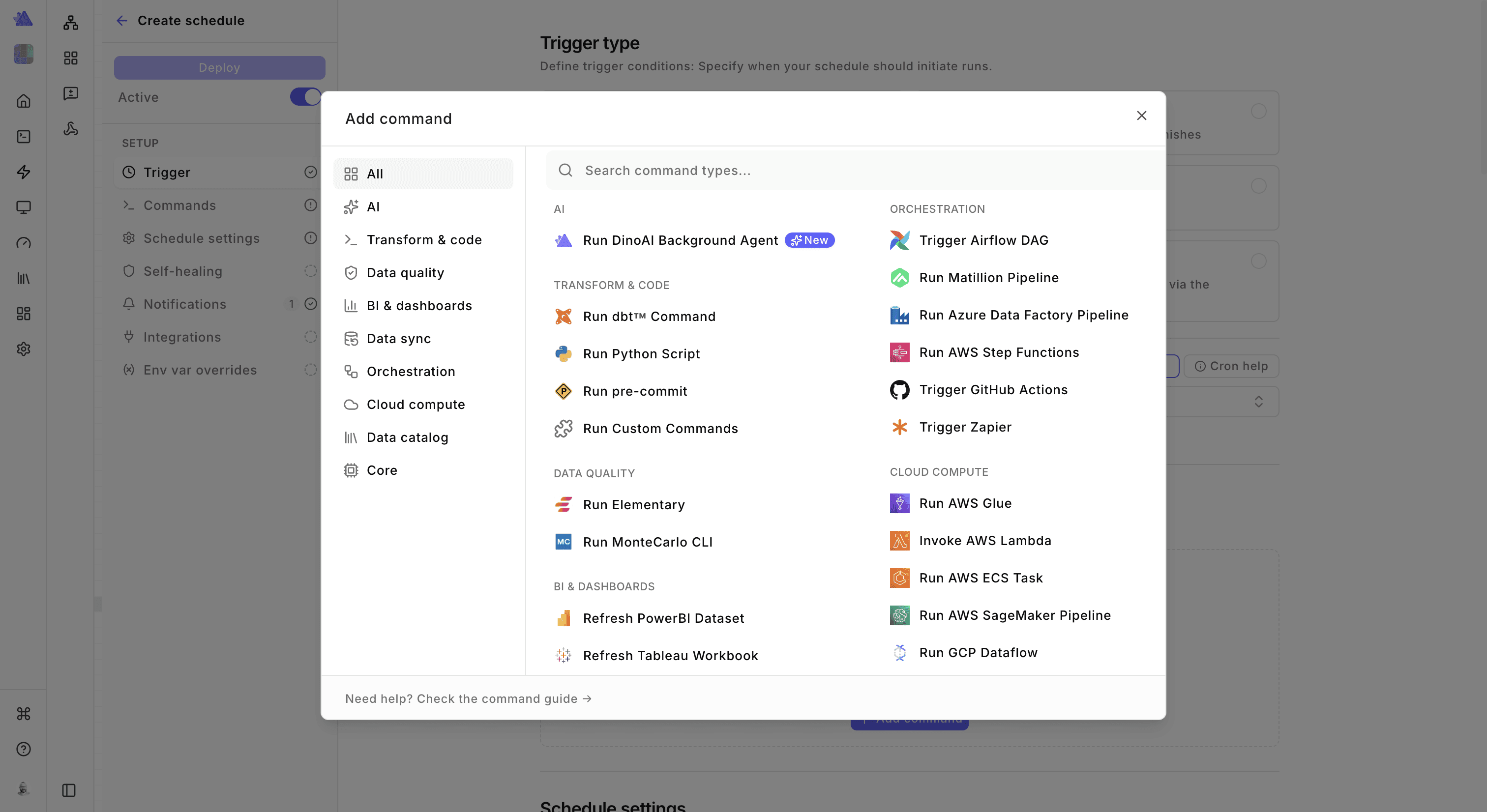
You will be able to build any kind of data pipelines now with Bolt. Bolt acts as the control plane for all your data, AI, and agentic workloads.

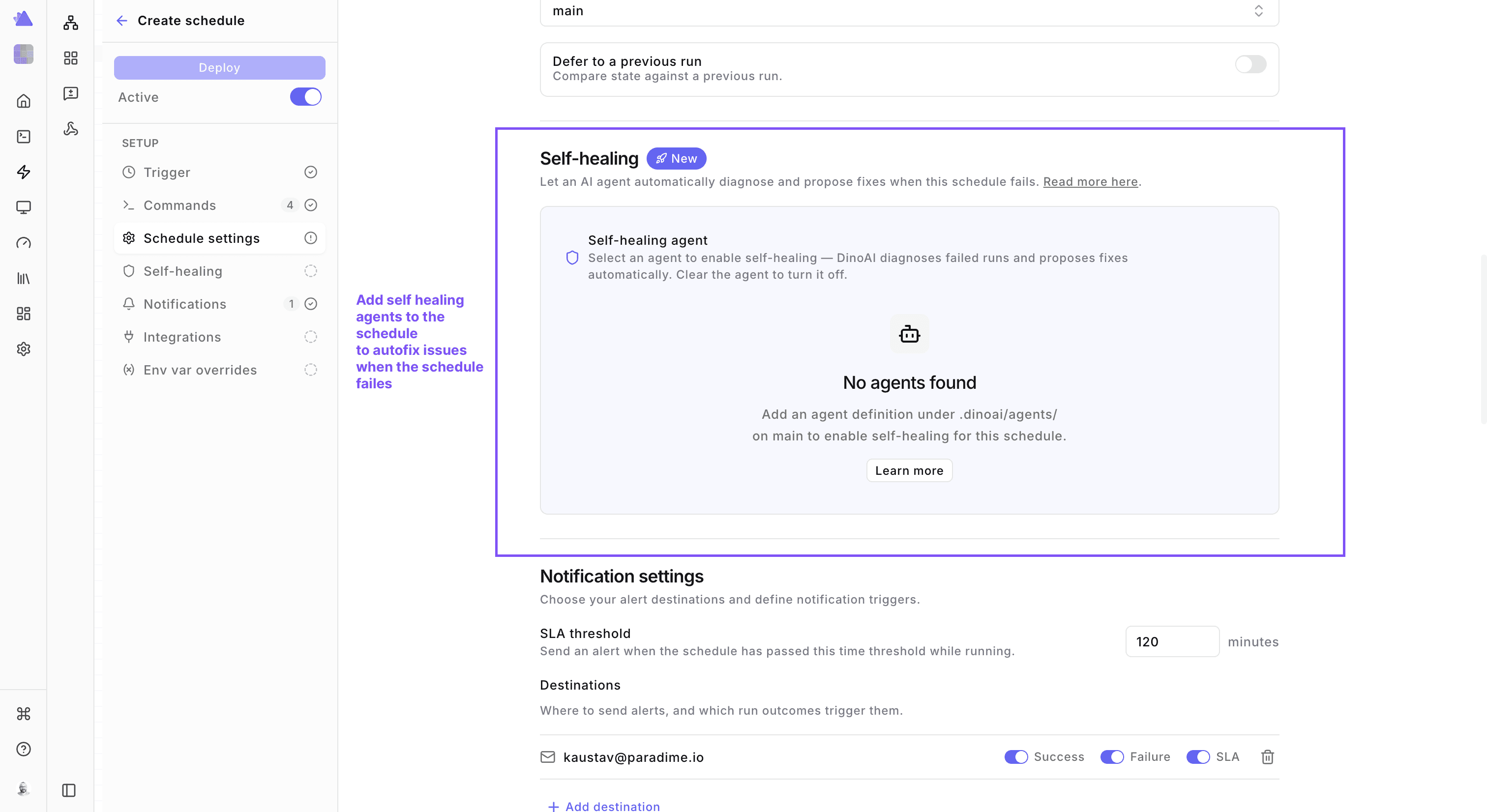
Self-healing Agents
Add self-healing agents to your data pipeline in a single click
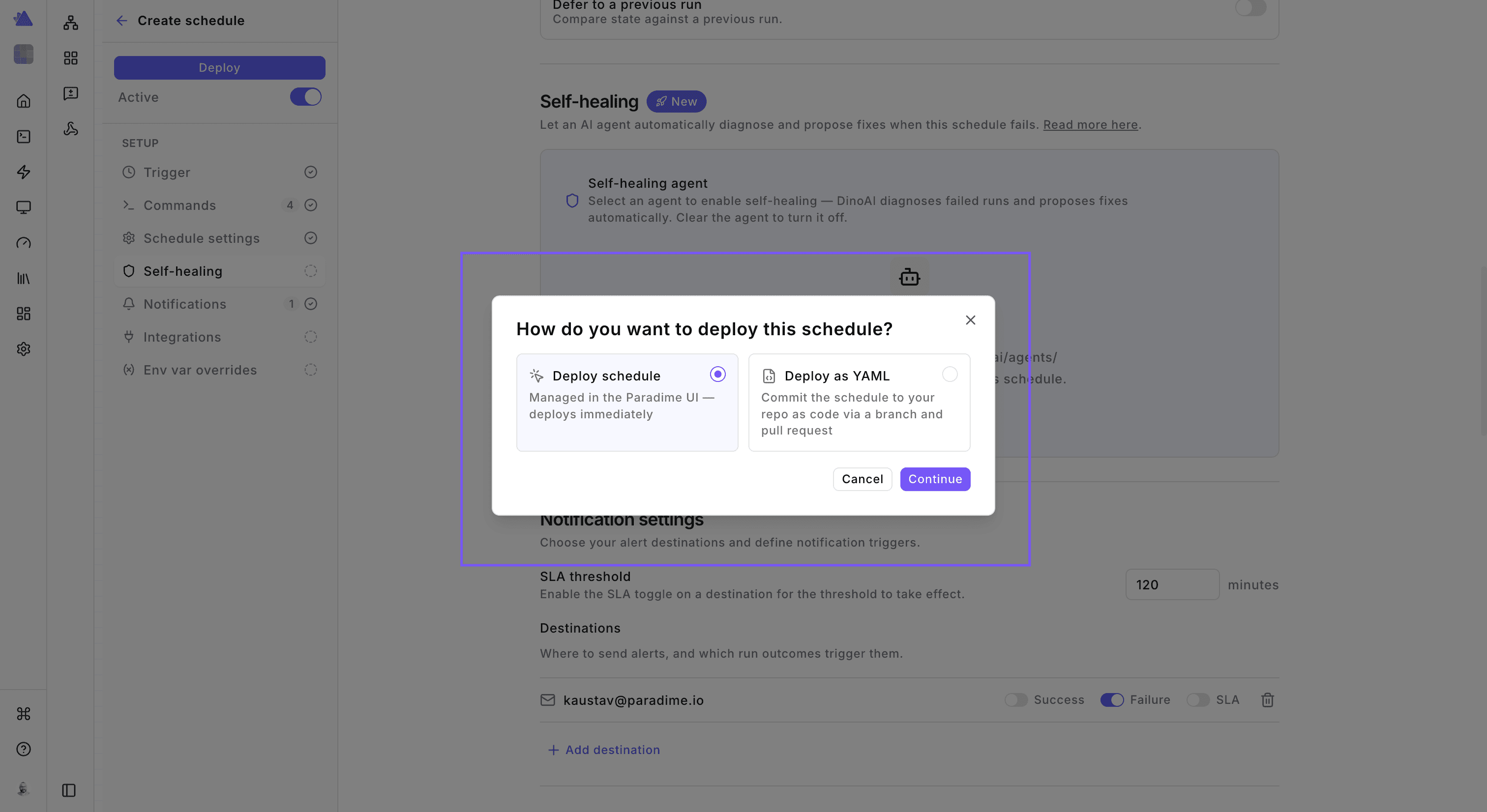
Deploy Schedules like you want
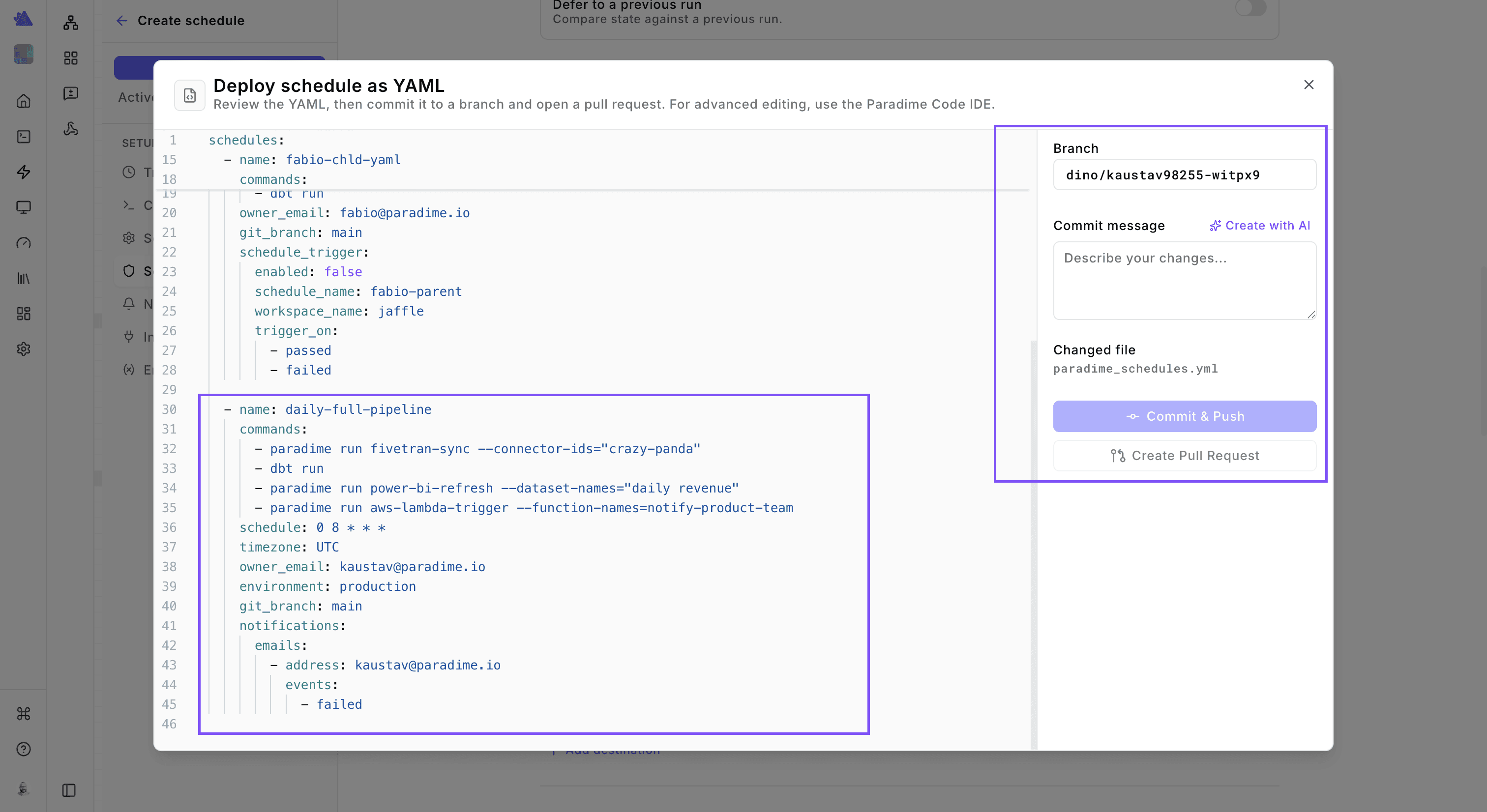
You can now deploy schedules as UI based or YAML based from a single place. Before, this used to be clunky and time consuming. Now, it’s one seamless experience.
If you prefer git-tracked schedules, defined as code with the audit trail of git, then anyone in your team now deploy that without needing a dedicated IDE. They can raise a PR and your team can then approve.
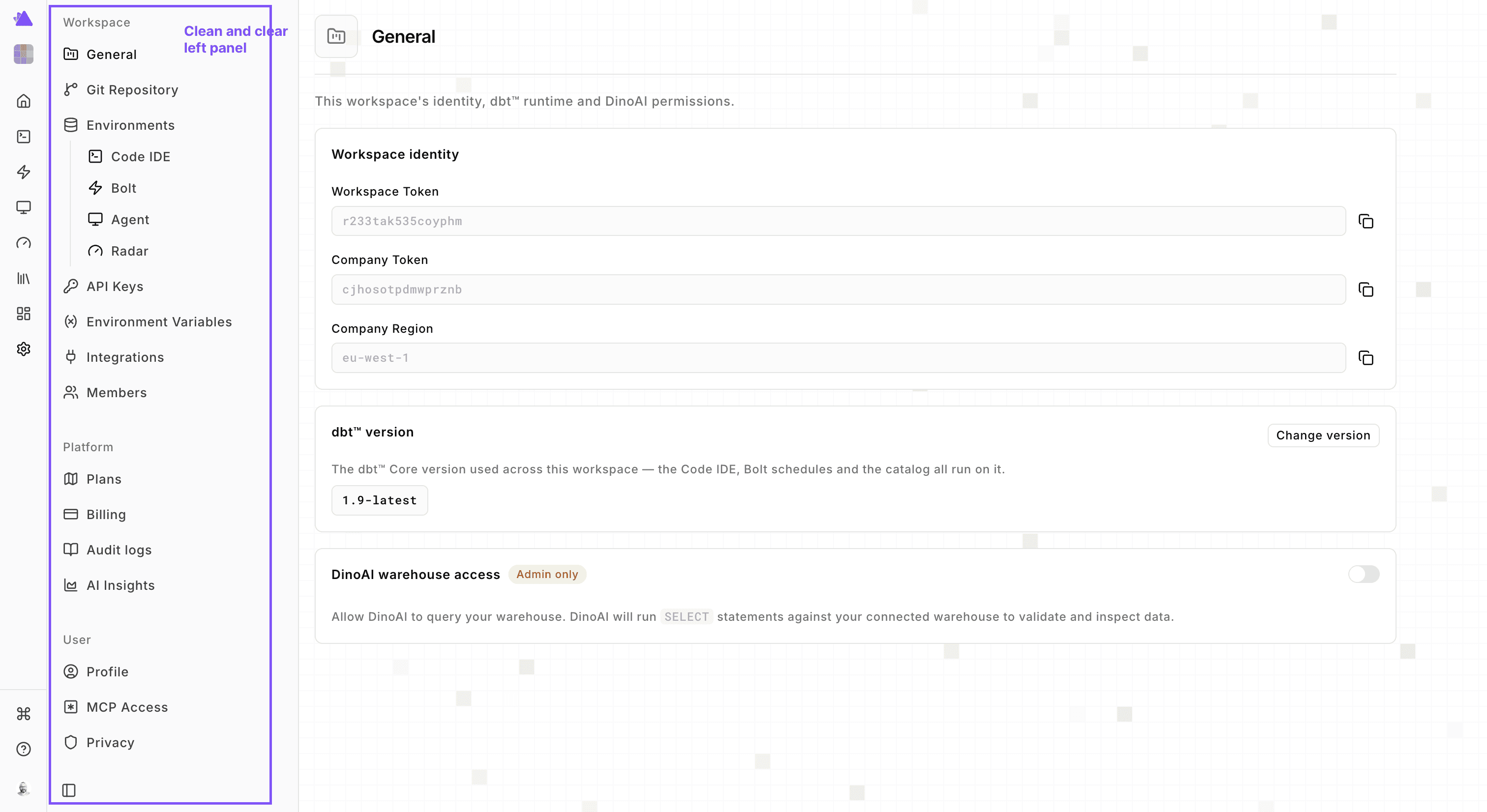
Application Settings
We decided to rework the Account Settings section. As Paradime has grown, it started to look like one feature cobbled together on top of another. It’s as if we were just squeezing in one setting after another with no clear idea or direction. The UI became a mess. So we have redone the whole section. You will now find a clear left panel with collapsible sections to easily move between settings.
1. Environments
We have renamed “Connections” as “Environments” to better reflect their use and purpose. Within each environment, you can now add warehouse connections. It also means, if we have environment specific settings that applies to agents but not to Bolt, we have the UI design to accommodate that without confusion.
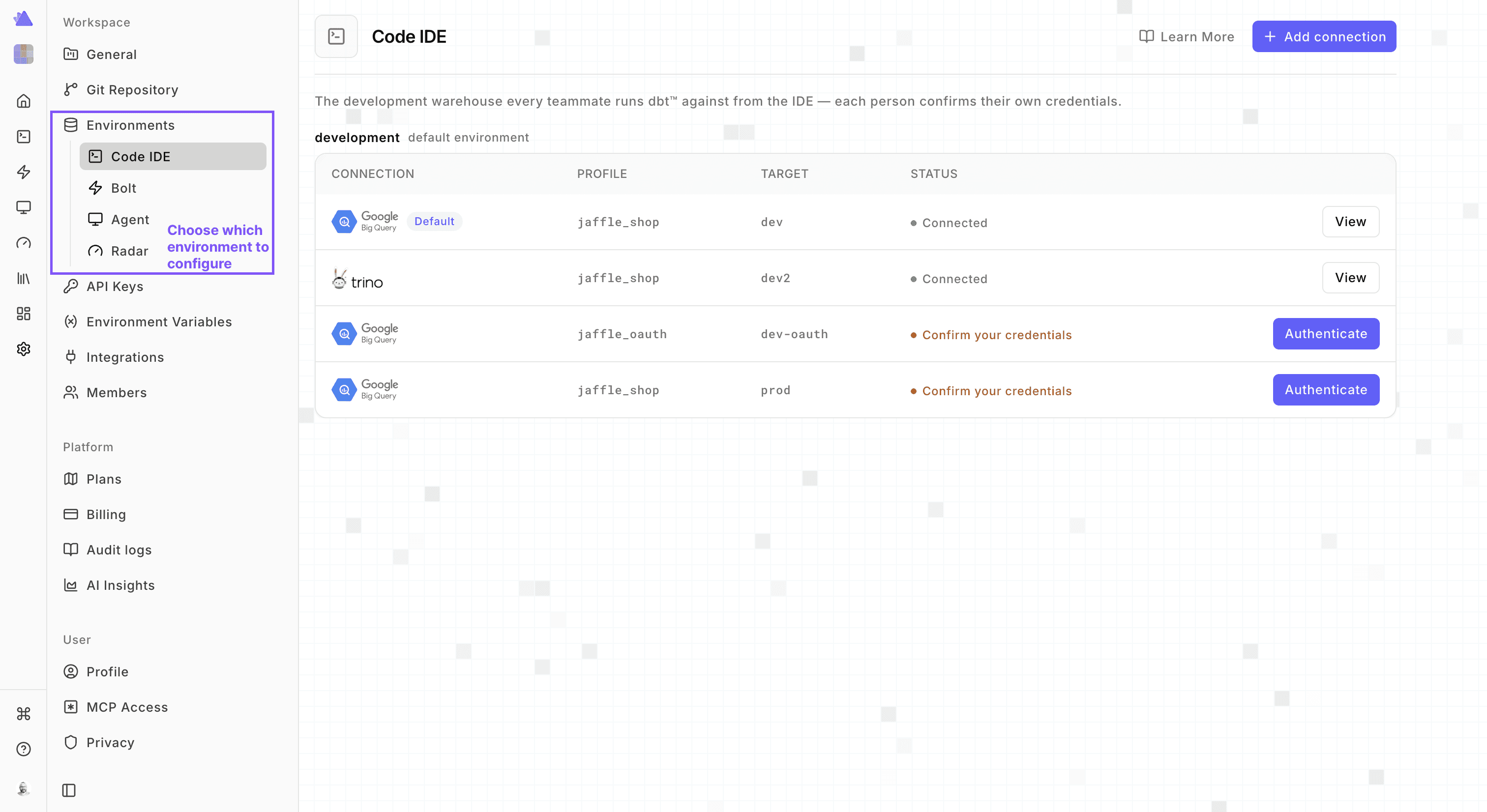
2. Connections
A big source of frustration for users used to be that they wont be able to see the secrets or optional connection attributes they would have configured in the UI. As a result, you won’t be able to verify what client-id or profile attributes has been configured and try to second-guess it all the time. Now with the new UI, we have fixed that. You will be able to see the secrets you have configured. Under the hood, we have also completely re-architected the APIs so that this does not lead to any degradation in your security profile. The secrets are strictly fetched on a need to know basis and never cached.

3. Environment Variables
We have simplified how you set environment variables. Now you can create an environment variable once, and set its default value, which will be available across all environments. Then you can override the default value for each environment.
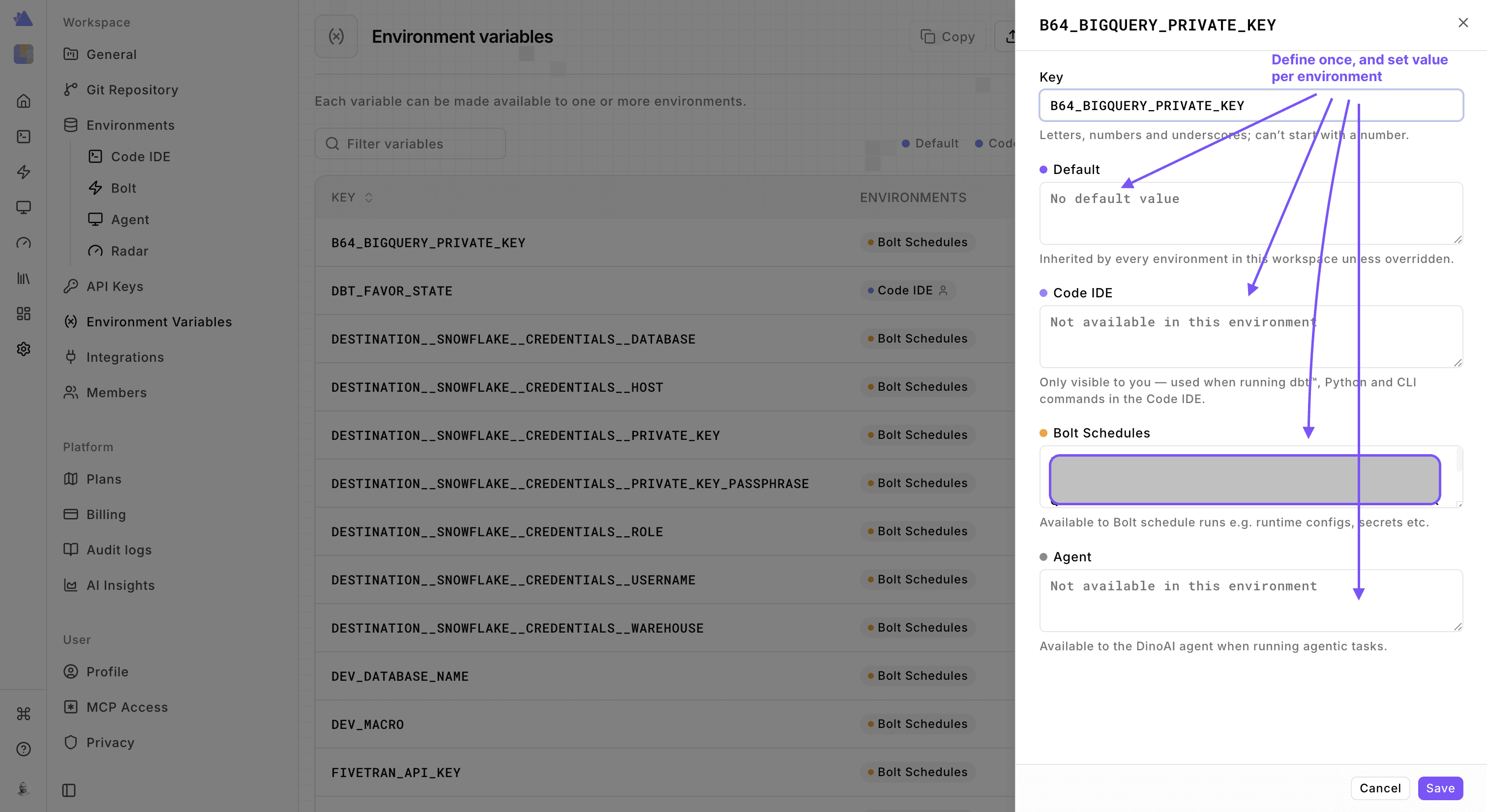
This will prevent duplicating environment variables across environments like having the same variable defined twice - once in Bolt and once in Code IDE.
You can also copy one env-var from one workspace to another where you have the permissions to do so, once again simplifying env-var management.
Catalog
The Paradime Data catalog has recently become very popular across users. It’s feature rich, free to use across unlimited users. However, it faced significant limitations for large asset bases. So this one we decided to rebuild from the ground up across both frontend and backend.
We have rolled out a completely new UI for the Catalog. On the home page, you will find a
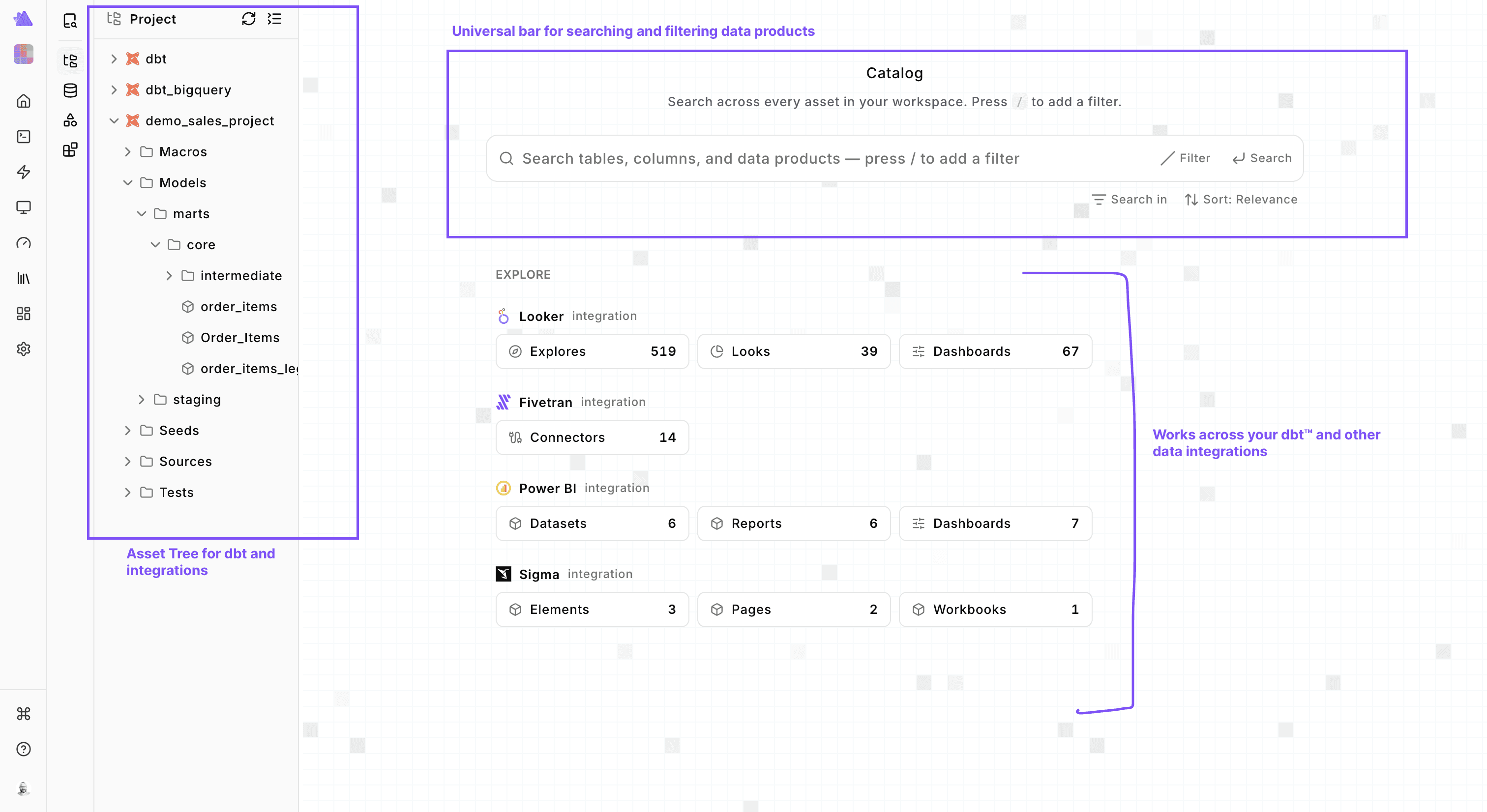
We have rebuilt the asset view to reflect the new design and use cases. In every kind of asset view you will find the columns (if available), lineage, code, and data quality tab.
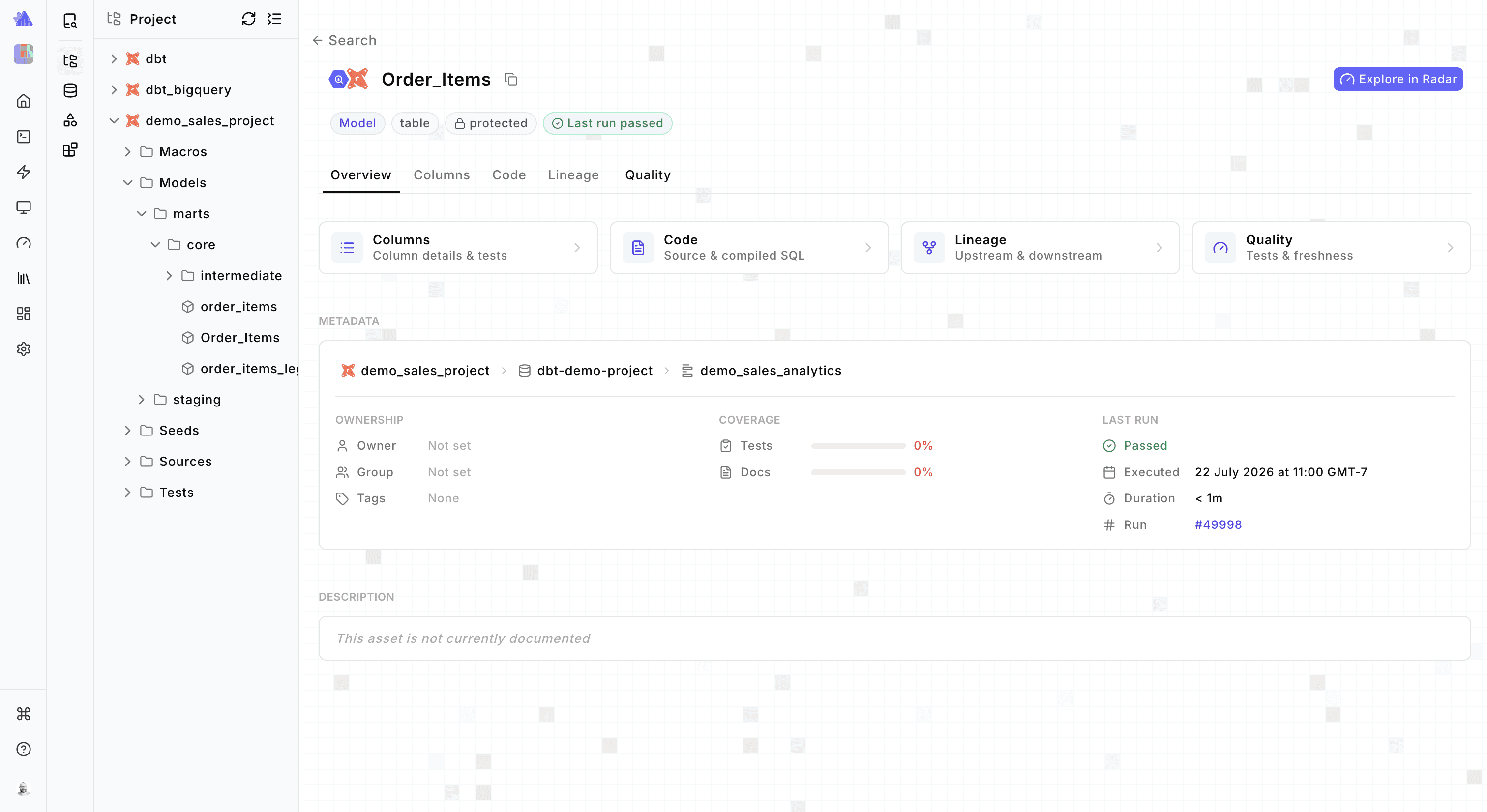
More is coming on the asset view in the next couple of days on lineage, and other metrics. The amount of data for a catalog can be huge. So we’ve made considerable improvements on the entire data flow from ingestion, query caching, and database optimization to ensure we are able to handle the scale of startups and enterprises.
Conclusion
In conclusion, this is a huge release. We had 50+ pull requests, more than 200,000 lines of code. We used Claude Opus, and Fable extensively, and were able to squeeze everything into a month of work. However, what’s not visible here is the extensive detail we went to make the user interactions smooth, flicker-free and make changes to the backend, deprecate APIs, build new ones.
We also refactored huge parts of our backend to match our current scale and customer expectations on speed, and latency. Separately, we wanted to make our backend work across data and agent work, and ensure the systems are built to handle that cross-over. With this release we have done that.
In the end, huge kudos to the team for putting themselves, their agents, harness, and loops to work to push the boundaries of what’s possible to ship.
Ultimately, we want to be 10X faster than our competitors and meet our customer needs even before they have thought about it. So having a strong foundation is necessary to achieve that.
With this v6 release we have done that. We have built the user-facing and backend foundations so that Paradime continues to be the #1 platform for automating data work with AI agents - the control plane for running pipelines and agent loops for data engineering.
Do you want to try out the new UI and the build data agents? Send me a DM or sign up on https://app.paradime.io

