dbt™ Incident Management: Automate incident.io Alerts from Failed Paradime Runs
Automatically create incident.io incidents from failed dbt™ runs in Paradime: configure severity levels, trigger on-call rotations, and spin up Slack channels—no manual ticket creation, full visibility from pipeline break to resolution.

Fabio Di Leta
·
6
min read
Route dbt™ failures straight to incident.io with severity levels, on-call assignments, and Slack channels. No more broken pipelines slipping through the cracks.
The Problem
Your dbt™ model fails at 3 AM. By standup, dashboards are broken, reports are wrong, and stakeholders are confused.
The gap between "pipeline broke" and "someone's fixing it" is where data teams lose credibility. Alerts fire into void channels. Nobody knows who owns what. Critical failures get treated the same as dev environment noise.
Connect Paradime's dbt™ orchestration to incident.io and every real failure becomes a tracked incident with ownership, communication, and resolution tracking.
What You Need
In Paradime:
Admin access
Bolt scheduler enabled
Existing dbt™ schedules (or ready to create them)
In incident.io:
Active workspace
Admin rights to generate API keys
Severity levels configured
Slack connected (optional but recommended)
How It Works
Paradime's Bolt scheduler has trigger integrations. When a run fails, it calls incident.io's API. incident.io creates the incident, routes to on-call, spins up the Slack channel, starts the timeline.
Zero manual steps.
Setup
1. Get an incident.io API Key
Go to https://app.incident.io/settings/api-keys.
Click Create API Key. Name it something obvious like Paradime Integration.
Copy the key immediately. You won't see it again.
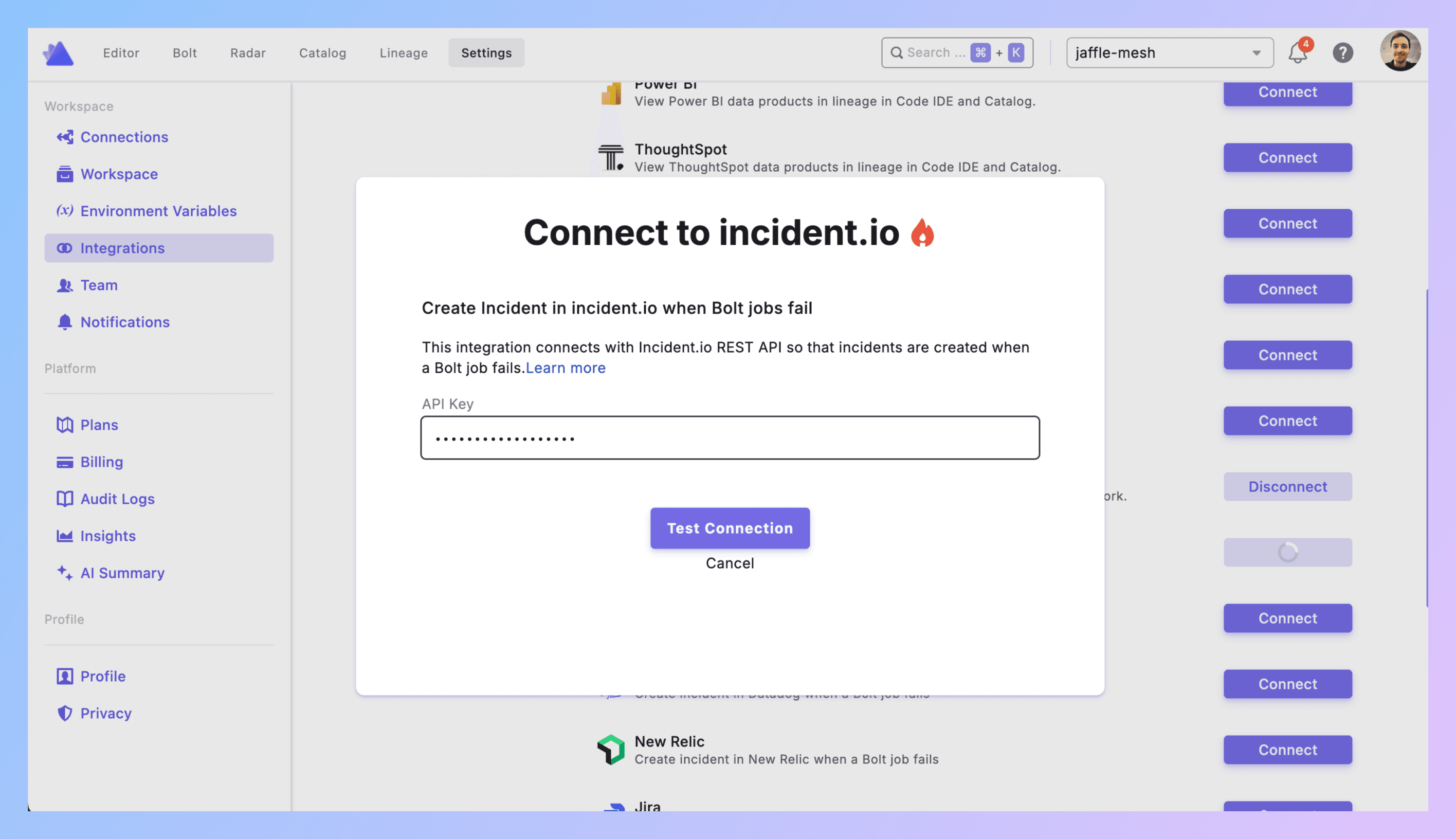
2. Connect Paradime to incident.io
In Paradime: Settings → Integrations → incident.io.
Paste your API key. Click Create.
Verify it shows as connected. Done.
3. Add incident.io Trigger to a Bolt Schedule
**Bolt → Schedules** → Pick a schedule (or create one).
Configure your dbt™ commands as normal (dbt run --select tag:critical).
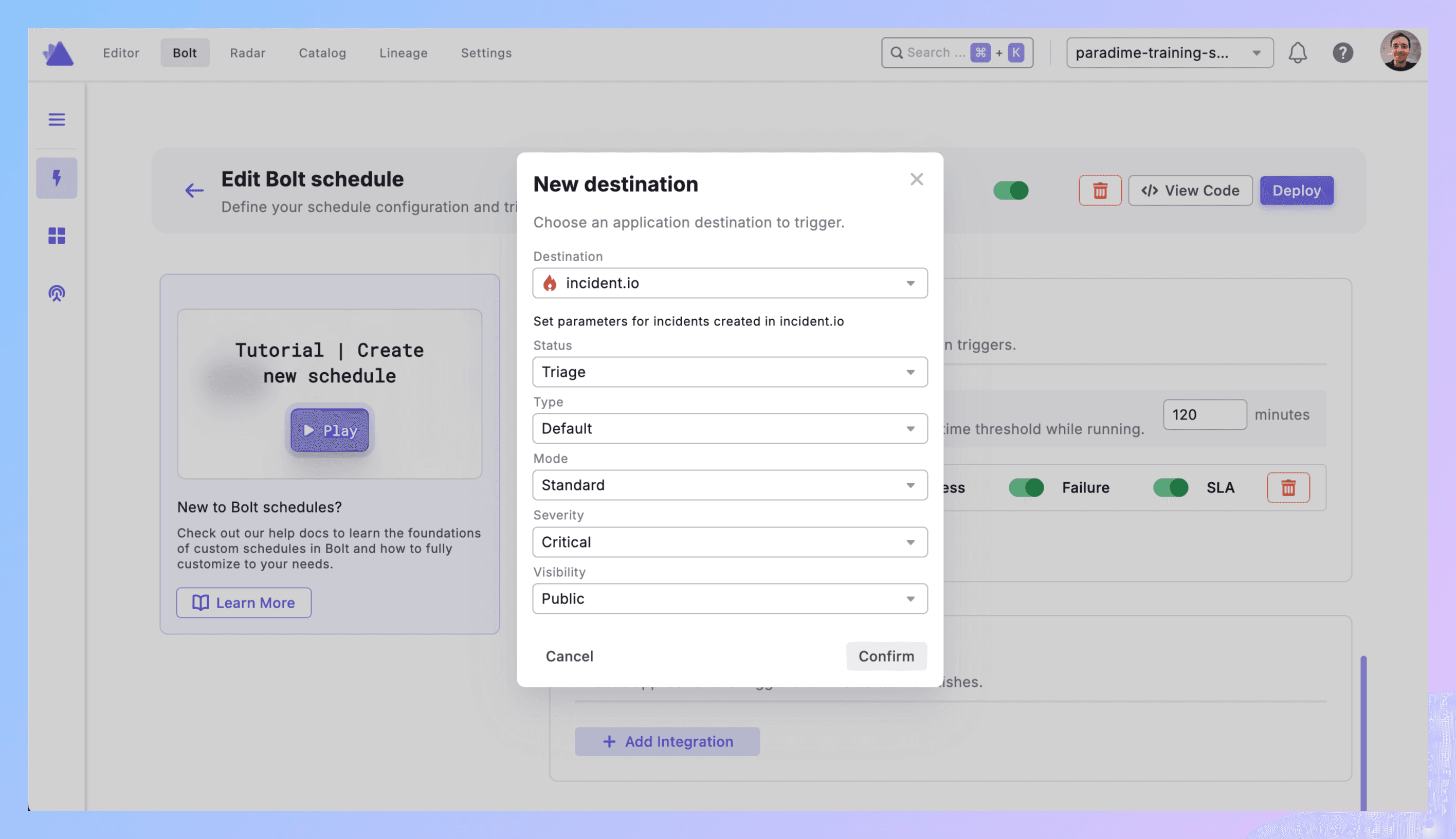
Scroll to Triggers integration section → Click Add Integration → Select incident.io.
4. Configure Incident Parameters
Set these fields:
Status: Initial incident status
Options: Merged, Declined, Canceled, Active, Resolved
Recommended: Active (for new failures)
Type: Incident classification
Use your incident.io custom types or Default
Examples: "Data Pipeline Incident", "dbt™ Failure"
Mode: How the incident is created
Options: Retrospective, Standard, Tutorial
Recommended: Standard (for production failures)
Severity: Priority level
Options: Minor, Major, Critical (or your custom levels)
Visibility: Who can see it
Public → Anyone in Slack (creates incident channel)
Private → Invite-only
Click Confirm to save.
5. What Gets Created
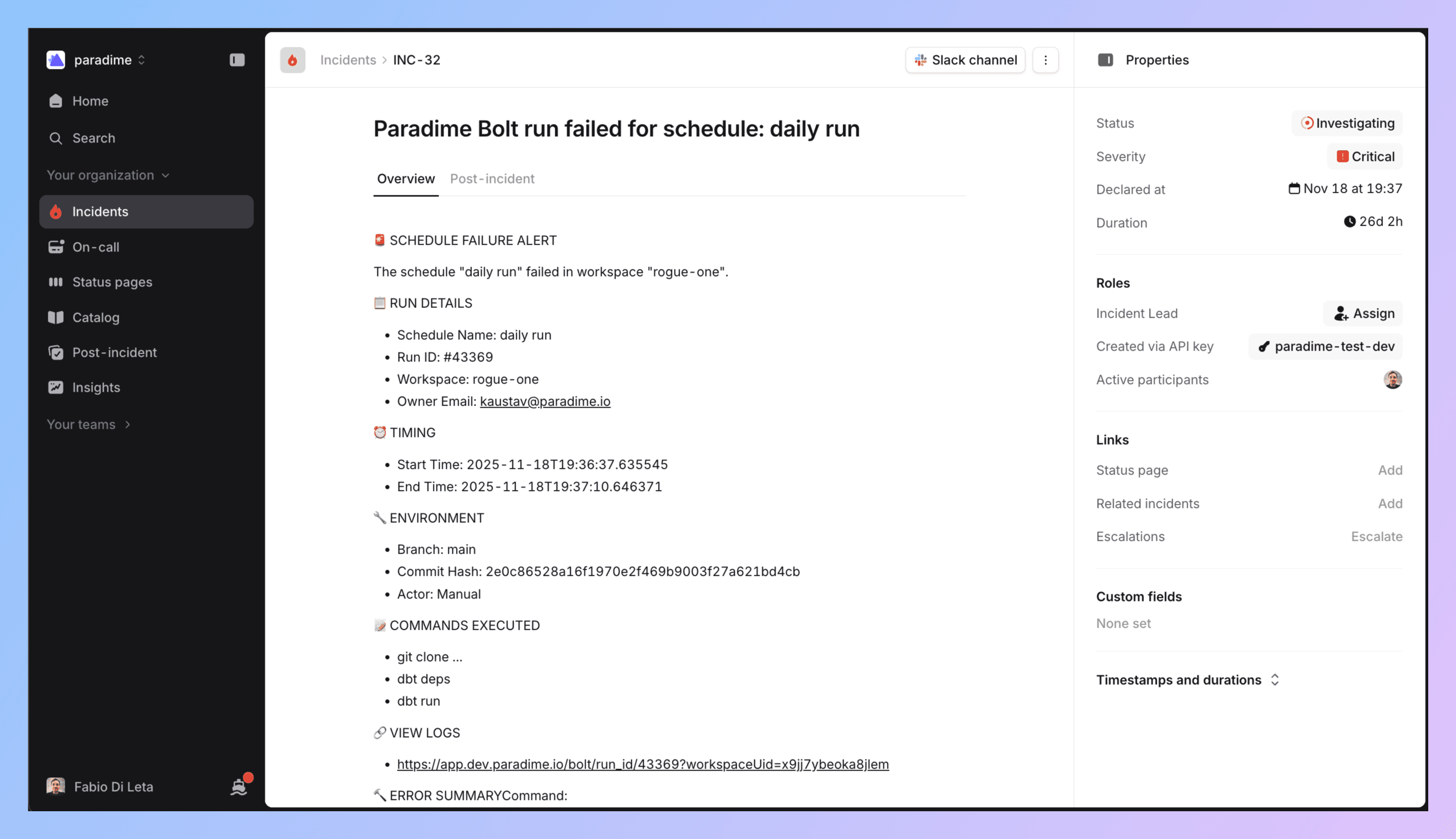
When your Bolt run fails, incident.io automatically creates an incident with:
Incident name (includes schedule and workspace)
Summary with:
Direct link to Paradime run logs
Run ID and execution details
Start/end timestamps
Commands that failed
Branch info
AI summary of command logs
Your configured severity, type, mode
Automatic Slack channel (if visibility = Public)
6. Wire Up Slack (Through incident.io)
Slack integration happens on the incident.io side.
incident.io → Settings → Integrations → Slack → Connect.
Configure workflows to:
Create a channel per incident (
#inc-123-dbt-failure)Post updates to
#data-incidentsor#analytics-on-callAssign to your on-call rotation
7. Test It
Create a test schedule. Intentionally break something (reference a table that doesn't exist).
Run it. Let it fail.
Check incident.io → incident should exist with correct details. Check Slack → channel created, notifications sent. Check the incident summary → link to Paradime logs should work.
If it didn't work:
No incident? Check API key permissions and connection status.
Wrong severity? Review your parameter configuration.
No Slack? Verify incident.io Slack workflows are configured and visibility is Public.
8. Roll Out to Production
Apply to all critical schedules. Configure severity based on actual impact.
Document your severity mapping. Train your team.
Best Practices
Don't make everything Critical. Complete production failure affecting customers = Critical. Single model that will matter in a few hours = Major. Everything else Minor or maybe no incident at all.
Scope your schedules. Don't run dbt build on everything in one schedule. Separate critical pipelines from nice-to-have ones. Tag your models and use --select flags. Control what triggers incidents by controlling what runs together.
Use meaningful incident types. Create custom incident types in incident.io like "Revenue Pipeline Failure" or "Customer Dashboard Failure" so your team can pattern-match quickly.
Set up ownership. Configure incident.io to assign to the right on-call rotation. Data incidents shouldn't page software engineers.
Use the Slack channel. incident.io creates a dedicated channel per incident. Use it for debugging, stakeholder updates, post-mortem notes. Don't close until data is fixed AND validated.
Track metrics:
Time to detection (should be fast with automation)
Time to resolution for dbt™ failures
Most frequently failing models (refactor these)
Incident volume trends (increasing = systemic problems)
Real Example: Revenue Pipeline Breaks
11:47 PM - dbt run --select tag:revenue_reporting executes.
11:52 PM - fct_daily_revenue fails. Schema change in raw_payments broke it.
11:52 PM - Trigger fires. Calls incident.io API.
11:53 PM - incident.io creates INC-456:
Slack channel
#inc-456-revenue-pipelinecreatedSarah (on-call) paged via Slack
#data-incidentsand#finance-teamnotifiedRun logs linked in incident summary
AI summary: "dbt™ model fct_daily_revenue failed due to column mismatch in raw_payments"
12:02 AM - Sarah reviews Paradime logs. Finds schema change in raw_payments.
12:15 AM - Sarah updates dbt™ model for new schema. Commits. Triggers manual run in Paradime.
12:22 AM - Run succeeds. Sarah posts in incident channel: "Fix deployed, data backfilled."
12:25 AM - Incident marked resolved. Channel stays open for post-mortem.
Next day - Team adds schema change detection to raw_payments tests. Updates runbook.
Get Started
Pick one test schedule. Break something on purpose. Watch the incident get created.
Define severity levels with your team. Document what makes something Critical vs Major for data.
Add incident.io trigger to one production pipeline. Monitor for a week. Expand to all critical schedules.
Set up on-call rotation if you don't have one. Incident management requires ownership.
Links:


